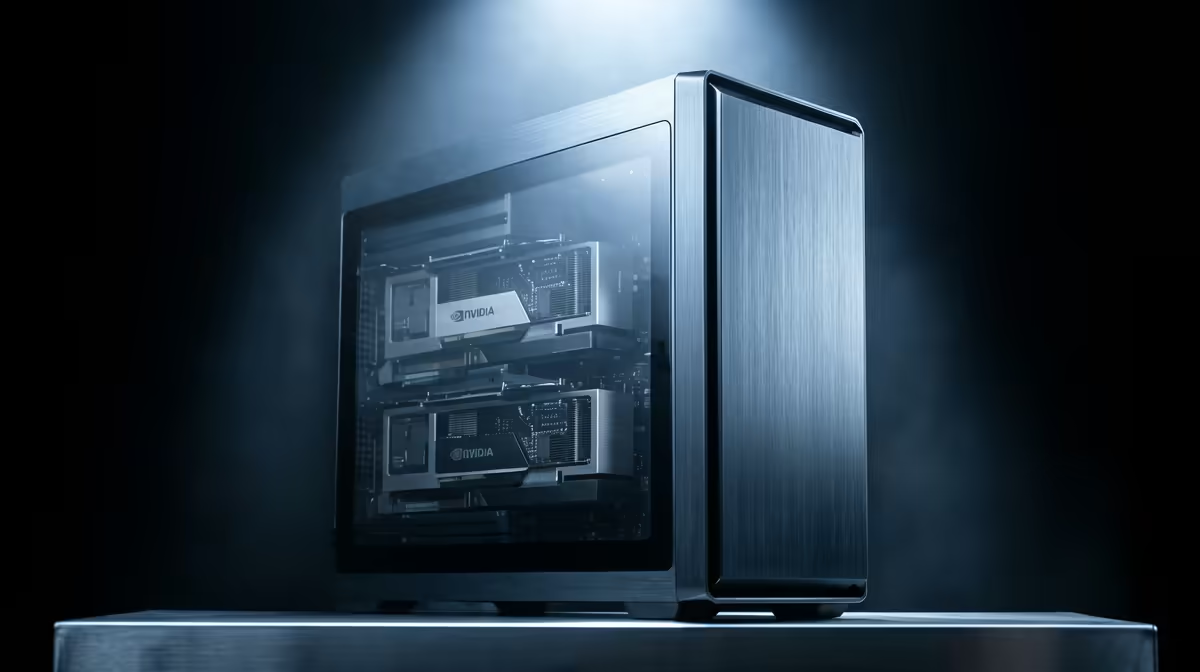
CAD software has its own rules, and chasing the highest core count is one of the most expensive mistakes an SA engineer can make. The best PC for SolidWorks and CAD in South Africa for 2026 is built around fast single-threaded performance and a certified GPU, not a sprawling many-core chip that sits idle while you model. Get those two priorities right and you avoid the viewport stutters and driver crashes that plague machines built like gaming rigs.
Quick Answer
A strong SolidWorks 2026 build centres on a high-clock CPU like the Ryzen 9 9950X boosting to 5.7 GHz, paired with an ISV-certified workstation GPU for stable RealView and viewport performance. Start with 32GB of RAM and a fast NVMe SSD. This combination keeps modelling smooth and avoids the driver issues that come with consumer gaming cards.
Why SolidWorks Is Single-Threaded
This is the fact that determines the whole build. The core modelling engine in SolidWorks, the part where you sketch, extrude, mate and rebuild features, runs largely on a single CPU thread. That means a chip's per-core speed matters far more than its total core count for the work you do most of the day. A 16-core processor with a modest clock can feel slower in everyday modelling than an 8-core part that boosts higher.
This is why the Ryzen 9 9950X is such a strong pick. It boosts to 5.7 GHz, giving the fast single-core performance SolidWorks craves, while still offering plenty of cores for the tasks that do scale, like rendering and simulation. You get the best of both without compromising the part-modelling that dominates your time.
The GPU Question: Certified Versus Gaming
Why ISV Certification Matters
SolidWorks viewport rendering, and especially RealView, leans on the graphics driver. Certified workstation GPUs ship with drivers that SolidWorks and the GPU vendor have tested together against the software, which is what ISV certification means. That testing is why a certified card gives stable RealView, clean viewport behaviour and far fewer mysterious crashes during long sessions.
The Gaming Card Trap
A high-end gaming GPU often posts bigger numbers in games, but its consumer driver is not validated for CAD workloads. The result on a SolidWorks machine can be viewport glitches, RealView that refuses to enable cleanly, and crashes that are maddening to diagnose. For an engineer whose time is money, paying for a certified card is cheaper than losing hours to driver instability. The current workstation graphics card range at Evetech shows which certified models are stocked locally with Rand pricing.
Memory, Storage and the Rest
RAM
32GB is a sensible floor for SolidWorks in 2026. SolidWorks 2026's own documentation flags this as the minimum for comfortable work, and stepping to 64GB is worth considering for assemblies of hundreds or thousands of components. When memory runs short the system is forced to write data to the SSD to keep going, and that swap penalty turns a fast machine into a frustrating one during big rebuilds. Choosing a platform with four or more memory channels, such as a Threadripper PRO system for heavy simulation, also helps because the solver can feed the CPU more quickly.
Storage
A fast NVMe SSD makes a tangible difference to load times for large assemblies and drawings. Put your operating system, SolidWorks and active projects on NVMe, and use larger SATA or secondary drives for archives. The speed of opening and saving heavy files is something you feel every single day.
Cooling and Stability
A high-boost CPU only sustains its clocks with proper cooling. A capable air or liquid cooler keeps the 9950X holding its boost during long modelling and simulation runs, which directly protects the single-threaded performance the whole build is designed around.
SolidWorks Simulation: Where More Cores Pay Off
The core modelling workflow is single-threaded, but SolidWorks Simulation and SolidWorks Flow Simulation do spread the solve across multiple cores. A 2026 build that will also run structural or thermal analyses benefits from a higher core count platform so those solves finish faster. For a pure draughtsperson the 9950X's 16 cores are more than enough. For an engineer running daily large-scale simulations, a step up to a higher-core-count Threadripper-class platform can pay for itself in time saved waiting on results. The distinction matters when you spec: buy for the modelling you do every day, then check whether your simulation scale justifies the extra investment.
SolidWorks Visualise and Rendering
SolidWorks Visualise 2026 introduces certified support for NVIDIA's ray-trace cores and requires an Turing-generation or newer GPU with at least 4GB of VRAM for full GPU-accelerated rendering. A certified RTX PRO card covers both the RealView requirement and Visualise acceleration in one purchase, which is why pairing a high-clock CPU with a current-generation certified card is the right foundation for any 2026 build that also uses Visualise.
Matching the Build to the Work
Not every CAD user needs the same machine. A draughtsperson working on modest parts can run a slightly lighter CPU and an entry certified GPU comfortably. An engineer running large assemblies, motion studies or simulation should lean towards the 9950X, more RAM and a stronger certified card. Match the spend to the size of your typical assembly rather than buying the biggest of everything by default.
For South African engineers who would rather buy a complete, balanced system, the PC best sellers show proven prebuilt configurations alongside current Rand pricing.
Frequently Asked Questions
Does SolidWorks need a lot of CPU cores?
Not for everyday modelling. The core modelling engine is largely single-threaded, so per-core clock speed matters most. Extra cores help with rendering and simulation, which is why a high-clock chip like the Ryzen 9 9950X balances both well.
Can I use a gaming graphics card for SolidWorks?
You can, but it is not ideal. Gaming cards lack ISV-certified drivers, which can cause RealView problems, viewport glitches and crashes. A certified workstation GPU gives the stability serious CAD work needs.
How much RAM should a SolidWorks PC have?
32GB is the sound minimum for 2026. Move to 64GB if you regularly work with large assemblies of many hundreds of parts, since insufficient RAM forces slow disk paging during rebuilds.
What is RealView and why does it need a certified GPU?
RealView is SolidWorks' realistic shading and material preview. It relies on the graphics driver, and only certified workstation GPUs guarantee it runs stably, which is why it often misbehaves on consumer gaming cards.
Is NVMe storage worth it for CAD?
Yes. A fast NVMe SSD noticeably speeds up opening and saving large assemblies and drawings. Keep your OS, SolidWorks and active projects on NVMe for the smoothest day-to-day experience.
Building a CAD workstation that actually behaves? Start with a certified card from the workstation graphics range at Evetech and pair it with a high-clock CPU for stable, crash-free SolidWorks performance.