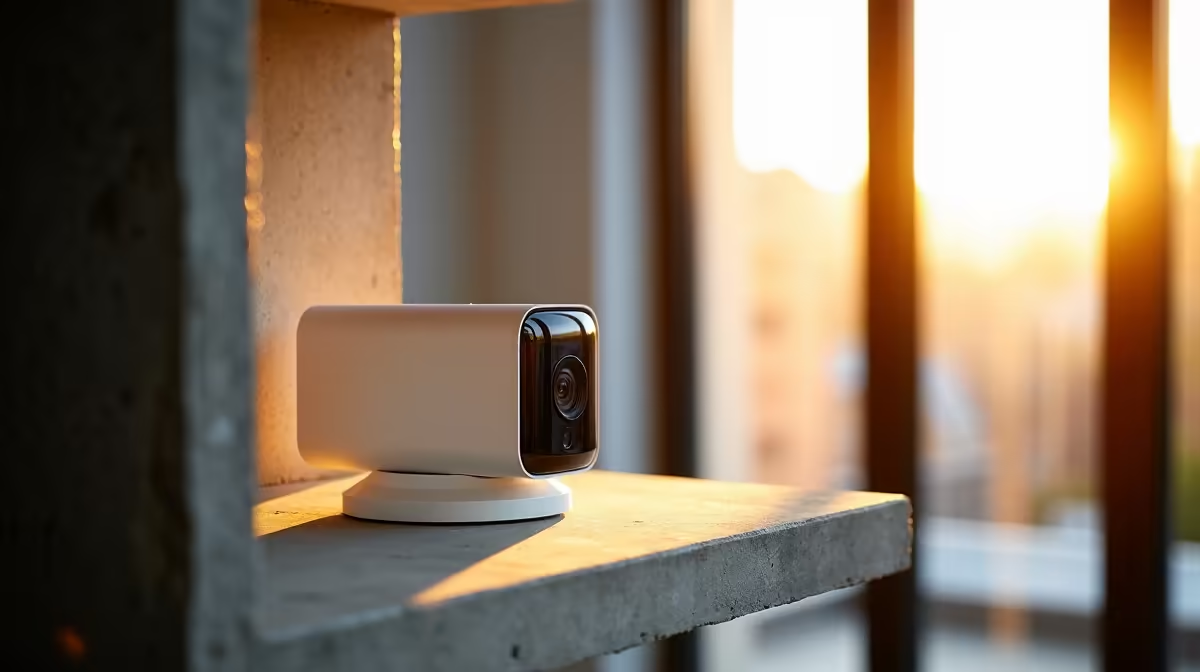
A flat changes the security maths entirely. There is no exterior wall to drill into, no perimeter to fence, and often a body corporate that has opinions about what you mount and where. The good news is that the best security cameras for an apartment lean into those constraints rather than fighting them: compact indoor units and battery cameras that focus tightly on the front door and balcony, the two places that actually matter in a flat. No cabling through brick, no landlord conversations about holes in the wall.
Quick Answer
For an apartment, a compact indoor camera plus a battery-powered unit on the balcony covers the real risk points without any drilling. Wireless and battery cameras mount with adhesive or a small bracket, focus coverage on the entrance and balcony, and suit renters who cannot make permanent changes. Budget from roughly R600 for a basic indoor camera upward.
Why apartment security is different
In a house you think in terms of a boundary line. In a flat you think in terms of two or three pinch points. Almost everyone enters through the front door, and the only other realistic access is a ground-floor or low-level balcony. That tight geometry is a gift: you do not need eight cameras and a wired NVR, you need two well-placed ones.
The second difference is permanence. As a renter you usually cannot run cabling, drill into shared walls, or alter the building exterior. That pushes you firmly toward wireless and battery cameras that stick on with adhesive mounts or sit on a shelf, then come down cleanly when you move.
The body corporate factor
Before you mount anything that can see beyond your own front door, check the body corporate rules. Many SA complexes have conduct rules about cameras that capture common areas, neighbours' doors, or shared passages. A camera pointed at your own entrance is almost always fine; one that surveils the corridor or a neighbour's window can land you in a dispute. Angle your coverage to your own threshold and you stay on the right side of the rules.
If you are starting from scratch, the smart home and security camera range at Evetech is the cleanest place to see the compact indoor and battery options side by side.
What to look for in an apartment camera
Not every spec matters in a flat. Prioritise the ones that do.
Indoor versus battery outdoor
An indoor camera handles the inside of your front door, the lounge, or a view through a window. A battery-powered weather-resistant camera handles the balcony or a covered external spot where no power point exists. Most flats are well served by one of each.
The features that earn their place
- No-drill mounting: adhesive bases or shelf-friendly designs that leave no marks.
- Local plus cloud storage: a microSD slot means you keep footage even if the connection drops, while cloud adds an offsite copy.
- Person detection: smart alerts that fire on people rather than every passing shadow keep notifications useful instead of constant.
- Two-way audio: handy for couriers and visitors at the door without opening it.
- Solid Wi-Fi range: a flat is small, but concrete walls eat signal. Make sure your fibre router or a mesh node reaches the mounting spot.
A note on doorbell cameras
A video doorbell is tempting, but in a flat it usually replaces a doorbell that belongs to the building or sits in a shared passage, which reopens the body corporate question. A battery doorbell mounted just inside your own door frame, or a small indoor camera covering the entrance, often sidesteps the politics entirely.
Choosing between battery and mains-powered models
Battery cameras win on flexibility: no cable runs, no damage to walls, and they relocate instantly if you move to a new unit. The trade-off is maintenance. Depending on how often the camera triggers, recharging typically falls every one to three months. A camera on a busy balcony drains faster than one covering a quiet interior corner. Models with solar-assist panels are becoming common and can extend intervals considerably if the balcony gets direct sun.
Mains-powered indoor cameras are simpler to live with day-to-day because there is no charging cycle, but they require a nearby power point and the cable needs to be managed neatly. In practice most flat setups run a mains-powered unit indoors where power is accessible and a battery unit outdoors where there is none.
Resolution: how much do you need in a flat?
In a confined space you do not need 4K. A 2K (4MP) camera captures faces and detail at doorway and room distances with no difficulty, and it uses less storage than an 8MP model. Reserve higher resolution for the outdoor camera if you want to read detail from further across a balcony or car park below. A compact 1080p or 2K indoor model at the front door is entirely sufficient.
Connectivity and storage for a rented flat
Because you cannot wire anything, your entire camera system runs over Wi-Fi. That means the quality of your home internet and router placement matter as much as the camera spec. Concrete walls and long corridors cut Wi-Fi range sharply; if the camera location has a weak signal, a mesh node placed strategically solves more problems than upgrading to a premium camera.
For storage, a microSD card inside the camera is the baseline and avoids any monthly fee. Cloud backup adds off-site redundancy so footage is not lost if the camera is stolen or damaged. Most flat setups are well served by a 64 to 128GB card, which holds several days to a couple of weeks of motion-triggered clips at 2K.
Setting realistic expectations
Wireless cameras also depend entirely on your home connection; a flaky link means missed clips, so a stable fibre line and good router placement do more for reliability than any single camera feature. To gauge what local buyers actually pick up alongside cameras, the accessories most shoppers add at Evetech are a useful reference for mounts, cards and power add-ons.
Frequently Asked Questions
Do I need permission to install a camera in my flat?
Inside your own unit, generally no. But if a camera captures common areas, corridors or a neighbour's door, your body corporate conduct rules likely apply. Keep coverage pointed at your own entrance and balcony to stay compliant.
Can I install a security camera without drilling?
Yes, and it is the main reason these cameras suit apartments. Indoor units sit on a shelf or stick on with adhesive mounts, and battery outdoor cameras use small brackets or adhesive bases, leaving no permanent holes when you move out.
How long does a battery security camera last between charges?
Typically one to three months, depending on how often motion triggers recording. A camera in a busy spot drains faster than one watching a quiet balcony. Choose a position you can reach easily so recharging is a quick job, not a chore.
Is cloud or local storage better for an apartment camera?
Both have a place. Local microSD storage keeps footage even if your internet drops and avoids subscription costs, while cloud storage protects clips if the camera is stolen. The strongest setup uses both together for redundancy.
How many cameras does a flat actually need?
Usually two: one indoor camera covering the front door area and one battery camera for the balcony or external access point. A flat's small footprint and limited entry points mean you rarely need more, which keeps cost and clutter down.
What resolution is enough for an indoor apartment camera?
A 2K (4MP) camera handles typical indoor and doorway distances with no problem. It captures faces clearly at close range and uses less storage than 4K models. You only need to consider higher resolution if you want to read detail across a wider outdoor space.
Ready to cover the two points that matter in your flat without a single hole in the wall? Browse the compact indoor and battery options in the smart home and security camera range at Evetech and build a setup that comes with you when you move.