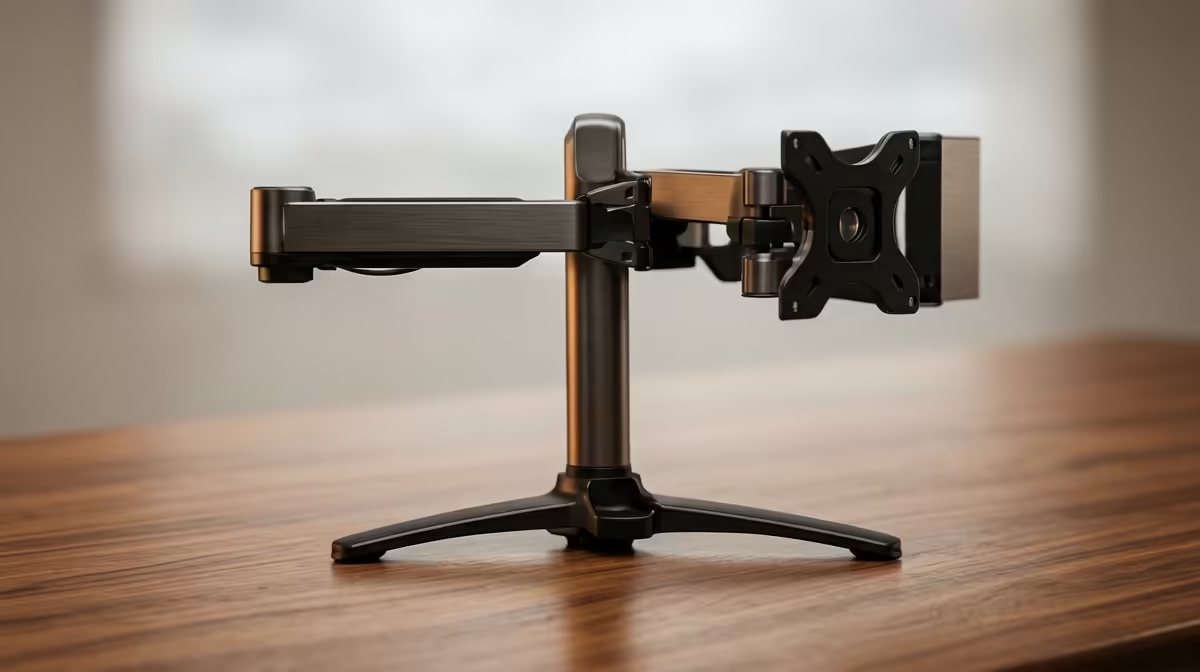
A monitor sitting on its factory stand eats a surprising amount of desk and locks the screen to one height that is rarely the right one for your posture. Swap that stand for a proper arm and the desk opens up, the screen floats to eye level, and a quick nudge repositions it whenever you change tasks. The best single monitor arm for a South African desk is a gas-spring model that holds the screen exactly where you leave it.
Quick Answer
The best single monitor arm is a gas-spring (pneumatic) model supporting 13 to 32 inch screens up to about 9kg, mounting via the VESA 75x75 or 100x100mm pattern. Gas-spring arms hold any height without retightening, reclaim desk space, and let you set eye-level height in seconds.
Why a Gas-Spring Arm Beats the Stock Stand
A factory stand is a compromise. It fixes your screen at one height, occupies a wide footprint on the desk, and offers little tilt or swivel. A monitor arm clamps to the desk edge and suspends the screen on a movable joint, freeing the surface beneath it for a keyboard, notes, or simply breathing room.
The mechanism matters. Cheaper arms use a spring-and-friction joint that needs a hex key to retighten as it sags. A gas-spring arm uses a sealed pneumatic cylinder that counterbalances the screen's weight smoothly, so you can pull the monitor closer for detailed work or push it back for a call and it stays put. That single feature is what separates an arm you fight with from one you forget is there.
Posture Is the Real Win
With the stock stand, most people sit looking slightly down at their screen, which loads the neck over a long day. An arm lets you raise the top of the display to roughly eye level, so your gaze sits naturally and your spine stays neutral. For anyone at a desk for hours, that adjustment alone justifies the upgrade.
You can see how a tidier, better-positioned setup comes together across the ergonomic range, including desks and workspace furniture, in the gaming and ergonomic desk range at Evetech, since posture is a whole-desk equation rather than a single part.
What to Check Before You Buy
VESA Compatibility
Almost every monitor uses the VESA standard for mounting, with the screw holes spaced either 75x75mm or 100x100mm. Check the back of your monitor for these holes before buying. Larger screens typically use 100x100, smaller ones 75x75, and most quality arms include both patterns. If your monitor has no VESA holes, a separate adapter bracket usually solves it.
Weight and Size Range
A single arm rated for 13 to 32 inch screens up to around 9kg covers the vast majority of desktop monitors, including most ultrawides up to 34 inches in the lighter range. Check your monitor's weight against the arm's rating. Sit too close to the limit and the gas spring struggles to hold position; well within it and movement stays effortless.
Mounting Method
Most arms offer a C-clamp that grips the desk edge and a grommet mount that bolts through a hole in the desk. The clamp is quicker and damage-free for most desks. Confirm your desk thickness falls within the clamp's range, and that the rear edge is accessible.
Adjustment Range
Look at how far the arm extends, how high and low it travels, and whether it tilts, swivels, and rotates to portrait. Cable management channels along the arm keep the wiring tidy, which is a small touch that makes a real difference to how clean the finished desk looks.
Portrait Mode and Rotation
Many single arms support a full 360-degree rotation that lets you flip the panel to portrait orientation with a twist of the wrist. Portrait mode is genuinely useful for coders reading long files, writers drafting long documents, or anyone who frequently reads scrolling text. Not every arm rotates fully, so if portrait is something you want, confirm it is in the spec before buying. Landscape-only arms save money and suit users who never need to rotate.
Cable Management Along the Arm
Most quality arms include routing clips, internal channels, or cover sleeves that carry the display cable and power adapter from the desk surface up to the back of the monitor. Managed cables prevent snagging when you reposition the screen and keep the desk looking clean. When setting up, thread the cables through the arm first, then attach the monitor, as trying to route cables after mounting is fiddly. Leave a small loop of slack at both ends so repositioning the arm does not tug the connectors.
Single Arm Versus Dual
A single arm is the right call when you run one main display and want maximum flexibility for it. If you already run two screens, a dual arm or two single arms gives each panel independent movement. Buying a single now and adding a second later works too, provided your desk has room for a second clamp.
Setting It Up Right
Mount the arm toward the back of the desk so the screen can sit at a comfortable viewing distance, roughly an arm's length away. Route the cables through the arm's channels for a clean look, then set the top of the screen to eye level and tilt it slightly back. To compare popular ergonomic upgrades that pair with an arm, the best-selling desk accessories at Evetech shows what other SA buyers add when they rebuild a desk around comfort.
Frequently Asked Questions
What VESA size do I need for a monitor arm?
Check the screw-hole spacing on the back of your monitor. It will be either 75x75mm or 100x100mm. Most quality arms support both, and an adapter bracket covers monitors that lack VESA holes entirely.
How much weight can a single monitor arm hold?
A typical gas-spring single arm supports up to around 9kg, which covers most 13 to 32 inch monitors. Always check your screen's weight against the arm's rating and stay comfortably within it for smooth, lasting movement.
Will a monitor arm damage my desk?
A C-clamp mount grips the desk edge with a protective pad and leaves no marks when fitted within the clamp's thickness range. A grommet mount needs a hole in the desk but is equally secure. Neither harms a sound desk when installed correctly.
Is a gas-spring arm better than a regular one?
For most users, yes. A gas-spring arm holds any position without retightening, so you can reposition the screen freely and it stays put. Friction-based arms are cheaper but tend to sag over time and need periodic adjustment.
Can I mount an ultrawide monitor on a single arm?
Lighter ultrawides up to around 34 inches and within the arm's weight limit can work on a single arm. Heavier or very wide curved panels may need a heavy-duty arm rated for the extra mass, so check both weight and size against the specification.
Want a cleaner desk and a healthier neck? Build out your ergonomic setup with the desk range at Evetech and pair a gas-spring arm with a surface that supports the whole workspace.