


AIO Liquid 240mm Setup and Configuration: Complete Tutorial
AIO Liquid 240mm Setup and Configuration. Clear setup instructions with SA-specific considerations, troubleshooting tips & recommended components.
Read moreBest budget AI workstation in ZAR? 🤖💸 Compare high-end mini PCs vs full desktop builds, see where your money goes, and decide which option delivers the best value for AI workloads.
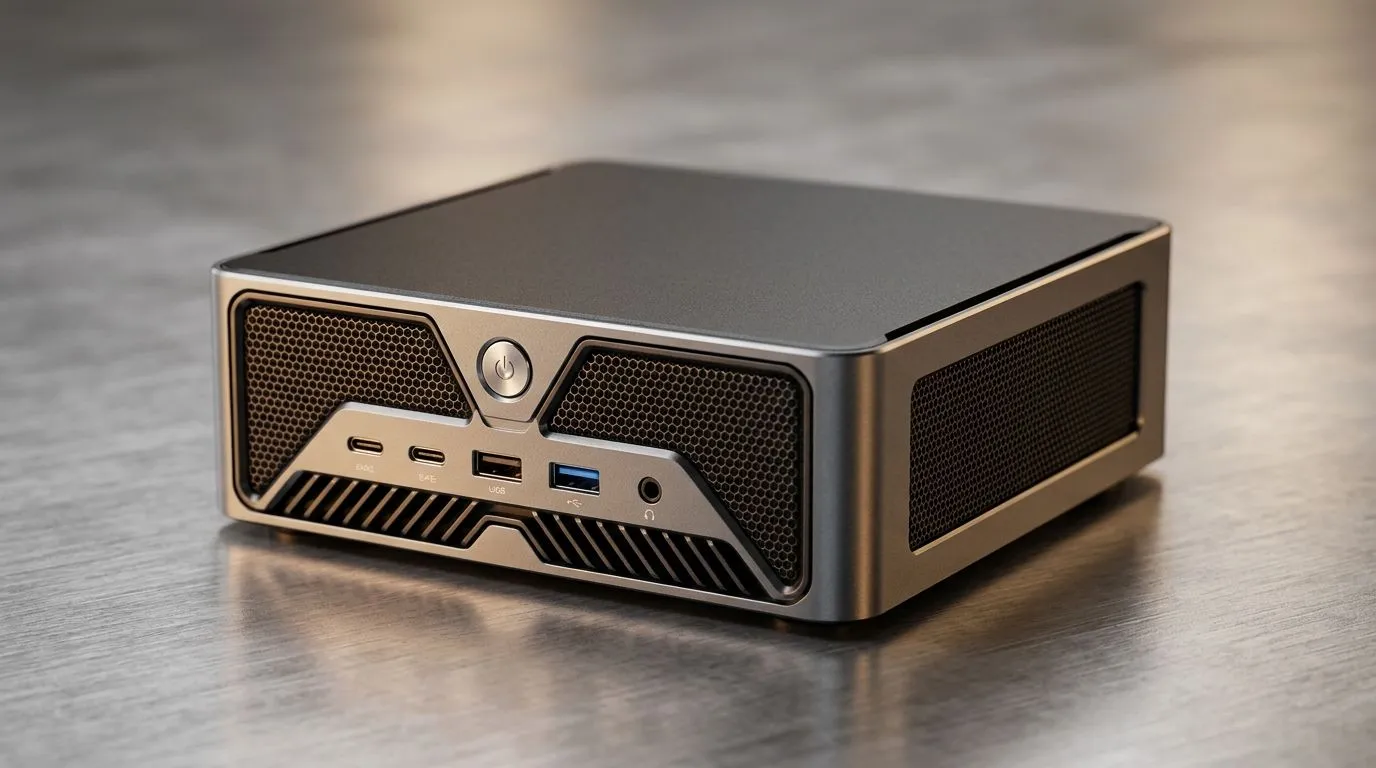
If you want AI tools, 1080p/1440p gaming, and everyday productivity without paying “workstation” prices… you’re not alone. South Africans are watching ZAR prices closely, and mini PCs are suddenly everywhere. But is a Best Budget AI Workstation in ZAR really achievable with a high-end mini PC, or will you hit the same walls? Let’s break it down in plain English, with real upgrade paths and what to look for before you buy. ✨
“AI workstation” doesn’t mean you need a server. For most personal use, it means you have:
For many AI apps (local image generation, model experimentation, and dev tools), GPU acceleration matters more than people expect. CPU still counts, especially for data prep and inference latency. That’s why the best budget choices often land on mini PCs with a balanced CPU, solid RAM, and an upgrade path where possible.
If you’re shopping now, start by browsing what Evetech already stocks in mini PCs: mini PCs in general on Evetech.
Here’s the honest checklist for your next ZAR purchase. 🚀
Many “high-end” mini PCs lean on integrated graphics. That can be fine for lighter tasks, but it’s not the same as GPU-accelerated AI workflows. If you’re serious about local inference and generation, you’ll want to understand the GPU inside the system and what the apps you use require.
A mini PC doesn’t automatically mean “cheap performance.” It often means you’re buying the same class of components in a smaller shell. The trade-offs can be airflow and upgrade access. So before you commit, check what’s user-serviceable and what’s sealed.
If you want to compare a broad selection, use this category page: mini PCs with specific configurations on Evetech.
In ZAR terms, it can be. A good mini PC can deliver strong daily performance plus “local AI” capability, especially when you avoid under-spec RAM and storage.
Here’s the micro-story we keep hearing from South African buyers: someone starts with a budget build, downloads a model pack, then realises they’re juggling RAM limits and slow storage… and suddenly their “AI weekend” becomes an “upgrade week”. The smarter route is to buy for the workflow you’ll actually use.
If you’re considering Minisforum specifically, check these options: Minisforum mini PCs.
And if you want to narrow down to MSI models for a more performance-focused feel, browse: MSI mini PCs in the relevant Evetech category.
Budget doesn’t mean bargain-bin. It means choosing the right bottleneck for your use. 🔧
On Windows, use the PowerToys FancyZones utility to create custom snap layouts for your windows. It's a lifesaver for managing multiple apps on an ultrawide monitor, letting you organise your model dashboard, code editor, and file explorer while you test prompts.
A simple strategy:
If you prefer Ninkear options, use this page for focused browsing: Ninkear mini PCs.
Before you click Buy, compare three things across your shortlist:
Then… match it to your ZAR budget with a plan. If your current machine is struggling, don’t just add software. Upgrade the platform that makes your work smoother today, and scalable tomorrow. ✨
Ready to Find Your Perfect Match? The Mac vs Windows debate is complex, but for maximum power, choice, and value in South Africa, Windows is hard to beat. Explore our massive range of laptop specials and find the perfect machine to conquer your world.
The best budget AI workstation in ZAR balances CPU, GPU, and RAM. For most users, a mid-range desktop beats a mini PC for AI performance.
A high-end mini PC can handle light AI workloads, but limited cooling and upgrade options often make it less ideal than a desktop build.
Start with 16GB, but 32GB is better for AI workstation use. More RAM helps with local models, multitasking, and larger datasets.
Yes, for smaller models and basic machine learning. For heavier training, a desktop with a dedicated GPU is usually the smarter choice.
GPU power matters most, followed by RAM and fast storage. A strong CPU helps, but AI performance usually depends heavily on the graphics card.
Choose a desktop if you want better cooling, upgrade headroom, and stronger AI performance. Pick a mini PC only if space and low power matter most.
AIO Liquid 240mm Setup and Configuration. Clear setup instructions with SA-specific considerations, troubleshooting tips & recommended components.
Read more
Setting Up DDR5 64GB Kit. Tested & verified settings for best FPS and visual quality on SA hardware budgets.
Read more
Overwatch 2 Setup Guide Gamers. Clear setup instructions with SA-specific considerations, troubleshooting tips & recommended components.
Read more
R and RStudio on Mac: Data Science Setup Guide. Clear setup instructions with SA-specific considerations, troubleshooting tips & recommended components.
Read more
NVIDIA Broadcast Setup with GPU: Streamer Guide. Clear setup instructions with SA-specific considerations, troubleshooting tips & recommended components.
Read more
Core Ultra 7 265K Temperature Guide: Normal Range. Complete product range with SA pricing, key specs & recommendations for different budgets.
Read more
AMD RX 9050 XT: Rumoured Specs, Price & Release. SA-focused analysis with local pricing data, real-world insights & actionable buying advice.

Can RTX 4080 Super Run AI Workloads for SA Developers Detailed answer with SA data, expert analysis & practical recommendations for local buyers.

Can RTX 4090 Run AI Workloads for SA Developers Detailed answer with SA data, expert analysis & practical recommendations for local buyers.

Top Settings for Intel Arc B580 at Ultrawide 1440p picks evaluated on performance, value & SA availability with current Rand pricing from Evetech.

RTX 4060 CS2 Low Settings at 1080p: FPS Results. Real-world benchmark data, FPS numbers & performance analysis. What SA gamers can actually expect.

Visual Artifacts: Possible GPU Issue Issue #1. Diagnosis steps, proven fixes & when to seek professional help. SA-specific support info included.

Can the RTX 4090 Handle 1440p 144Hz Gaming. Performance testing verdict with real data & practical recommendations for SA buyers.

Top ASUS GPU Under R15000 picks evaluated on performance, value & SA availability with current Rand pricing from Evetech.

GTA 6 Max Settings on RTX 5070. Tested & verified settings for best FPS and visual quality on SA hardware budgets.

Cyberpunk 2077 Max Settings on RTX 5080. Tested & verified settings for best FPS and visual quality on SA hardware budgets.

Starfield Max Settings on RTX 5070 Ti. Tested & verified settings for best FPS and visual quality on SA hardware budgets.

Top RTX 5090 Under R5000 picks evaluated on performance, value & SA availability with current Rand pricing from Evetech.