Quick Answer
A showcase gaming PC in SA needs tempered glass side panels for visibility, ARGB lighting on fans and CPU cooler for aesthetics, and a mesh or perforated front panel for practical cooling. Sacrificing the front mesh for full-glass aesthetics in an SA summer room costs you 8 to 12 degrees Celsius on GPU temperatures, which is too high a trade-off for a high-performance build.
Selecting the Right Case for a Showcase Build 🖥️
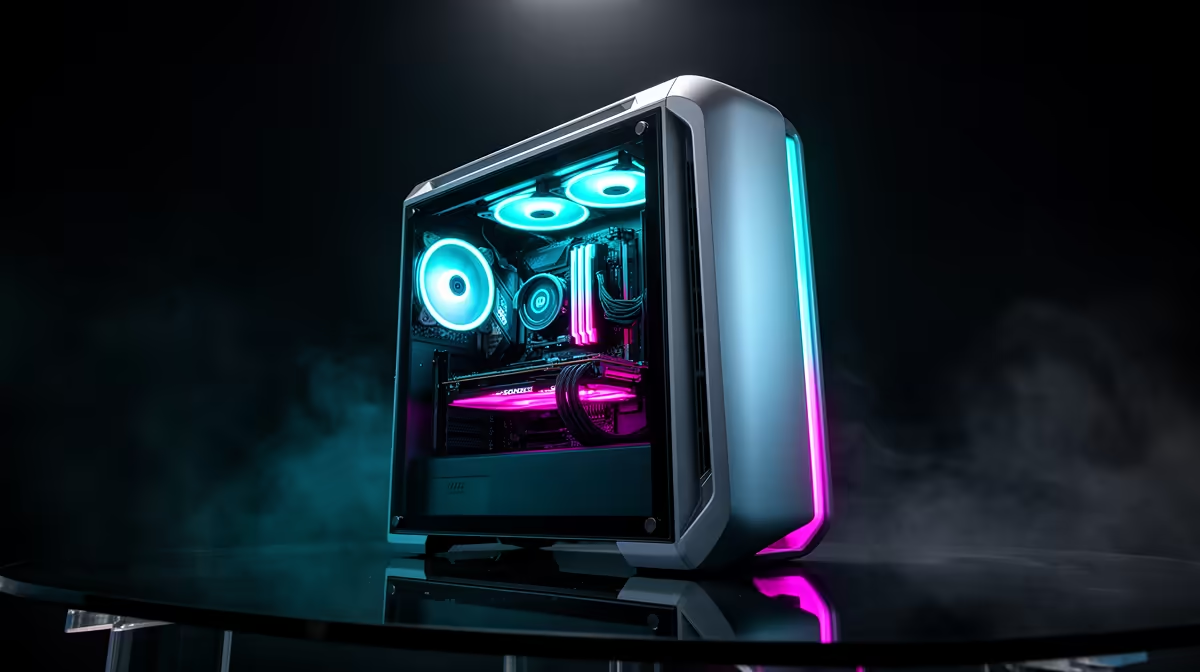
The foundation of a showcase build is a case that frames components like a display case while moving enough air to keep everything running at full performance. The ideal form is a mid-tower ATX with a full-length tempered glass side panel, a mesh or heavily perforated front panel (not glass), at least three to four preinstalled ARGB fans, a PSU shroud covering the lower cable bundle, and GPU clearance of at least 380mm for any current-gen flagship card.
ARGB Lighting Strategy for a Cohesive Look 🔧
The most common mistake in showcase builds is mixing RGB ecosystems from different brands across fans, CPU cooler, and RAM sticks, which results in lighting zones that cycle at different rates or cannot be unified in one application. To avoid this, plan the lighting ecosystem before purchasing: choose a motherboard with at least two addressable 5V ARGB headers (labelled ARGB or ADD_HEADER in the spec sheet), then select a case whose preinstalled fans use standard 3-pin ARGB connectors.
Practical Cooling in a Showcase Build 💨
Aesthetics and cooling are not mutually exclusive in a well-designed showcase build. A 360mm AIO with an ARGB pump head and three matching ARGB radiator fans provides both the visual centrepiece for the top or front of the build and the thermal performance for a Ryzen 9 9900X or Core i9-14900K. Pairing this with two additional ARGB case fans at the front intake and one at the rear exhaust creates a positive-pressure airflow layout that keeps GPU and CPU temperatures well within range during SA summer conditions.
Balance RGB Brightness With Component Visibility ⚡
Running all ARGB zones at 100 percent brightness can create so much ambient light inside the case that component details like the GPU heatsink fins, CPU socket area, and motherboard PCB are washed out rather than highlighted. Setting fans and RAM lighting to 60 to 70 percent brightness while leaving the CPU cooler ring at full brightness creates depth and draws the eye to the focal point of the build rather than flattening the entire interior into a single glowing mass.
FAQ
How much does a complete showcase gaming build cost in SA in 2026?
A showcase build with RTX 5070 or RX 9070 XT, Ryzen 7 9700X, 32GB DDR5 ARGB RAM, a quality 360mm AIO, a premium showcase case, and a 1TB NVMe SSD sits in the R18,000 to R25,000 range depending on specific component selection. Scaling up to an RTX 5080 pushes the total to R28,000 to R35,000 before peripherals.
Does ARGB lighting affect gaming performance or system temperatures?
ARGB LEDs consume negligible power, typically under 3W for the entire lighting ecosystem inside a build, and produce no meaningful heat. ARGB has no measurable effect on gaming performance or system temperatures and can be disabled via software if you prefer a clean dark aesthetic.
What is the easiest way to photograph a showcase build in SA for social media?
Shoot in a darkened room with only the PC's RGB lighting active. Place the case on a clean surface against a plain dark background, and use your smartphone camera in night mode or a DSLR at a wide aperture (f/1.8 to f/2.8) and ISO 400 to 800. The tempered glass panel will reflect ambient light, so position yourself and the camera off-axis from any light source to minimise reflections on the glass while keeping the internal lighting crisp and visible.
Ready to build a PC that looks as good as it performs?
Browse showcase-ready gaming cases, ARGB coolers, and matching components at Evetech to plan your next build from the ground up.