Tired of looking like a grainy silhouette on your stream or a shadowy figure in your work calls? You've got the high-end webcam, but your on-screen look is still... flat. The secret isn't always a more expensive camera. It's about light. Getting your camera lighting right is the single biggest upgrade you can make to your video quality, transforming you from a pixelated blob into a crisp, professional-looking creator. Let's fix that. 💡
Why Your Webcam Needs Better Lighting
A camera sensor, no matter how advanced, is hungry for light. When it's starved in a dimly lit room, it cranks up its digital "ISO," which introduces that ugly, grainy noise and washes out colours. It’s why you can look fantastic one moment and like a budget horror movie extra the next.
Providing ample, controlled light allows your camera's sensor to relax, operate at its best, and capture you with sharp detail and accurate colour. This is where investing in some quality streaming essentials pays off instantly, boosting your production value more than almost any other single component.
Core Camera Lighting Tips for a Pro Look
You don't need a Hollywood film crew to look good. The pros use a simple, effective technique called three-point lighting. We can simplify it for your desk setup.
1. The Key Light: Your Main Source
This is your most important light. Its job is to illuminate you directly.
- What it is: A bright but soft light source, like an LED panel.
- How to use it: Place it slightly above your eye level and about 45 degrees to your left or right. This creates a natural look with soft shadows, adding depth to your face. Avoid placing it directly in front of you, as this can look flat and harsh. For a truly polished setup, dedicated lights like the premium options from Corsair offer incredible control over brightness and colour temperature.
The Window Trick
On a tight budget? Your biggest window is a free key light! Face the window during the day for beautiful, soft, natural illumination. Just be mindful that the light changes throughout the day.
2. The Fill Light: Softening the Shadows
Your key light will cast shadows on the opposite side of your face. A fill light's job is to soften them, so they aren't so dramatic.
- What it is: A secondary, less intense light source.
- How to use it: Place it on the opposite side of your key light. It should be dimmer than your key light—you're just "filling in" the shadows, not eliminating them completely.
3. The Backlight: Creating Separation
Ever notice how streamers seem to "pop" from their background? That's the backlight. 🚀
- What it is: A light placed behind you, out of the camera's view, that shines on your head and shoulders.
- How to use it: This creates a subtle rim of light or halo effect around you, separating you from whatever is in your background. It adds a professional, three-dimensional quality. You can even get creative with ambient lighting like Cololight panels to add a splash of colour and personality to your scene.
Finding Gear That Fits Your Budget
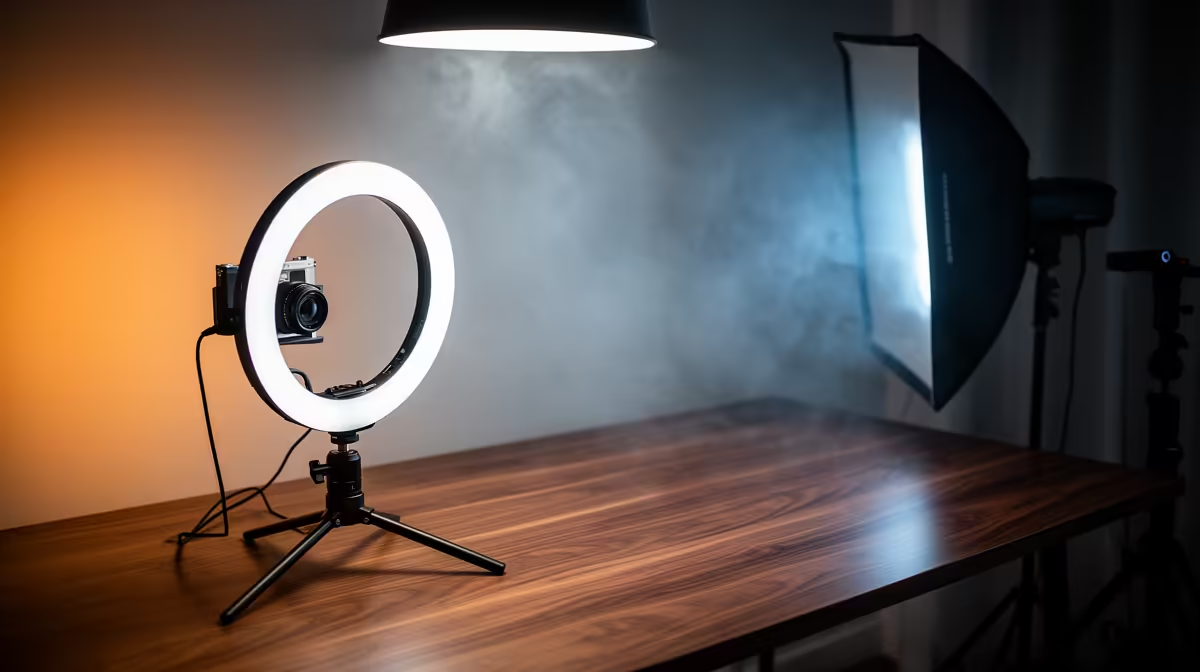
Achieving a great on-screen look doesn't require you to empty your wallet. While professional kits offer amazing control, you can build a fantastic setup piece by piece. Ring lights are a great all-in-one starting point, acting as both a key and fill light. From there, you can add smaller LED panels to complete your setup.
You'd be surprised at the quality you can achieve with just a few smart purchases. There are plenty of great lighting solutions under R6000 that will dramatically boost your on-screen presence.
Ready to Illuminate Your Content?
Stop letting bad lighting hold your stream or video calls back. Explore our curated selection of lighting and shop our streaming essentials now at Evetech to find the perfect gear for a sharper, more professional look.