Quick Answer
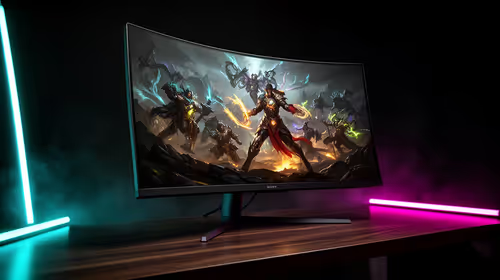
Choose a monitor for strategy and sim games around readability first, then refresh rate, resolution, and ports. SA buyers should compare LG UltraGear 27GP850, Samsung Odyssey G5, AOC 24G2SP in the R2,500-R10,000 band, with 1080p or 1440p for normal gaming and 3440x1440 when workspace is the reason to go ultrawide. Target 75 Hz for comfort, 144 Hz or 165 Hz for gaming, and DisplayPort or HDMI support that matches the PC.
Practical Monitor Tiers
S-tier is 1440p or 3440x1440 with 144 Hz or better, adaptive sync, and solid stand adjustment. A-tier is a reliable 1080p or 1440p IPS/VA panel around 75-144 Hz. B-tier works only when the buyer mostly needs school, office, or light gaming use and can accept fewer ports.
Specs That Matter For Strategy And Sim Games
This use case rewards sharp text, map space, CPU headroom, and long-session comfort. Use Civilization VI, Anno 1800, Cities: Skylines II, and Total War as the reality check, then match the hardware to that work instead of buying only from the headline spec. For laptops and PCs, 16GB RAM is the floor and 32GB is better for CAD, editing, local AI, and heavy multitasking; for displays, 144 Hz and sharp text matter more than marketing labels; for networking, Ethernet or wired backhaul still beats weak Wi-Fi.
Named SKUs are useful anchors, but do not treat a name as a guarantee. Confirm the exact revision, bundled cable, ports, dimensions, warranty route, and whether the current PC or laptop can use the feature. In SA student rooms, home offices, fibre homes, and shared family spaces, noise, desk depth, courier-safe support, and replacement timing matter as much as peak benchmark claims.
Budget Rule For SA Buyers
Use R2,500-R10,000 as the broad local comparison range and confirm live Evetech pricing before checkout. Entry buys are correct when the workload is light; the middle tier is usually the cleanest value; premium only makes sense when the use case clearly benefits from more headroom. Spend first on the bottleneck you will notice every week: GPU for fps, RAM for multitasking, SSD for installs, screen quality for reading, cooling for noise, or network stability for online play.
FAQ
What is the safest first spec to check?
Check compatibility and the real workload first. After that, focus on the spec that changes daily use: RAM, GPU, refresh rate, storage, clearance, latency, battery life, or microphone quality.
Is the most expensive tier always worth it?
No. S-tier is worth it when the rest of the system can use the extra headroom. A-tier often gives South African buyers the better value because it leaves budget for a monitor, SSD, mouse, headset, chair, or warranty-safe upgrade.
What budget should I plan locally?
Use the quoted band as a starting point, then check live stock and the exact model. Avoid assuming a lower allowance or entry budget covers a complete gaming setup; accessories, storage, and support can change the final spend.
Pro Tip
Write down your device, desk space, heaviest workload, target resolution, and must-have ports before checkout; that short list prevents most wrong buys.