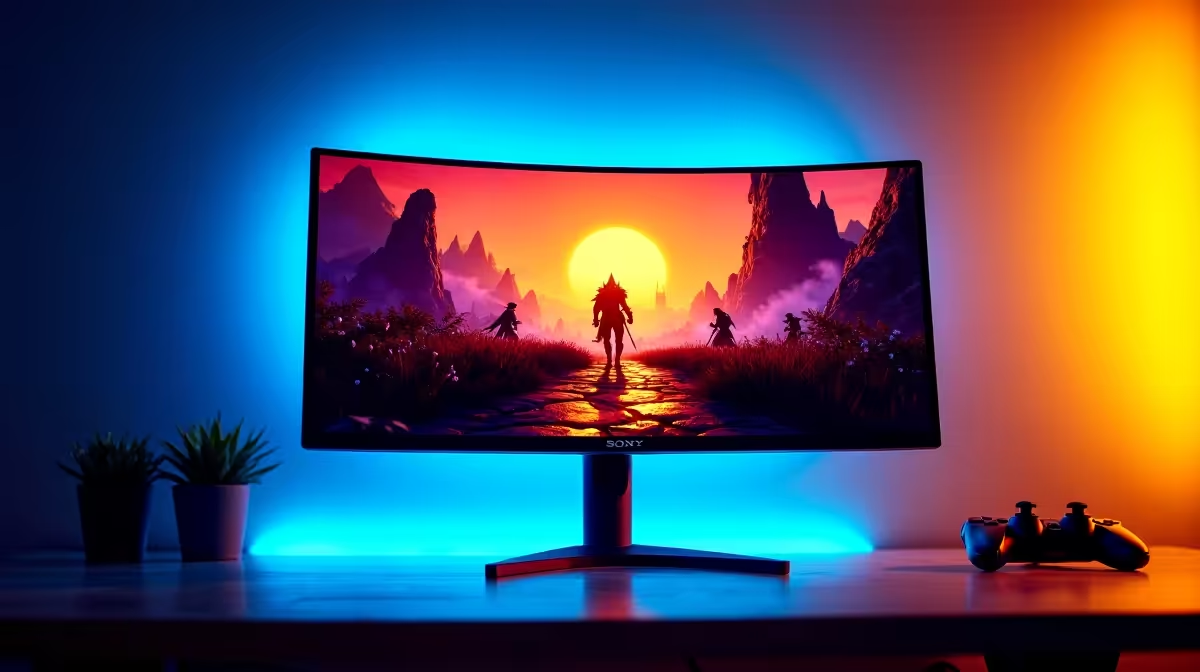
The HDR10 badge on a monitor spec sheet is easy to earn and easier to misread. Virtually every display shipped in the last three years carries it, but the range of actual HDR quality hiding behind that single logo is wide enough to separate a panel that genuinely deepens a dungeon crawl from one that is indistinguishable from its own SDR mode. For RPG players in particular, where torchlit caves exist three metres from sunlit courtyard doors, understanding what an HDR10 compatible monitor actually needs to deliver that contrast is more useful than the logo.
Quick Answer
HDR10 guarantees colour depth and metadata support but says nothing about real contrast performance. For RPG gaming, look for at least 400 nits peak brightness and some form of local dimming. True impact starts at DisplayHDR 600 with zone-based dimming -- without it, HDR mode often looks duller than a calibrated SDR image.
🔆 What HDR10 Guarantees and What It Does Not
HDR10 is a signal standard, not a quality standard. It specifies that a monitor can receive and process 10-bit colour data and HDR metadata from the source, which tells the panel how to handle the brightest highlights and the darkest shadows in the content. Meeting the standard requires handling a 1,000-nit theoretical range and processing the static metadata the source provides.
What it does not specify is whether the panel can actually reproduce that range. A monitor with a 250-nit peak brightness technically meets the HDR10 reception standard, because it processes the metadata correctly even if it cannot display the full brightness the metadata describes. The result is a panel that says HDR and displays what is, frankly, a slightly overbrightened SDR image.
The number that actually predicts HDR quality is peak luminance combined with the presence of local dimming. A panel must be bright enough to push highlights visibly above SDR brightness levels, and it must be able to darken specific zones of the screen simultaneously to create the contrast that makes HDR visually impactful.
Decoding the DisplayHDR Certification Tiers
VESA's DisplayHDR certification provides a more reliable quality signal than the HDR10 badge alone. DisplayHDR 400 requires 400 nits peak brightness; DisplayHDR 600 requires 600 nits with better black levels; DisplayHDR 1000 requires 1,000 nits and full-array local dimming. For RPG gaming, DisplayHDR 600 is the practical entry point for noticeable HDR benefit. DisplayHDR 400 panels frequently disappoint because 400 nits is only marginally brighter than many SDR screens running at full brightness.
🧠 Why RPG Content Stresses HDR Harder Than Other Genres
Role-playing games present a specific challenge to HDR implementations: they ask the display to render extreme luminance transitions within the same scene simultaneously. A character entering a castle at midday finds an overexposed exterior doorway and a near-pitch interior corridor in a single frame. The torch on the wall, the glowing spell effect overhead, and the shadow beneath the villain's feet all need to be correctly separated in luminance for the scene to read as intended.
This challenge is where local dimming becomes critical. Without it, the whole panel backlight must compromise between showing the torch brightly and keeping the shadow dark. With zone-based local dimming, the area around the torch can push to peak brightness while the zones covering the dark floor simultaneously dim their backlight. The result is a scene with real depth rather than a washed-out representation of the artist's intent.
The immersive quality of HDR in RPGs comes from holding detail across a wide luminance range in a single view. A flat HDR panel with no local dimming substitutes a marginally brighter flat image for the deep contrast the game's artists intended.
Pro Tip ⚡
Before enabling HDR for an RPG session, check whether your GPU control panel is set to output HDR to the monitor and that the game's internal HDR calibration slider has been adjusted. Many RPGs include a black floor slider during startup. Setting it so the darkest shadow just loses detail, rather than looking grey, typically delivers more natural HDR contrast than the default mid-point setting.
🔌 Connection Requirements for Full HDR10 Delivery
Getting HDR10 to the monitor requires the right cable and the correct output settings on the GPU. DisplayPort 1.4 carries HDR10 metadata at QHD resolution and refresh rates up to 165Hz without colour depth reduction. HDMI 2.0 also supports HDR10 at 1440p, handling up to 144Hz at 10-bit colour depth. HDMI 2.1 is not required for QHD HDR gaming, though it becomes relevant if the monitor doubles as a console display at 4K 120Hz.
A common misconfiguration is leaving the Windows display output set to 8-bit or SDR when HDR is enabled in the game. The GPU should output 10-bit HDR at the display's native resolution, and Windows HDR mode should be active. Without both settings aligned, the HDR metadata passes to the panel but the source signal loses the colour depth that gives it meaning.
✨ Choosing the Right HDR10 Monitor for RPG Gaming
At R5,000 to R7,000 in South Africa, most 27-inch QHD monitors advertising HDR carry DisplayHDR 400. This tier is acceptable if the panel's SDR performance is excellent -- a fast, accurate IPS panel in SDR will usually look better than a mediocre HDR 400 panel in HDR mode. If HDR quality is the priority rather than a bonus, budget should extend to R9,000 or above for a 27-inch QHD panel with genuine local dimming and DisplayHDR 600 or 1000 certification.
Mini-LED panels in this segment offer the best current implementation at accessible pricing. A mini-LED monitor with 384 or more dimming zones can produce halo-controlled contrast with minimal bloom around bright objects, which is the artefact that ruins HDR in RPG interior scenes on cheaper zone-lit panels. The haloing effect -- a bright glow spreading outside a torch flame into the surrounding dark -- is the most visible indicator that a panel's zone count is too low to handle fine HDR content correctly.
For RPG players gaming in a darkened room, proper local dimming pays off across the monitor's lifetime. In a well-lit space the benefit is more moderate, and the R5,500 IPS panel without local dimming often represents better overall value.
Frequently Asked Questions
What peak brightness makes HDR10 worth using in RPG gaming?
A minimum of 400 nits begins to differentiate HDR from SDR, but genuine impact -- bright spell effects and torch fire that visibly separate from dark surroundings -- starts at around 600 nits with local dimming. Panels below 400 nits show negligible difference between HDR and a well-tuned SDR image.
Does the HDR10 logo guarantee a meaningful HDR experience?
No. HDR10 certification indicates the panel can receive and process HDR metadata and 10-bit colour data. It does not specify the brightness level, whether local dimming is present, or how accurately the panel renders the HDR range. Two monitors with the same HDR10 badge can deliver vastly different visual results.
Why are RPG scenes particularly demanding for HDR panels?
RPGs frequently render high-contrast transitions within a single scene -- bright daylight through a doorway into a dark interior, fire against stone shadows, magical luminance effects. These simultaneous extremes require a display capable of independently managing bright and dark zones at the same time, which only local dimming can provide.
How many dimming zones are needed for clean HDR in dark game scenes?
Entry-level local dimming with 8 to 16 zones provides some benefit but produces visible halo blooming around bright objects in dark surroundings, which is distracting in RPG interiors. Full-array or mini-LED panels with 100 or more zones reduce halo artefacts substantially and are far better suited to the contrast demands of story-driven games.
Which connection carries HDR10 metadata to a QHD monitor properly?
Both DisplayPort 1.4 and HDMI 2.0 carry HDR10 metadata at 1440p refresh rates up to 144Hz without colour compression. Ensure the GPU output in both the driver settings and Windows display settings is configured for 10-bit output with HDR enabled, otherwise the metadata arrives at the panel but the source signal remains 8-bit SDR.
Ready to see RPG worlds as they were designed to look?
Browse the HDR gaming monitor range at Evetech and find the panel whose brightness and dimming specs match the immersive experience your games deserve.