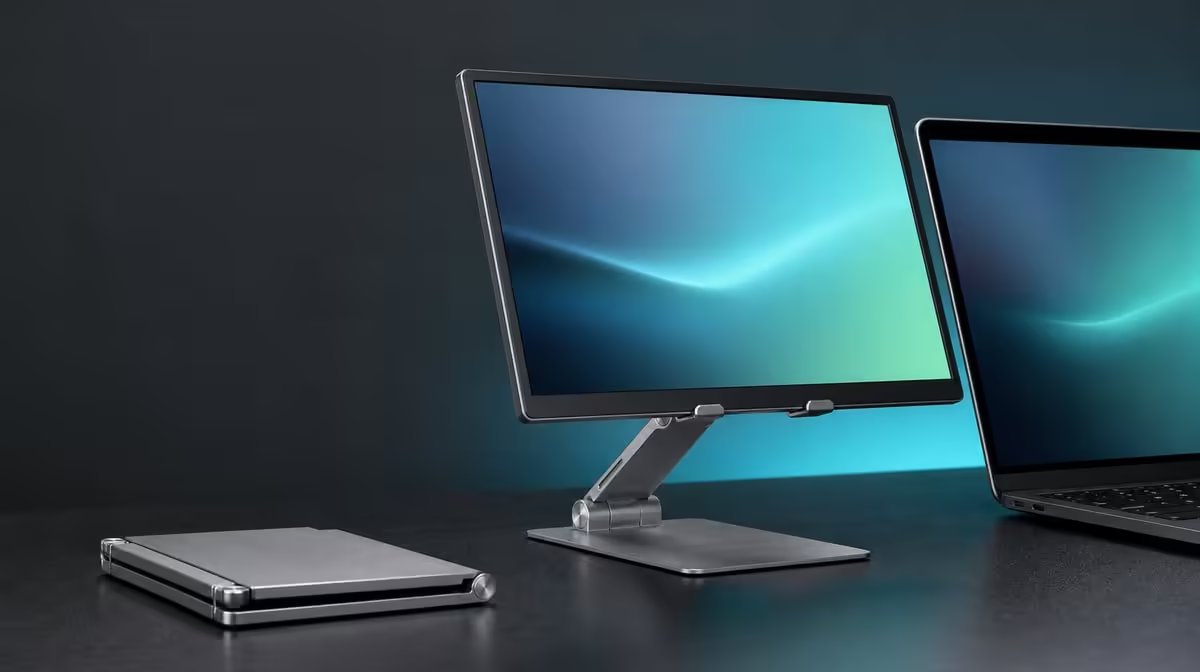
A travel stand has to fit the screen, the bag and every temporary desk. To choose a travel monitor stand in South Africa, match the device to the support range, inspect the folded shape and rehearse rebuilding away from home. The R599 UPERFECT UStand covers 7-15.6 inches and converts between desktop and tripod roles.
Quick Answer
Choose the R599 UStand when the exact device fits securely, its folded aluminium shape suits the bag and its approved position can be rebuilt on different surfaces. Confirm screen weight, case and ports beyond the 7-15.6-inch range. Protect the anti-slip rubber in transit, test each destination desk and plan charging without taut or crossing cables.
🎒 Start with the carried screen and bag
Record the screen's diagonal, documented weight, thickness, case and connector positions. Confirm that current UStand guidance covers this specific combination.
Measure the bag space after the laptop, display and power equipment are present. Flat folding reduces the stand profile but does not eliminate the need for separation.
Keep the aluminium UStand from pressing against the portable monitor. Protect rubber contact from grit, keys and sharp adapters.
Remove the device and all leads before folding. A travel routine that closes the stand around mounted hardware should be rejected.
Compare portable support formats in the Evetech monitor accessories category.
🧭 Reapprove every destination
Clear the new table and test firmness, level and vibration. A stable home position can behave differently on a light or polished surface.
Open the base fully and start the 135-degree arm close. Mount the device centrally and release hand pressure gradually.
Use a side photograph as a reference rather than a guarantee. Adjust only after the new base remains flat.
Test normal typing and touch, then connect each cable. Observe whether the setup creeps after several minutes.
For temporary spaces, keep the stand away from desk edges, chair routes and other people's equipment.
🔺 Decide when tripod mode helps
Tripod conversion can create a freestanding screen where desk depth is limited or during a small presentation.
Build it unloaded and inspect every support point. The floor or table must remain level and clear of traffic.
Use conservative height and reach. A presentation should improve sightlines without forcing the device beyond balanced geometry.
Route any cable so it does not pull one support point inward or cross a walkway. Disconnect before relocating.
People choosing a travelling screen can browse Evetech portable monitors, then complete the stand fit with exact model details.
🔌 Plan power for the location
Mounted charging access keeps the port reachable, while the display's correct charger and source remain necessary.
Provide room for the connector body and cable bend. Carry lead weight away from the port and preserve a free loop.
Outlet position may change the safe screen angle. Do not stretch a home cable path across a temporary workspace.
At the end, disconnect, remove, inspect and fold in that order. Update the setup note with any surface or routing issue encountered.
At R599, the UStand can be a strong South African travel reference. Check live availability, then use the Evetech accessory favourites collection to plan the remaining kit.
Build a route plan before packing. Note whether the stand moves by car, public transport or between rooms, because bag pressure and setup time can differ.
Place the folded UStand in its intended compartment and close the bag without the display touching it. Check that adapters cannot migrate into the rubber surfaces.
Create a destination card for each regular location. Record table depth, likely outlet position, screen orientation and whether tripod footing is available.
At arrival, keep the monitor in its case while the surface is inspected. Clear residue, test furniture flex and choose a position away from traffic.
Open the base and match the side photograph while unloaded. Only add the device after the stand remains flat and the arm position looks conservative.
For study or office work, type through a short document and observe movement. A travel stand must perform during the actual input method, not merely hold a static picture.
For presentations, stand where the audience will sit. Adjust sightline without pushing the arm or tripod to its maximum.
Test portrait only when the content needs it. Rotation can save desk movement, while every new orientation requires contact and cable approval.
If mounted charging is used, map the route from outlet to port before people enter the space. Keep the loop at the device and excess length away from walkways.
If the outlet location makes safe routing impossible, use another approved position or change the power plan. Do not let a stretched lead decide where the stand sits.
At the end, disconnect leads before touching the folding joints. Remove the screen, inspect rubber and close the aluminium structure in a clear area.
Update the route card with unexpected issues. A polished table, shallow desk or distant outlet is more useful evidence than a generic travel packing list.
Ask whether tripod mode actually replaced another support. If not, count it as flexibility rather than the main reason for choosing the UStand.
Review bag weight and space using the complete kit. Physical packing shows whether the arrangement is comfortable to carry.
The purchase passes when the screen, bag, surfaces, power route and repeated setup all work together. Current R599 availability is the final check, not the first.
Run the travel plan through two different surfaces before finalising it. One can be the regular home desk and another a temporary table with different depth or finish.
Compare how quickly the safe geometry returns, whether the cable loop remains practical and which bag items interfere with the folded stand.
If the setup depends on a particular outlet or table edge, record that limitation. A strong travel choice includes knowing where it should not be used.
The UStand can still provide value when tripod mode is approved only at certain locations. Conditional success is more useful than a universal travel claim.
Current availability should be checked immediately before buying, after the device card and route plan have already passed.
Store the destination cards with the travel kit so another user can rebuild the approved screen position. Update them after a venue changes its table or power layout.
Travel suitability should be reviewed after the return journey too. Inspect whether the folded stand shifted against other items and improve bag separation before the next trip.
Frequently Asked Questions
What size check starts a travel purchase?
Confirm the device lies between 7 and 15.6 inches, then assess weight, thickness, case and ports.
How does folded shape affect luggage?
It decides whether the stand fits without pressing against the display or other fragile equipment.
Why test at every destination?
Surface grip, level, desk flex and cable direction can change from the home setup.
What does aluminium contribute?
It provides the foldable frame material, while joints, contact and careful packing remain important.
Can tripod mode help?
It can create a freestanding position when its support points and surrounding area are suitable.
How should charging be planned?
Use the device's correct equipment, provide connector clearance and keep leads out of footprints and walkways.
What is the South African price?
The UPERFECT UStand is R599.
Ready to test a travel stand from bag compartment to temporary desk?
Compare Evetech monitor stands and build the R599 UStand into a measured South African travel routine.