


AIO Liquid 240mm Setup and Configuration: Complete Tutorial
AIO Liquid 240mm Setup and Configuration. Clear setup instructions with SA-specific considerations, troubleshooting tips & recommended components.
Read more- Compare cloud vs local NAS; - Assess SA bandwidth limits; - Recommend practical backups. Cloud vs local NAS helps South Africans choose backups that balance speed, cost and security. 🔒⚡
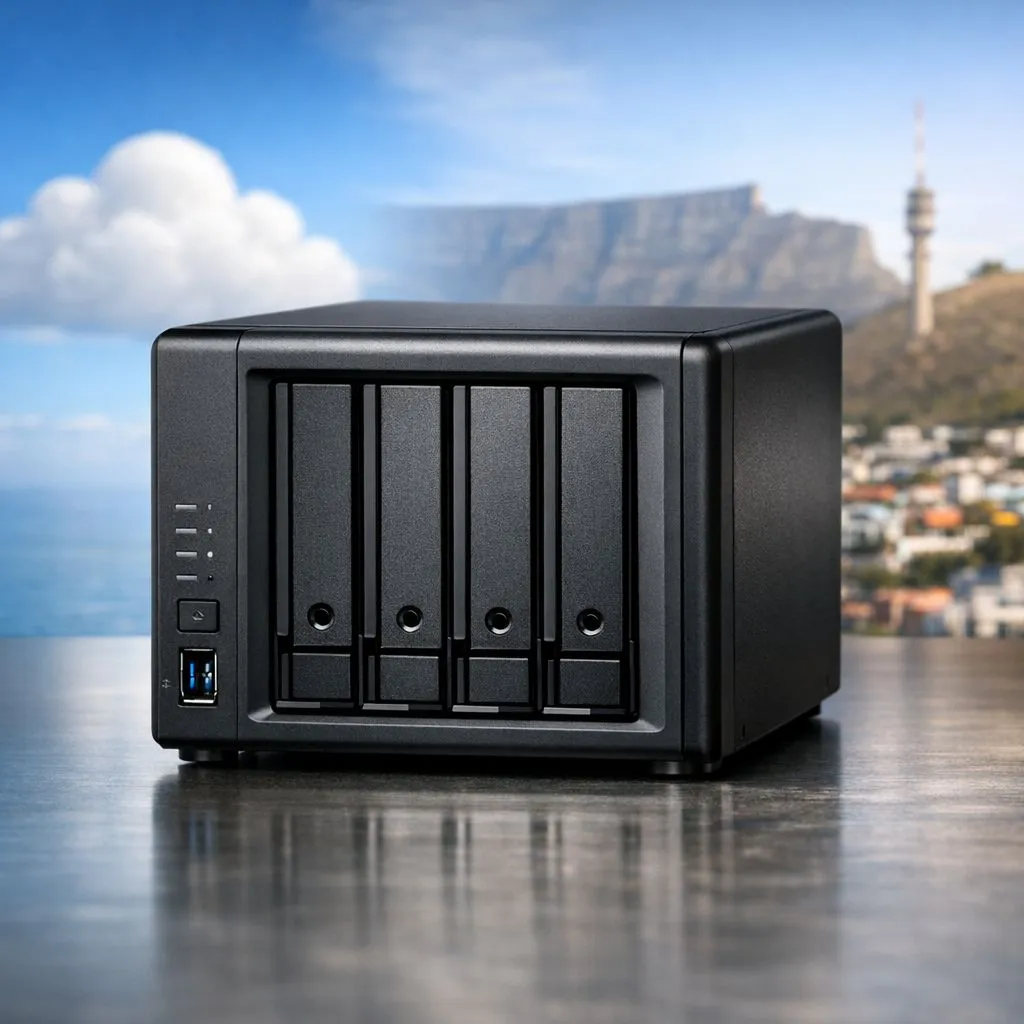
We have all been there. You finish a massive 100GB project. You hit upload to the cloud. Then, a summer storm hits or your fiber line starts crawling. In South Africa, choosing between Cloud vs Local NAS: Best Backup for SA Internet Speeds is about more than just specs. It is about surviving our unique infrastructure challenges while keeping your data safe. ⚡
Most South African fiber packages are asymmetrical. You might enjoy 100Mbps download speeds, but your upload is often capped much lower. This makes backing up large video files or game libraries to the cloud a painful process. If you need to move data quickly between machines, you should buy external SSD storage. It bypasses the internet entirely, giving you instant access to your files regardless of your ISP's performance.
Use the 3-2-1 backup rule to ensure your data is indestructible. Keep three copies of your data, on two different media types, with one copy stored offsite. In a South African context, this usually means a local NAS for speed and an encrypted cloud backup for emergencies.
A Network Attached Storage (NAS) device acts like your own private cloud. It sits on your local network, meaning transfer speeds are limited only by your router and cables. To get the best performance out of a home server, it is wise to buy solid state drives that offer high endurance. This setup ensures that even during a total internet outage, your media server and work backups remain fully functional.
Sometimes you need your data on the move. Whether you are heading to a LAN or moving between the office and home, an external form factor drive provides the perfect middle ground. These devices are small enough to fit in a pocket but fast enough to run games directly. You won't have to worry about data caps or the "spinning wheel of death" while waiting for a cloud sync to finish. 🚀
The South African market has excellent options for every price point. If you are looking for reliable, high-speed storage without breaking the bank, ADATA storage solutions offer fantastic ZAR-per-gigabyte value. They are perfect for secondary backups or expanding your console storage.
For professionals who demand absolute reliability, Western Digital drives are a staple in the industry. Their NAS-optimised ranges are designed to handle the heat and constant vibration of multi-drive enclosures. If you are chasing the bleeding edge of speed, the latest Gen 5 NVMe interface pushes transfer rates to levels that make cloud storage feel like ancient history. ✨
While cloud storage is great for small documents, local storage is the champion for South African gamers and creators. A local NAS or a high-speed SSD provides the "Best Backup for SA Internet Speeds" by removing the reliance on a stable web connection. Use the cloud for your "must-haves," but keep your heavy lifting local.
Ready to Find Your Perfect Match? The Cloud vs Local NAS: Best Backup for SA Internet Speeds debate is complex, but for maximum power, choice, and value in South Africa, local storage is hard to beat. Explore our massive range of storage specials and find the perfect machine to conquer your world.
With constrained SA internet, local NAS often outperforms cloud on speed and cost; consider hybrid backup for offsite safety and redundancy.
Slow upload speeds lengthen initial cloud backups and raise monthly costs; cloud backup bandwidth requirements can make cloud impractical for large datasets.
Yes. A hybrid cloud NAS backup south africa approach keeps frequent backups local and critical offsite snapshots in the cloud for resilience.
NAS has upfront hardware costs but lower ongoing fees; nas vs cloud costs south africa depends on data size, upload caps and long term subscriptions.
Absolutely. Home NAS setup south africa lets you run fast local backups and schedule small incremental cloud syncs to fit bandwidth limits.
Local NAS gives full control and can be encrypted; cloud backup vs nas security varies, so use strong encryption and multi-factor access for both.
Adopt 3-2-1: three copies, two media types, one offsite. Combine local NAS speed with occasional cloud snapshots to handle limited internet.
AIO Liquid 240mm Setup and Configuration. Clear setup instructions with SA-specific considerations, troubleshooting tips & recommended components.
Read more
Setting Up DDR5 64GB Kit. Tested & verified settings for best FPS and visual quality on SA hardware budgets.
Read more
Overwatch 2 Setup Guide Gamers. Clear setup instructions with SA-specific considerations, troubleshooting tips & recommended components.
Read more
R and RStudio on Mac: Data Science Setup Guide. Clear setup instructions with SA-specific considerations, troubleshooting tips & recommended components.
Read more
NVIDIA Broadcast Setup with GPU: Streamer Guide. Clear setup instructions with SA-specific considerations, troubleshooting tips & recommended components.
Read more
Core Ultra 7 265K Temperature Guide: Normal Range. Complete product range with SA pricing, key specs & recommendations for different budgets.
Read more
AMD RX 9050 XT: Rumoured Specs, Price & Release. SA-focused analysis with local pricing data, real-world insights & actionable buying advice.

Can RTX 4080 Super Run AI Workloads for SA Developers Detailed answer with SA data, expert analysis & practical recommendations for local buyers.

Can RTX 4090 Run AI Workloads for SA Developers Detailed answer with SA data, expert analysis & practical recommendations for local buyers.

Top Settings for Intel Arc B580 at Ultrawide 1440p picks evaluated on performance, value & SA availability with current Rand pricing from Evetech.

RTX 4060 CS2 Low Settings at 1080p: FPS Results. Real-world benchmark data, FPS numbers & performance analysis. What SA gamers can actually expect.

Visual Artifacts: Possible GPU Issue Issue #1. Diagnosis steps, proven fixes & when to seek professional help. SA-specific support info included.

Can the RTX 4090 Handle 1440p 144Hz Gaming. Performance testing verdict with real data & practical recommendations for SA buyers.

Top ASUS GPU Under R15000 picks evaluated on performance, value & SA availability with current Rand pricing from Evetech.

GTA 6 Max Settings on RTX 5070. Tested & verified settings for best FPS and visual quality on SA hardware budgets.

Cyberpunk 2077 Max Settings on RTX 5080. Tested & verified settings for best FPS and visual quality on SA hardware budgets.

Starfield Max Settings on RTX 5070 Ti. Tested & verified settings for best FPS and visual quality on SA hardware budgets.

Top RTX 5090 Under R5000 picks evaluated on performance, value & SA availability with current Rand pricing from Evetech.