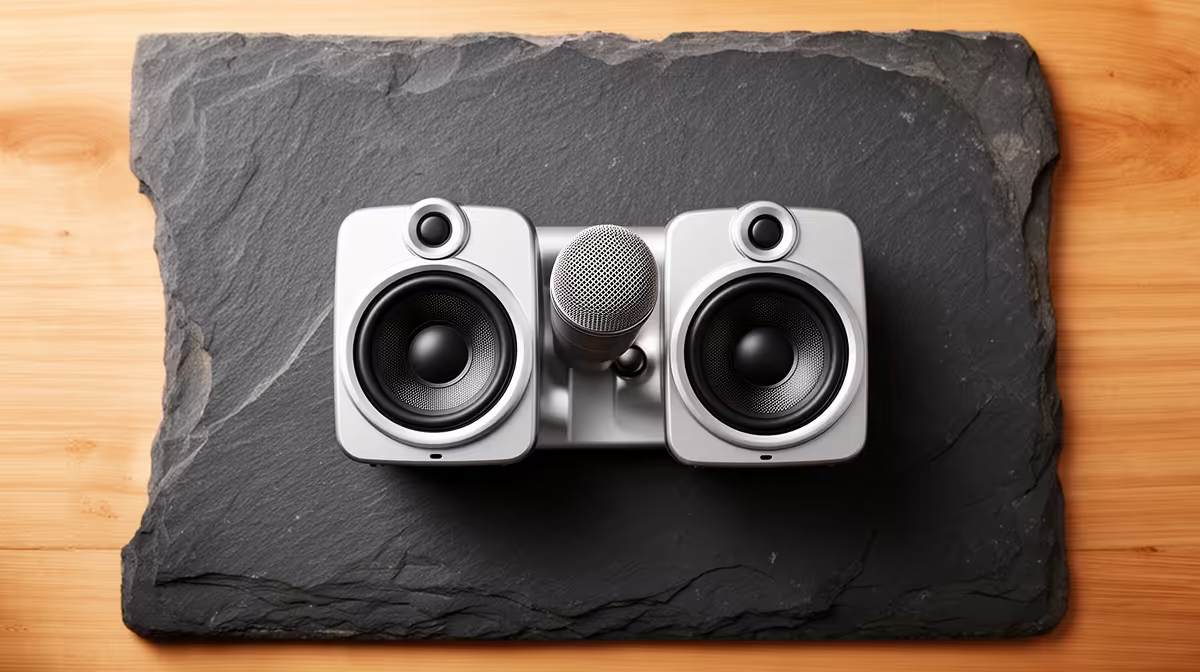
South African home offices and student desks tend to be compact by necessity, which means every centimetre of surface area counts. A compact all-in-one audio desk setup solves the clutter problem by collapsing what used to be a microphone, a separate audio interface, a headphone amplifier, and a gain control into a single unit that plugs into a laptop via one cable and sits quietly to the side of a keyboard.
Quick Answer
An all-in-one audio unit combines microphone, interface, and headphone monitoring in one box under 20cm wide. USB-C connectivity handles both power and audio on a single reversible cable, keeping a small SA desk clear while delivering broadcast-quality capture.
🖥️ What Actually Makes a Unit All-in-One
The term gets used loosely, so it is worth being precise. A genuine all-in-one audio unit must handle at least three functions without requiring external hardware: it captures audio through an integrated or mountable microphone capsule, converts that signal through a built-in analogue-to-digital converter, and routes monitoring audio to a headphone output with independent volume control.
The better units also embed onboard DSP -- digital signal processing -- that handles noise reduction, compression, and EQ without consuming CPU on the host computer. This matters in SA where many users run mid-range laptops that already carry a browser, a communication app, and a document open simultaneously. Offloading audio processing to dedicated hardware on the unit keeps the laptop cooler and the audio stream stable.
Some all-in-ones include 48V phantom power for external condenser microphones, which extends the system without growing the footprint. You might start with the integrated capsule and later connect a higher-grade external mic as your setup matures, without buying a new interface. That upgrade path is worth paying for upfront.
What does not qualify as all-in-one: a USB microphone with a headphone jack but no gain control, or an interface that requires an external microphone and has no integrated capsule. These are partial solutions that still require additional hardware to form a complete recording chain.
📐 The Footprint Calculation for Small SA Desks
A standard South African student desk or small home-office desk typically measures between 100cm and 120cm wide. Factor in a laptop or monitor, a keyboard, a mouse, and perhaps a lamp, and the realistic free zone for audio hardware is roughly 20-25cm wide and 15cm deep on the side of the dominant hand.
An all-in-one unit under 20cm wide fits this zone without encroaching on the keyboard. Units in the 15-18cm range are ideal because they leave a margin so the unit does not hang over the desk edge, which creates vibration coupling that transmits typing noise directly into the chassis and then into the microphone capsule.
Height is a secondary concern but not negligible. A unit taller than 25cm may push into the field of view when a monitor sits behind it, or block airflow to a laptop ventilation grille if placed too close. Check the product dimensions against your specific desk configuration before purchasing.
Weight matters for anyone who moves between locations -- a home desk and an office desk, or a desk and a common-room table. Units under 1kg pack into a laptop bag without adding meaningful load. Units above 1.5kg start to feel like a deliberate choice to carry rather than something that travels naturally with the laptop.
🔗 USB-C and Why the Cable Standard Matters
USB-C has become the practical default for all-in-one audio on newer units, and for good reason. The connector is reversible, so it seats correctly first attempt every time -- a minor but real benefit when setting up under a desk or in poor light. The cable carries audio data, monitoring return signal, and bus power simultaneously, eliminating the secondary power adapter that older USB-B or proprietary-connector units required.
Bus power from a modern USB-C port is sufficient to run most compact all-in-one units without a separate power supply. This matters for SA users who travel frequently and want to minimise the number of plugs competing for limited power strips or surge-protected sockets.
One practical check: confirm that the unit draws within the USB-C bus power specification of the laptop or hub you intend to use. Some units draw more current than low-power USB-C ports on older laptops can supply cleanly, causing intermittent dropouts. Connecting via a powered USB-C hub resolves this without replacing the laptop.
🎧 Monitoring and the Zero-Latency Difference
Software-based monitoring routes audio from the microphone through the computer, applies any plugin processing, and returns it to the headphone output. The round-trip introduces latency -- typically 10 to 30 milliseconds depending on buffer settings -- that makes your own voice sound delayed, which is disorienting enough to affect how naturally you speak.
Hardware monitoring, built into most quality all-in-one units, routes the microphone signal directly to the headphone output in the analogue domain before it ever reaches the computer. The result is genuine zero-latency monitoring. You hear yourself in real time, which makes it significantly easier to maintain consistent volume and expression during a podcast session or a voice-over recording.
The monitoring volume knob should be independent of the recording level. These are separate controls that serve different purposes: recording level sets how hot the signal enters the interface, while monitoring volume sets how loud you hear yourself in the headphones. A unit that ties these together with a single control is a compromise that limits useful adjustment range.
Pro Tip ⚡
SA coastal users should keep the all-in-one unit off the desk surface during humid summer months -- even a slim foam pad underneath the unit creates an air gap that prevents condensation from forming where the chassis meets the desk and migrating into connector ports. A silica gel pack in the storage bag extends the same protection when the unit travels.
Frequently Asked Questions
What is the difference between an all-in-one audio unit and a standard USB microphone?
A USB microphone is only a microphone with a digital output. An all-in-one unit adds a built-in interface with gain control, a headphone output for zero-latency monitoring, and often onboard DSP. The USB microphone still requires a separate interface and mixer if you need those functions.
Can a compact all-in-one unit handle two voices for a co-hosted podcast?
Most compact single-capsule units are optimised for solo recording. A second person can share the space if they sit close enough to the capsule, but bleed and balance become difficult to control. Dual-input all-in-one units exist for this use case, though they are typically wider than the 20cm footprint target.
Does phantom power from an all-in-one unit damage dynamic microphones?
Phantom power sent to a properly wired balanced dynamic microphone causes no damage. Unbalanced microphones and ribbon microphones can be damaged by phantom power, so check the microphone specification before enabling it on any unit.
How do I reduce desk vibration transferring into an integrated microphone?
Place the unit on a dense foam pad or a folded microfibre cloth rather than directly on the desk. This decouples the chassis from surface vibration caused by typing and fan noise from nearby equipment. Some units include a built-in shock-absorbing base that achieves the same result.
Is bus power reliable enough for professional recording sessions?
For most voice recording, podcasting, and online meeting use cases, bus power from a USB-C port is entirely sufficient. High-draw scenarios like 48V phantom power running a large-capsule condenser microphone may benefit from a powered hub. Check the unit's current draw specification against your port rating to be certain.
Ready to consolidate your audio setup into one clean desk solution?
Explore Evetech's range of audio equipment and desk peripherals to find the all-in-one unit and accessories that match your workspace size and recording goals.