


Storage Specs Explained for Beginners
Storage Specs Explained for Beginners. Plain-English explanation of what it means, why it matters & how it affects your buying decisions in SA.
Read moreCPU overheating despite a 245W cooler often comes from bad mounting, wrong thermal paste, airflow issues, or power/BIOS settings. Fix temps, regain performance, and avoid throttling with these checks. 🔧🔥
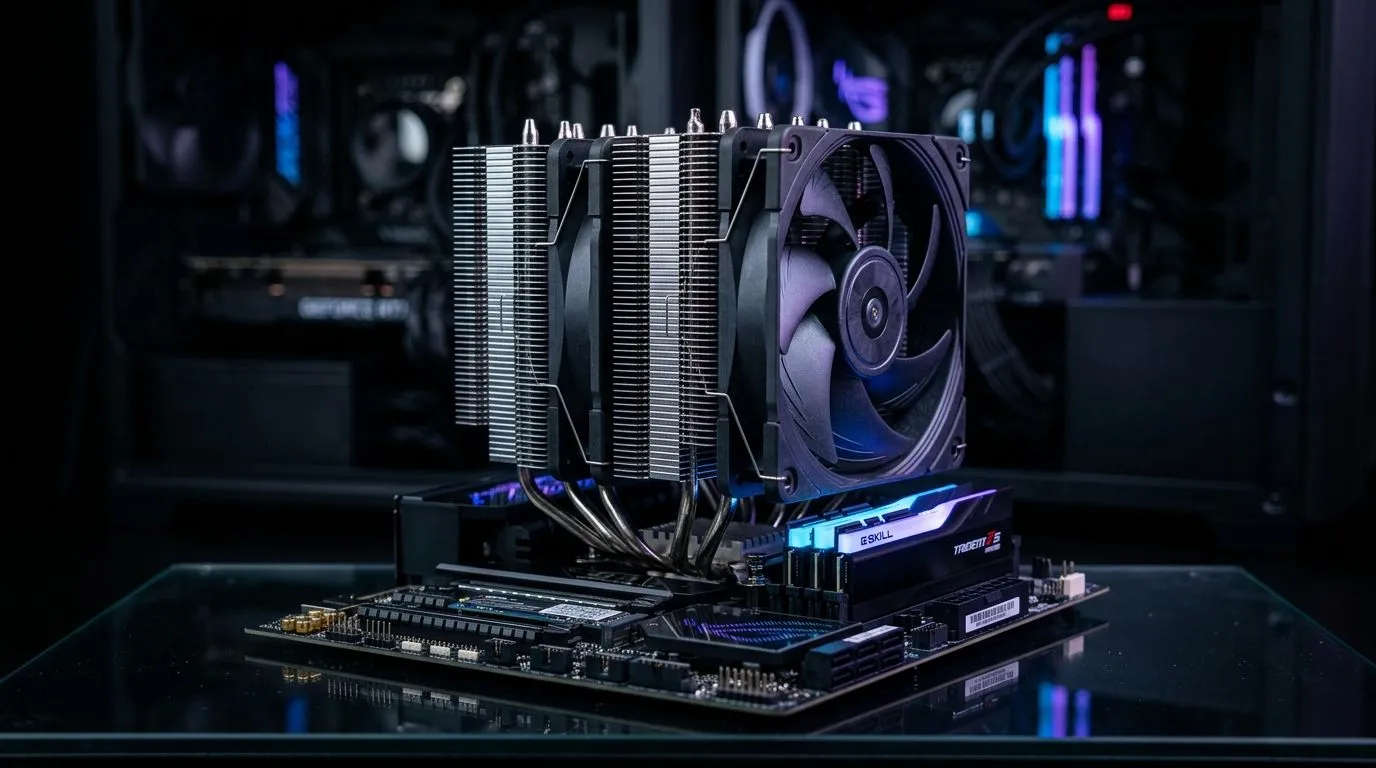
So you spent real money on a beefy cooler… and your CPU temps still spike during Warzone matches, Cities: Skylines sessions, or a long Helldivers 2 co-op run. Frustrating, right? The confusing part is simple: a cooler rated for high wattage doesn’t guarantee safe temps. Real-world cooling depends on mounting pressure, airflow, paste quality, fan curves, and whether the heat is actually moving from the silicon to the heatsink.
In this guide, we break down the most common reasons for CPU overheating despite a 245W cooler, and the fixes you can do today. 🔧
A 245W number is usually a maximum cooling capability under ideal conditions. Real systems rarely behave ideally. Here are the usual culprits:
Even a perfect cooler can underperform with uneven mounting pressure. If one side is tighter, or the backplate is misaligned, you lose contact.
Quick check: remove the cooler, inspect the paste spread (it should look even, not like a thin streak). Re-seat it firmly.
Too little paste creates gaps. Too much can insulate. And if it’s old, it can dry out.
Rule of thumb: apply a pea-sized amount for most desktop setups, then let mounting pressure spread it.
A powerful cooler needs fresh air intake and a clear path for exhaust. If your front intake is choked by dust or you only have exhaust fans, heat will recirculate.
Fix: ensure at least two intakes at the front/bottom and exhaust at the rear/top. Clean filters and check fan direction.
Sometimes fans ramp too late. Your CPU hits boost clocks, temps climb, then the fans catch up… too late.
Fix: set a manual curve in BIOS or use your motherboard software so fans start responding earlier.
Some monitoring tools show package power while others show core temps. If your reading is off, you’ll chase the wrong problem.
Use: motherboard BIOS temp readings as your “ground truth”, and compare with one monitoring app.
Try these in order. Each step takes minutes.
On Windows, use the PowerToys utility (FancyZones) to organise your gameplay, monitoring, and settings windows. Keep your temperature dashboard visible while you adjust BIOS fan curves or after reseating your cooler, so you can spot the exact moment temps improve.
A cooler can’t fight bad case ventilation. If your cooler uses 120mm fans, confirm your case has compatible intake space and enough total fan RPM headroom.
For buyers comparing options, browse Evetech’s selection:
Some coolers prioritise airflow and fin density differently. If you’re already shopping Air Cooling again, start narrow:
If your CPU is drawing too much power under load, temps will rise even with great cooling. A small undervolt or power limit can reduce heat without killing performance. Do this carefully, one change at a time.
If you reseated, refreshed paste, improved airflow, and tuned fan curves… and you still see thermal throttling during sustained loads, it’s time to match your cooler to your case and CPU reality. Cooling isn’t just a rating. It’s contact, airflow, and control.
Ready to Find Your Perfect Match? Stop guessing and get a cooler that fits your case, your CPU, and your budget. Browse our latest Deep Dive picks, then dial in the right airflow for the games you actually play. Explore our massive range of CPU coolers and build with confidence: Find your next cooler at Evetech .
Common causes include poor cooler contact, incorrect thermal paste, insufficient case airflow, or BIOS/power limits forcing high draw. Also check the pump and fan speeds.
If temps spike right after installation, inspect mounting and remount with the correct paste amount. Uneven spread or gaps can cause cpu overheating despite a 245W cooler.
Verify the AIO pump is connected to the correct header and reporting RPM. Low or stopped pump speeds often lead to high cpu temps under load, even with 245W cooling.
Yes. Over-aggressive voltage, enabled auto boosts, or power limits misconfigured in BIOS can raise temperatures. Adjust CPU power/curve and retest temps.
Strong front-to-back airflow can drop cpu temps noticeably. If your CPU cooler is 245W-rated but case fans are weak or blocked, the CPU can still overheat.
Yes. Uneven pressure, wrong bracket, or a bent backplate can prevent full contact. Re-mount carefully and confirm secure, uniform mounting pressure.
If the CPU sustains higher wattage than expected due to power limits or turbo settings, it can overheat. Reduce power/voltage or set a safer performance profile.
Check pump/fan RPM, verify cooler mounting, inspect thermal paste, confirm case airflow, then monitor temps while loading. These steps quickly pinpoint why a 245W cooler isn’t enough.
Storage Specs Explained for Beginners. Plain-English explanation of what it means, why it matters & how it affects your buying decisions in SA.
Read more
Will RDNA 5 Use the Same Silicon as the Next. Plain-English explanation of what it means, why it matters & how it affects your buying decisions in SA.
Read more
Google Workspace on Mac: Drive, Docs, Sheets and. Everything you need to know with SA pricing, step-by-step instructions & expert recommendations.
Read more
Back-to-School Parent Guide: Storages. Everything you need to know with SA pricing, step-by-step instructions & expert recommendations.
Read more
to Esports Tournaments. Everything you need to know with SA pricing, step-by-step instructions & expert recommendations.
Read more
Easter Storage Buying Guide. Hand-picked gift ideas at every budget tier. SA pricing & Evetech availability included.
Read more
AMD RX 9050 XT: Rumoured Specs, Price & Release. SA-focused analysis with local pricing data, real-world insights & actionable buying advice.

Can RTX 4080 Super Run AI Workloads for SA Developers Detailed answer with SA data, expert analysis & practical recommendations for local buyers.

Can RTX 4090 Run AI Workloads for SA Developers Detailed answer with SA data, expert analysis & practical recommendations for local buyers.

Top Settings for Intel Arc B580 at Ultrawide 1440p picks evaluated on performance, value & SA availability with current Rand pricing from Evetech.

RTX 4060 CS2 Low Settings at 1080p: FPS Results. Real-world benchmark data, FPS numbers & performance analysis. What SA gamers can actually expect.

Visual Artifacts: Possible GPU Issue Issue #1. Diagnosis steps, proven fixes & when to seek professional help. SA-specific support info included.

Can the RTX 4090 Handle 1440p 144Hz Gaming. Performance testing verdict with real data & practical recommendations for SA buyers.

Top ASUS GPU Under R15000 picks evaluated on performance, value & SA availability with current Rand pricing from Evetech.

GTA 6 Max Settings on RTX 5070. Tested & verified settings for best FPS and visual quality on SA hardware budgets.

Cyberpunk 2077 Max Settings on RTX 5080. Tested & verified settings for best FPS and visual quality on SA hardware budgets.

Starfield Max Settings on RTX 5070 Ti. Tested & verified settings for best FPS and visual quality on SA hardware budgets.

Top RTX 5090 Under R5000 picks evaluated on performance, value & SA availability with current Rand pricing from Evetech.