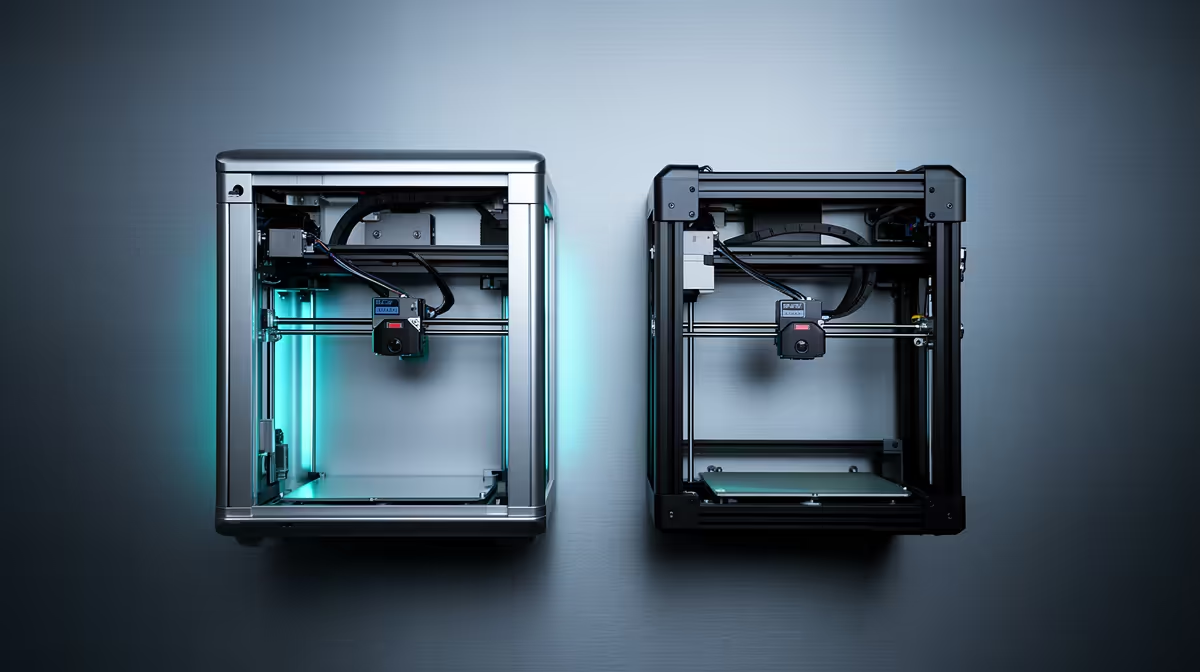
Two Creality printers sit on either side of a real decision: stick with a proven open frame, or pay more for an enclosed speed machine. The Creality Ender-3 V3 SE vs K1 SE question is really an architecture question. The V3 SE at R5,499 is a budget Cartesian bedslinger, while the K1 SE at R8,999 moves to an enclosed CoreXY layout built for fast, repeatable prints. Both are stocked locally at those ZAR prices, so the choice comes down to what you actually print and how much speed is worth to you.
Quick Answer
Pick the Ender-3 V3 SE (R5,499) if you want the cheapest reliable way into 3D printing and you mostly print PLA at a relaxed pace. Pick the K1 SE (R8,999) if you want speeds around 500mm/s, an enclosure for ABS and other engineering filaments, and far less hands-on tuning. The K1 SE costs roughly R3,500 more and earns it back in print time and material flexibility.
The core difference is the motion system
The biggest gap between these two is how the printhead and bed move. The V3 SE is a bedslinger: its heated plate slides in the Y direction while the gantry handles X and Z. That design is cheap, easy to maintain, and perfectly capable, but the reciprocating bed limits how fast you can print before quality drops, because the whole printed object accelerates forward and back on every layer.
The K1 SE uses CoreXY motion. The bed only moves down the Z axis, and two motors work together to drive a lightweight toolhead across the X and Y plane. Less moving mass means the K1 SE can sustain much higher speeds without the ghosting and ringing that show up on a fast bedslinger. If you are weighing up which Creality frame suits your bench, the full 3D printer lineup carried at Evetech shows where each model sits on price and capability.
Speed in practice, not just on the box
Creality rates the K1 SE for up to 600mm/s, with a sensible working range closer to 500mm/s for clean results. The V3 SE typically runs well at 180mm/s. On a small calibration cube the difference feels modest, but on a large multi-hour print it is the gap between an overnight job and an afternoon one.
Where the V3 SE keeps up
For single PLA parts, miniatures, and learning prints, the V3 SE is genuinely good. Its CR Touch auto bed levelling and sprite direct drive extruder give you a clean first layer without much fuss, and flexible filaments feed reliably thanks to the short filament path. If your queue is one or two parts at a time, you may never feel the speed ceiling.
Where the K1 SE pulls ahead
The K1 SE shines when you batch prints or iterate fast. Faster acceleration, input shaping, and a more rigid frame mean it holds dimensional accuracy at speed. For anyone prototyping brackets, enclosures, or functional parts, getting three revisions done in an evening instead of one changes how you work.
The enclosure matters more than it looks
The K1 SE is fully enclosed; the V3 SE is open. That single difference decides which filaments each printer handles comfortably. ABS, ASA, and some nylons warp and crack when ambient air cools them unevenly. An enclosed chamber holds heat around the print, keeping layers bonded and edges square.
The V3 SE can print ABS in theory, but in a typical room without a chamber you will fight warping and lifting corners. If you only ever print PLA and PETG, the open frame is a non-issue and even helps cooling. If you want to print durable engineering parts that survive a hot car or outdoor use in the South African summer, the enclosure is the deciding feature.
Maintenance, noise, and day-to-day living
Bedslingers are simpler to service. Fewer enclosed parts, easy access to the belts and nozzle, and a forgiving design make the V3 SE friendly for a first printer you plan to tinker with. The K1 SE trades some of that openness for tidiness: the enclosure cuts noise noticeably and contains fumes, which matters anywhere the printer runs close to living or sleeping areas rather than in a dedicated garage or workshop.
Running costs are similar. Both sip power and use standard 1.75mm filament, so the ongoing spend comes down to the spools you buy, not the machine. If you want spare nozzles, build plates, or filament to keep either printer fed, the accessories that pair with these printers cover the consumables you will replace most often.
Who should buy which
Buy the Ender-3 V3 SE if this is your first printer, your budget is tight at R5,499, and you mostly print PLA models, cosplay parts, and household fixes at a calm pace. It is the lower-risk way to learn whether 3D printing earns a permanent spot on your desk.
Buy the K1 SE if you already know you want speed, plan to print engineering filaments, or simply value finished prints over fiddling with settings. The R8,999 price reflects real hardware: CoreXY motion, an enclosure, and faster output that compounds over every project.
Frequently Asked Questions
Is the K1 SE worth R3,500 more than the V3 SE?
If you print often, print large, or want ABS and similar materials, yes. The CoreXY speed and enclosure save hours and open up filaments the V3 SE struggles with. For occasional PLA prints, the V3 SE is the smarter spend.
Can the Ender-3 V3 SE print ABS?
Technically it can reach the temperatures, but without an enclosure the prints tend to warp and crack as edges cool. PLA and PETG are its comfort zone. For reliable ABS, the enclosed K1 SE is the better tool.
Which is easier for a complete beginner?
The V3 SE. Its open design, auto levelling, and simple maintenance make troubleshooting straightforward. The K1 SE is more hands-off once running, but the enclosed layout is slightly less forgiving to learn on.
How much faster is the K1 SE really?
Roughly two to three times the practical print speed on larger jobs. The V3 SE runs cleanly near 180mm/s while the K1 SE holds quality around 500mm/s, which adds up dramatically on multi-hour prints.
Do both use standard filament?
Yes. Both take common 1.75mm filament, so you are not locked into proprietary spools. PLA is the easy starting point for either printer.
Still deciding between budget reliability and CoreXY speed? Compare current ZAR pricing and stock on both the Ender-3 V3 SE and K1 SE in the full 3D printer range at https://www.evetech.co.za/components/3d-printers-130 and pick the frame that fits how you actually print.