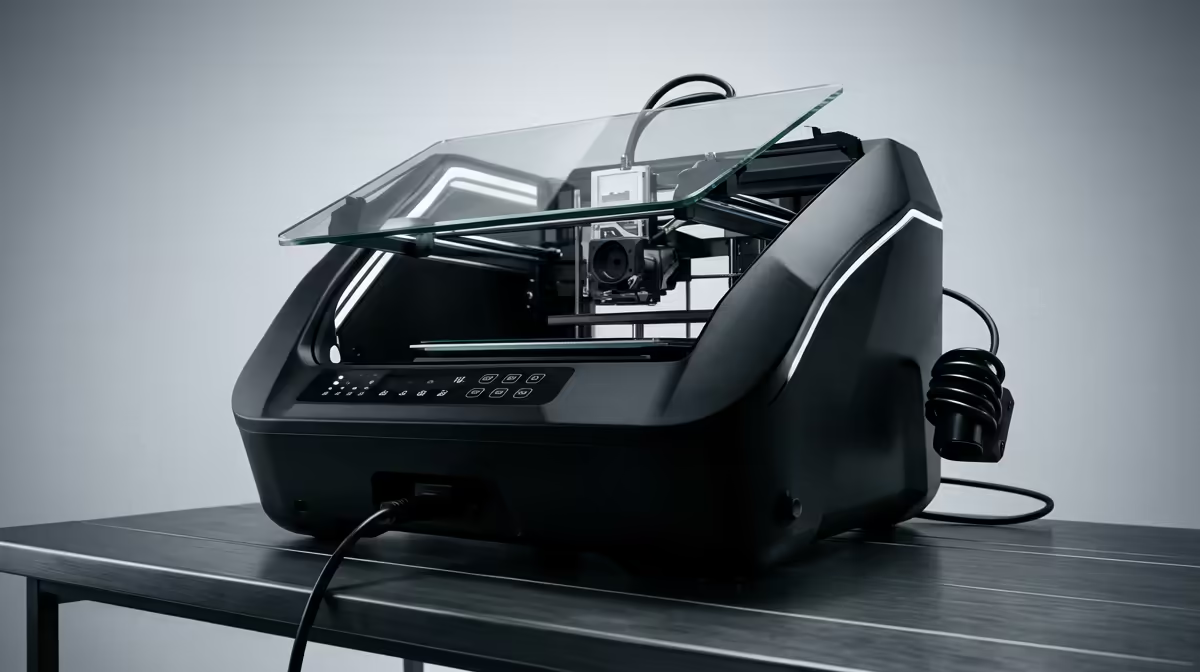
The Creality name shows up on more South African desks than almost any other 3D printer brand, and most of those journeys start with the same machine: the Ender 3. That single open-frame FDM printer turned a niche hobby into something a student in res or a maker in a Cape Town flat could actually afford, and the K-series now carries the same idea into fast, self-calibrating territory. Knowing where each model sits saves you from overspending or buying a printer that fights you for months.
Quick Answer
Start with an Ender-3 V3 SE around the R3,500 to R4,500 band if you want to learn FDM on a forgiving, upgradeable platform. Step up to a K1 or K2 series machine, typically R12,000 and upward, when you want CoreXY speed and hands-off auto-calibration. Both families have spares and consumables readily stocked locally, which matters more than headline specs.
Where the Ender 3 fits the South African maker
The original Ender 3 earned its reputation by being cheap, repairable and endlessly modifiable. Almost every fault has a documented fix, almost every part is swappable, and the community knowledge is enormous. For a first printer that is exactly what you want: a machine you can learn the mechanics on without fearing a costly mistake.
The current generation, led by the Ender-3 V3 SE, keeps that ethos but removes the worst beginner pain. Automatic bed levelling, a direct-drive extruder and a sprung steel build plate mean far fewer failed first layers, which is where most newcomers give up. It still prints with the familiar bed-slinger motion, so speeds are modest, but reliability out of the box is dramatically better than the older kits.
If you want to browse the full local lineup and compare frame styles before deciding, the 3D printer section at Evetech lays the current models out side by side with their print volumes and bed sizes.
Who the Ender 3 family is for
This range suits students printing functional parts, hobbyists making enclosures and brackets, and anyone who enjoys tinkering as much as printing. If your goal is to understand FDM properly and keep your first spend low, an Ender-3 V3 SE is the sensible entry point. The trade-off is speed: a large model can still take many hours, and you do the calibration learning yourself.
What the K-series changes
The K-series is a different machine philosophy. Instead of moving the bed back and forth, CoreXY machines like the K1 keep the bed steady on the Z axis and move the toolhead quickly across the X and Y plane. That mechanical layout, combined with a lightweight hotend and active vibration compensation, is what lets these printers run at speeds the Ender frames simply cannot reach.
Auto-calibration is the other headline. The K1 and K2 handle bed levelling, input shaping and flow calibration with little to no manual input, so the gap between unboxing and a clean first print is short. For someone who wants prints rather than a project, that convenience is the whole point.
K1 versus K2 Plus
The K1 covers most enthusiast needs with a sensible build volume and enclosed chamber, which helps with materials like ABS that warp in open air. The K2 Plus pushes the build volume larger and adds refinements aimed at people running the printer hard or working with multiple materials. If you print large or print often, the bigger machine earns its premium; if you print occasionally, the K1 is the better value.
Speed, detail and the honest trade-offs
Faster is not automatically better. A high-speed CoreXY machine pushed to its limit will show artefacts on fine detail unless tuned, and the enclosed K-series machines cost noticeably more than an Ender frame. For purely functional parts where surface finish is secondary, an Ender-3 V3 SE running at sensible speeds produces perfectly usable results for a fraction of the outlay.
Where the K-series clearly wins is consistency over many prints with minimal fuss. If your time is worth more than the price gap, that reliability is the deciding factor. If you enjoy the process and want to learn, the open Ender platform rewards that curiosity.
Running costs and local support
Filament is the ongoing cost, and standard PLA remains inexpensive and widely available in South Africa. Budget for replacement nozzles, the occasional build plate and a spare hotend over the life of any FDM machine. Because Creality parts are so common locally, downtime waiting for spares is usually short, which is a genuine advantage over more obscure brands.
A small kit of accessories goes a long way: a decent scraper, spare nozzles, a calibration set and good filament storage. You can see what pairs well with a new printer in the best-selling accessories list, which is handy for picking up the consumables most owners reach for first.
How to choose between the two families
Map the decision to your situation rather than the headline specs. If this is your first printer and budget is tight, the Ender-3 V3 SE gives you a forgiving, well-documented machine to learn on, and the community will have an answer for almost any problem you hit. If you have printed before and value speed and convenience over tinkering, the K-series rewards that with quick, repeatable results.
Match the printer to your output
Think about what you will print most. Functional parts, brackets, enclosures and prototypes where surface finish matters less suit the Ender frame perfectly, and at the lowest cost. If you print larger models often, or want to run the machine hard without babysitting every job, the K1 or K2 Plus earns its place. The enclosed chamber on those machines also opens up warp-prone materials that an open Ender frame struggles with.
Budget for the whole journey, not just the printer
A first printer is rarely the last spend. Filament, spare nozzles, build plates and the occasional hotend are part of owning any FDM machine. Starting on an affordable Ender keeps that early learning curve cheap, and many owners later add a faster K-series machine once they know exactly what they print and how often. Buying the expensive machine first only makes sense if you already know your needs.
Frequently Asked Questions
Is the Ender-3 V3 SE good for a complete beginner?
Yes. Auto bed levelling and a direct-drive extruder remove the two things that frustrate most newcomers, so first-layer success is far higher than on older Ender kits. It is one of the easiest ways to learn FDM without a big spend.
Do I need the enclosed chamber on the K-series?
Only if you plan to print ABS, ASA or similar warp-prone materials. For PLA and PETG an open frame is fine, so the enclosure on the K1 and K2 is a benefit for advanced materials rather than a requirement for everyday printing.
How fast is the K1 compared to an Ender 3?
The CoreXY layout and vibration compensation let the K1 print several times faster than a bed-slinger Ender on comparable models, though final speed depends on the part and your quality settings. Very fine detail still benefits from slowing down.
Are spare parts easy to get in South Africa?
Creality is one of the most stocked 3D printer brands locally, so nozzles, build plates, hotends and belts are generally easy to source. That availability keeps downtime low compared with less common machines.
Which Creality printer should I buy first?
If budget and learning matter most, an Ender-3 V3 SE. If you want speed and hands-off operation and can spend more, a K1. Choose the K2 Plus only if you genuinely need the larger build volume.
Ready to pick your first or next machine? Compare the full Creality lineup from the Ender-3 V3 SE to the K2 Plus in the 3D printer range at Evetech and match the frame, speed and build volume to your budget.