


Black Myth: Wukong 2 Ultrawide Support: 21:9 and 32:9 Setup Guide
Black Myth: Wukong 2 Ultrawide Support: 21:9 and. Clear setup instructions with SA-specific considerations, troubleshooting tips & recommended components.
Read moreCurved vs Flat ultrawide monitors at 49 inches: get a clear immersion breakdown for gaming and productivity. See how curvature affects comfort, field of view, and tuning choices 😊🖥️
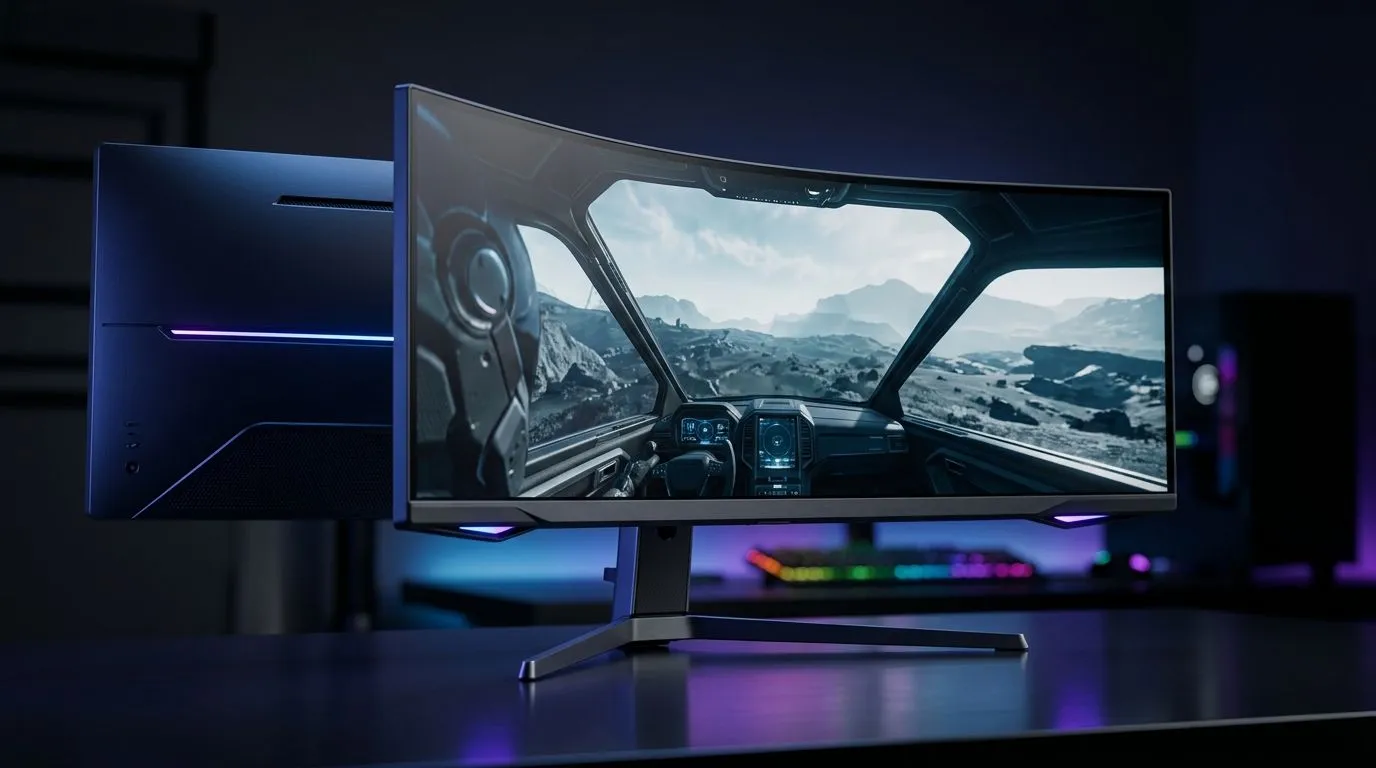
If you are shopping for a 49-inch ultrawide in South Africa, the choice gets personal fast. Curved or flat? On paper, both promise absurd workspace and proper immersion. In practice, your desk, distance, and daily use matter more than the spec sheet. A bad fit feels awkward within minutes. A good one disappears into the background… and that is exactly what you want when you are gaming late, editing clips, or juggling spreadsheets 🔧
A 49-inch ultrawide is not just a bigger screen. It is usually the equivalent of two 27-inch monitors side by side, with one seamless panel. That means less bezel clutter and more room for racing sims, timelines, and trading dashboards. For many users, the real question is not size. It is whether the panel shape helps or hurts comfort.
At this scale, monitor placement becomes essential. You need a desk deep enough to avoid sitting too close. If your current setup feels cramped, start with a proper gaming desk before you commit to the display. A stable desk helps with viewing distance, cable management, and ergonomics.
Curved panels are designed to wrap the edges of the screen slightly toward your eyes. On a 49-inch display, that can reduce how far your eyes need to travel across the panel. For gaming, especially sim racing and open-world titles, the result often feels more natural. The image can also appear more uniform across the width.
That said, curve strength matters. A gentle curve suits mixed use better than an aggressive one. If you do a lot of design work or image alignment, the curve can feel a little odd at first. For pure immersion, though, curved ultrawides are usually the crowd favourite.
Flat ultrawides have their own appeal. They are easier to use for tasks where straight lines matter, such as spreadsheets, CAD, and detailed layout work. Text can also feel more predictable if you sit at varying angles. If your desk setup changes often, a flat panel can be more forgiving.
Some users simply prefer a cleaner visual reference. No curve means no adjustment period. What you see is exactly what the panel is showing, and that can be reassuring for productivity-first buyers. If your monitor will sit in a multi-purpose room, flat may be the safer call.
For gaming, the curve usually wins on immersion. That is especially true in titles where your peripheral vision matters. Think driving, flying, strategy, and exploration. A curved 49-inch ultrawide can make the world feel wider and more enveloping.
Flat can still be the better choice if you split time between work and play. The clean geometry helps when you are comparing charts, editing images, or lining up UI elements. In other words, the best choice depends on your mix of use cases, not just your FPS ambitions.
A small setup tweak can also improve the experience. Pair your screen with a supportive gaming chair so your eyes stay level with the centre of the panel. Poor posture makes any ultrawide feel less impressive after an hour or two.
A monitor this large deserves the right environment. If your desk is too shallow, you may feel overwhelmed by the size. If your chair is too low, you will spend all day craning your neck. That is where setup quality matters as much as the panel itself.
If you like a premium-looking battlestation, small visual touches help too. Subtle NZXT case lighting can tie the whole rig together without turning the room into a disco. And if you want a cleaner, more coordinated workspace, check out an Arrozi gaming setup for inspiration that blends practicality with style ✨
Sit far enough back that you can scan the full width without twisting your neck. On a 49-inch ultrawide, a deeper desk often feels more comfortable than a bigger chair.
Choose curved if:
Choose flat if:
The most expensive option is not always the right one. A 49-inch monitor should fit your habits, your desk, and your eyes. That is the real value test.
If you want a one-line answer, here it is. Curved is usually better for immersion. Flat is usually better for strict productivity. The best pick depends on how you actually use your PC, not how the spec sheet looks on launch day.
For South African buyers, the smartest move is to think of the whole setup, not just the panel. Desk space, seating, lighting, and comfort all influence whether a 49-inch ultrawide feels luxurious or simply too much. Choose well, and it becomes the centrepiece of your setup. Choose badly, and it becomes an expensive lesson.
Ready to Find Your Perfect Match? The Mac vs Windows debate is complex, but for maximum power, choice, and value in South Africa, Windows is hard to beat. Explore our massive range of laptop specials and find the perfect machine to conquer your world.
Often, yes. A curved ultrawide can wrap your view closer to your eyes, improving immersion for gaming and wide-screen work.
For many 49-inch ultrawides, common curvature choices like 1800R or 1500R offer a noticeable wrap without extreme distortion for typical desk distances.
It can. Better alignment with your line of sight may reduce how far you look left and right, but comfort also depends on brightness and distance.
Modern panels are well-controlled, but if you do precise geometry, a flat ultrawide can feel more neutral, especially for CAD-like tasks.
Curved is frequently preferred for immersion and HUD presence. Flat can be appealing for esports-style viewing or strict desk layouts.
A common guideline is to place yourself so the screen feels comfortably wrapped, often around arm-to-eye distance ranges for your desk size.
Yes, especially at the edges. If you sit close enough, curvature changes the perceived field of view and can make the display feel more “surrounding.”
Black Myth: Wukong 2 Ultrawide Support: 21:9 and. Clear setup instructions with SA-specific considerations, troubleshooting tips & recommended components.
Read more
Setting Up HDMI 2.1 Cable. Tested & verified settings for best FPS and visual quality on SA hardware budgets.
Read more
Every spec on PCIe 5.0 explained in plain English. What matters for gaming and creator work in 2026, what's marketing fluff, and how each number translates to real-world performance.

A head-to-head look at WiFi 7: real-world performance, ZAR pricing and which option delivers better value for SA builders. The clear answer — no fluff.

Everything you need to set up and tune PCIe 5.0 properly: the prep work, the settings that actually matter, and the mistakes to skip. Written for SA builders in 2026.

Everything you need to set up and tune X870E Motherboard properly: the prep work, the settings that actually matter, and the mistakes to skip. Written for SA builders in 2026.

Wondering what a 512GB SSD capacity really holds? This guide breaks down how many games, photos, and documents fit on 512GB, with real-world ranges 📦💾

Every spec on vrm explained in plain English. What matters for gaming and creator work in 2026, what's marketing fluff, and how each number translates to real-world performance.

Every spec on motherboard explained in plain English. What matters for gaming and creator work in 2026, what's marketing fluff, and how each number translates to real-world performance.

Premium vs Midrange Motherboards in South Africa: real-world performance, SA pricing, power draw and which one delivers better value for your build for SA buyers. The clear answer — without the fluff.
Wondering what a 512GB SSD capacity really holds? This guide breaks down how many games, photos, and documents fit on 512GB, with real-world ranges 📦💾
Every spec on PCIe 5.0 explained in plain English. What matters for gaming and creator work in 2026, what's marketing fluff, and how each number translates to real-world performance.
A head-to-head look at WiFi 7: real-world performance, ZAR pricing and which option delivers better value for SA builders. The clear answer — no fluff.

Every spec on USB4 explained in plain English. What matters for gaming and creator work in 2026, what's marketing fluff, and how each number translates to real-world performance.