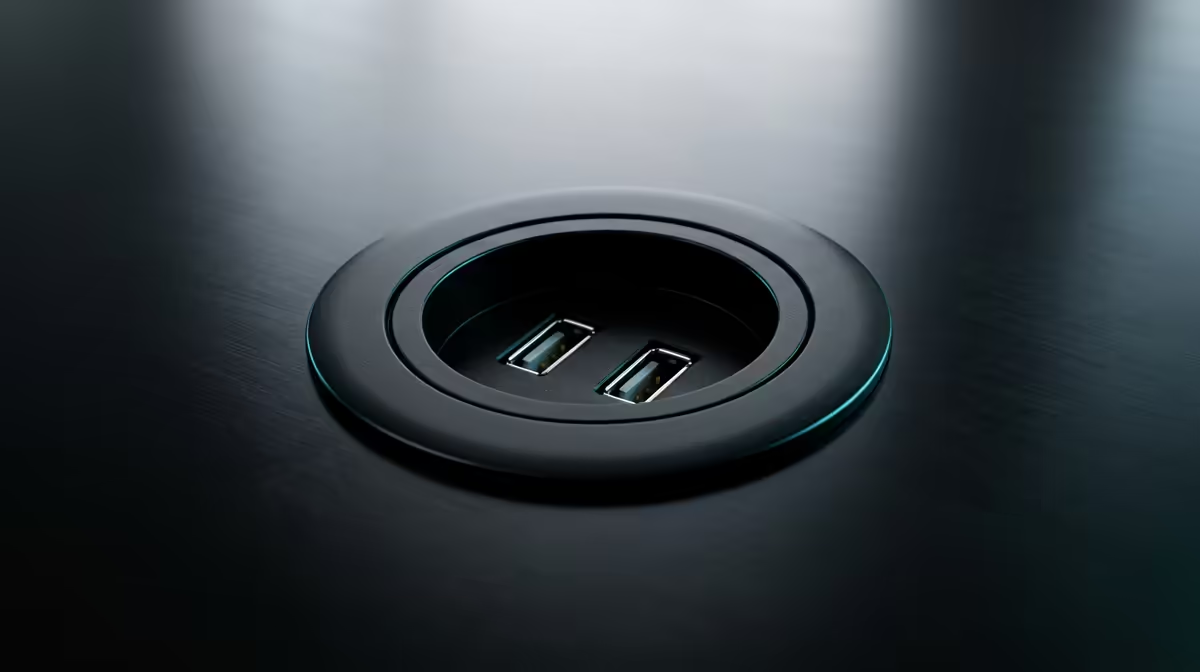
The single ugliest thing about most home setups is not the PC, it is the snake of extension cords running across the floor to reach a wall socket two metres away. A desk power grommet fixes that at the source: it fills the cable cut-out in your desk with mains sockets and USB ports, so power lives at the surface where your gear actually sits and the cabling drops straight down out of sight. Pair it with a USB hub and the clutter problem largely disappears.
Quick Answer
A desk power grommet is a round or rectangular module that drops into a cable hole in your desktop, putting AC plug points and USB ports at desk level while routing wires down through the same hole. For SA setups where the nearest wall socket is far away, it removes floor-level extension cords and keeps power within arm's reach. Expect two AC outlets plus a mix of USB-A and USB-C, with the better units delivering 60W or more over USB-C.
How a desk grommet works
Most desks ship with a pre-cut grommet hole, usually around 60mm or 80mm in diameter, originally meant just for threading cables. A powered grommet replaces the plain plastic cover with a functional module. The top face carries the sockets and ports, the body sits flush in the hole, and a single feed cable runs from underneath down to your wall socket or surge unit. The result is one tidy drop instead of a tangle on the floor.
The mechanical fit matters as much as the electrics. Grommets are sized to standard hole diameters, so you measure your existing cut-out before buying. Most have an adjustable collar or threaded ring that clamps to desk thicknesses in a common range, and a slot or channel that lets cables pass alongside the module rather than fighting it.
Round versus rectangular
Round grommets suit the typical factory cable hole and look the cleanest on a single-user desk. Rectangular or bar-style units carry more outlets and often clamp to the desk edge instead of dropping into a hole, which suits a wider work surface or a shared bench. Pick the shape your desk and workflow actually call for rather than the one with the most ports.
What to compare before you buy
Three numbers decide whether a grommet is right for your gear.
Socket count and layout
Count what permanently lives on your desk: monitor, PC or laptop charger, desk lamp, speakers, a charger or two. A two-AC-outlet grommet covers a clean single-screen setup. A heavier rig with multiple displays and peripherals wants either more outlets or a grommet feeding a separate surge-protected strip below the desk. Do not size it to today exactly; leave one free socket for the next thing you add.
USB-C power delivery
This is where cheap and capable units split. Entry-level grommets offer USB-A and a low-wattage USB-C, often around 18W to 20W, which is fine for a phone but useless for a laptop. Better modules use gallium nitride internals to push 60W of USB-C Power Delivery from a compact body, enough to charge or run many ultrabooks directly from the desk surface. If you want one cable to power your laptop, check the USB-C wattage first, because the AC outlet count tells you nothing about charging speed.
Installation and fit
Confirm three things: the diameter of your existing hole, the thickness range the grommet's clamp accepts, and whether it needs a hole cut fresh. Drop-in round grommets are a five-minute, no-tools job in an existing cut-out. Cutting a new hole in a solid desk is a bigger commitment, so a clamp-on edge unit is the friendlier option if your desk has no hole to start with.
Pairing a grommet with a USB hub
A grommet handles power and basic charging, but it is not a data hub. For multiple drives, a webcam, a microphone and a keyboard all needing data connections, you still want a proper USB hub or dock, ideally fed by that desk-level USB-C. The clean arrangement is power and quick charging through the grommet, data and peripherals through a hub sitting next to it, both drawing from the single tidy drop into the wall. That keeps the desktop clear and the under-desk run to a single bundle.
Why this matters for an SA setup
In a typical Joburg townhouse or a Cape Town flat, wall sockets rarely sit where the desk ends up. The default fix is a long extension lead trailing across the floor, which looks bad and is a trip and damage hazard. Bringing power up through the desk removes that lead entirely. It also future-proofs the space: when you rearrange the room, you move one feed cable rather than rerouting a floor-level mess. A clean power layout is part of the same thinking that goes into a well-organised workstation, and a purpose-built desk surface is the other half of that, which is why the gaming and ergonomic desk range at Evetech is a natural companion to a tidied setup.
Who should fit one
A desk grommet earns its place fastest for anyone with a permanent multi-device setup: a work-from-home professional, a streamer with several powered accessories, or a student whose desk is also the entertainment hub. If your gear changes seats often, or your desk has no cable hole and you would rather not cut one, a quality surge strip clamped underneath may serve you better. For a fixed station that you want to look clean and stay clean, the grommet wins. The same tidiness logic shows up across the best-selling desk accessories at Evetech, where the goal is a setup you can work at all day without fighting the room.
Frequently Asked Questions
Will a desk power grommet fit my existing desk?
It depends on your cable hole. Measure the diameter, commonly around 60mm or 80mm, and check the grommet's stated hole size and desk-thickness range before buying. If your desk has no hole, choose a clamp-on edge unit instead of cutting one.
Can a grommet charge my laptop over USB-C?
Only if its USB-C port supports enough power. Entry units around 18W to 20W charge phones, not laptops. Look for a 60W USB-C Power Delivery port, which many ultrabooks can run on directly from the desk surface.
Do I still need a USB hub if I have a powered grommet?
Usually yes. A grommet supplies power and basic charging, not data connections for drives, cameras and peripherals. Pair it with a USB hub or dock for data, and let the grommet handle the mains outlets and quick charging.
Is a desk grommet safe to install myself?
Drop-in round grommets are tool-free and safe to fit in an existing hole, since they plug into a normal wall socket. The only caution is using a surge-protected feed and not overloading the outlet count beyond its rating.
How many AC outlets do I actually need?
Count the always-on devices on your desk and add one spare. A clean single-monitor setup is happy with two AC outlets; a multi-display rig with several peripherals wants more outlets or a separate surge strip fed from the grommet.
A tidy desk starts with where the power lives and how the surface is built. Sort the cabling, then finish the station with a purpose-built desk from the gaming and ergonomic desk range at Evetech so the whole setup works as hard as you do.