

Will A Pcie 5.0 Gpu Work With A Pcie 4.0 Motherboard? Compatibility Guide
Will A Pcie 5.0 Gpu Work With A Pcie 4.0. Hand-picked gift ideas at every budget tier. SA pricing & Evetech availability included.
Read moreDisplayPort evolution explained: how DisplayPort advanced from 1080p to 8K, what DisplayPort 2.1 enables, and how to future-proof your setup ⚡🖥️
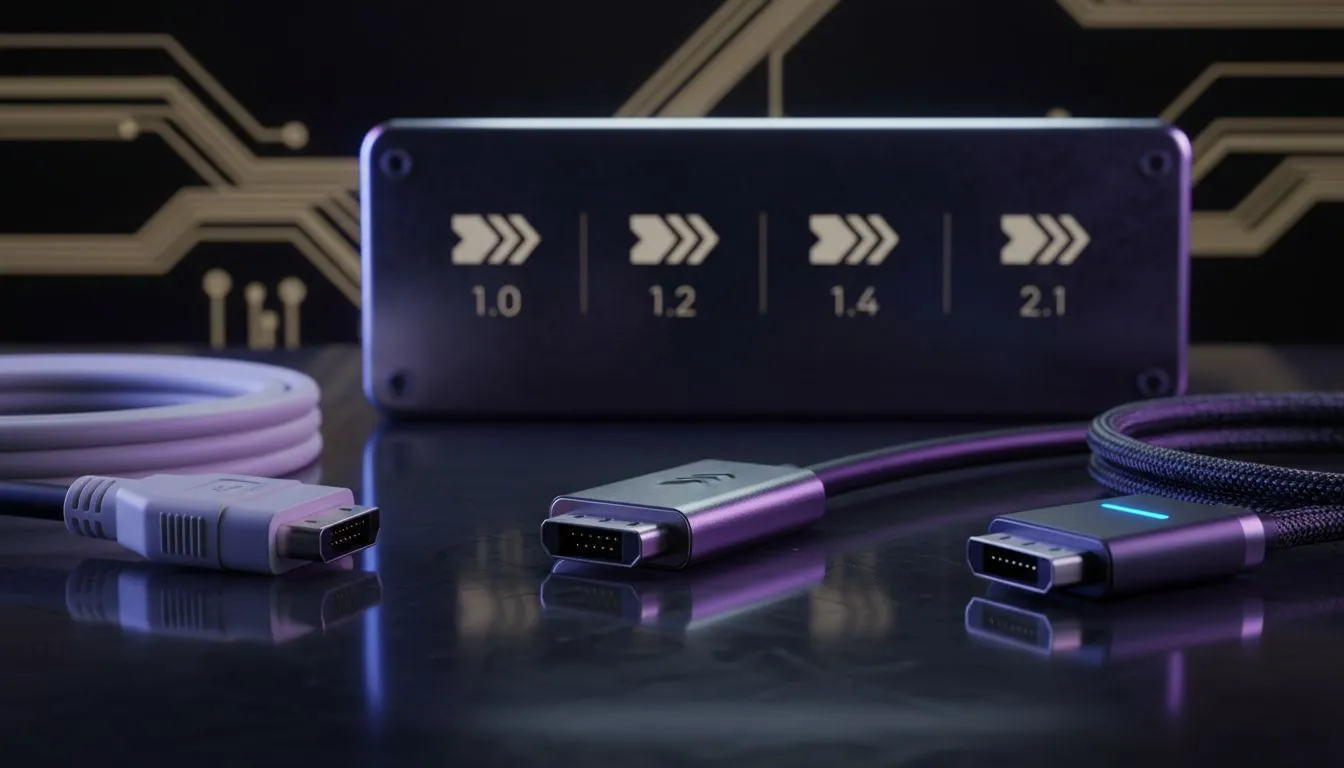
South African gamers, want buttery frame rates on a new 3440×1440 ultrawide or dream of native 8K? The DisplayPort evolution has delivered the bandwidth and features to make that possible — and it’s changing how we choose GPUs, monitors and cables in 2026. Read on for practical buying tips, local price sense, and a few pro tweaks to future‑proof your rig. 🎮✨
DisplayPort has been the go‑to for high refresh rates, adaptive sync and multi‑stream transport. Its standards define what your GPU, monitor and cable can actually do together. For basic gaming at 1080p, nearly any modern GPU/monitor combo will work. But when you step into 1440p at 240Hz, ultrawides, or 4K/8K, DisplayPort version and cable quality suddenly matter a lot (see VESA specs) (https://vesa.org/).
Cite these specs when you’re comparing monitors or listing supported modes. If a monitor spec says “DP 1.4 (DSC) supports 8K60”, that’s different to “DP 2.0 native 8K120”.
The cable is often the weakest link. For high bandwidth needs, active or certified high‑bandwidth DisplayPort cables save you from signal dropouts at long lengths. For tidy builds, sleeved extensions and premium cable kits can help routing and aesthetics—especially if you're building a showcase PC in Cape Town or Joburg.
Check out this ARGB extension cable to tidy your internal routing and keep signals stable while flashing some style: GameMax ARGB extension (best deal) (https://www.evetech.co.za/gamemax-12vhpwr-cable-b-argb-extension/best-deal/24244). For clean PSU and motherboard cable runs, consider premium individually sleeved cables for better airflow and looks (pricing varies in ZAR) (https://www.evetech.co.za/PC-Components/nzxt-individually-sleeved-premium-cables-93).
Use a short, certified DisplayPort cable for gaming monitors. If your rig sits far from the display, buy an active DP cable or upgrade to DP 2.0-capable hardware to avoid artefacts and maintain higher refresh rates.
If you’re upgrading today and want longevity, favour GPUs and monitors that advertise DP 2.0 support. That way you’re less likely to be limited when GPUs push into higher resolutions and refresh rates. Keep an eye on VESA announcements for the latest features and tested bandwidth figures (https://vesa.org/).
Small choices—monitor port version, cable quality, sleeving for airflow—compound into a better experience. Whether you prioritise competitive FPS in Pretoria esports cups or cinematic 4K editing in Cape Town, aligning DisplayPort version, GPU and cable keeps your setup ready for the next leap. 🚀
Ready to Find Your Perfect Match? The Mac vs Windows debate is complex, but for maximum power, choice, and value in South Africa, Windows is hard to beat. Explore our massive range of laptop specials and find the perfect machine to conquer your world.
DisplayPort evolved from 1.2 (4K60) to 1.4 (DSC 4K120/8K30) and 2.1, which boosts bandwidth for native 8K and high-refresh HDR displays.
DisplayPort 2.1 supports native 8K at high refresh with required bandwidth; earlier versions rely on DSC compression for 8K.
For full DP 2.1 bandwidth, use certified USB-C or new DisplayPort cables rated for the higher throughput to avoid bottlenecks.
Higher bandwidth and features like Adaptive Sync and DSC let GPUs deliver 4K/8K at higher refresh and lower latency for gaming.
DisplayPort 2.1 offers more flexible bandwidth and multi-stream options; HDMI 2.1 handles 8K too but with different cable and licensing trade-offs.
Upgrade only if you need native 8K or ultra-high refresh; check GPU DP 2.1 support and monitor specs before buying.
Look for certified high-bandwidth DisplayPort or USB-C cables and read guides on DisplayPort cable guide and buying DisplayPort cable.
Will A Pcie 5.0 Gpu Work With A Pcie 4.0. Hand-picked gift ideas at every budget tier. SA pricing & Evetech availability included.
Read more
Streamelements Setup with GPU: Streamer Guide. Clear setup instructions with SA-specific considerations, troubleshooting tips & recommended components.
Read more
Intel Arc B580 Throttling Under Load: Temperature. Everything you need to know with SA pricing, step-by-step instructions & expert recommendations.
Read more
Complete ATX Case Size Guide: Interior Dimensions. Best deals curated with real SA discounts, price history & tips on getting genuine value.

What GPU Do You Need for AI & Machine Learning. Hardware requirements breakdown with recommended specs & SA pricing for each tier.

Top Settings for RTX 4060 at Ultrawide 1440p picks evaluated on performance, value & SA availability with current Rand pricing from Evetech.

Head-to-head comparison of FreeSync vs G-Sync Explained: Which Should Gamers for SA gamers. Performance benchmarks, Rand pricing & which delivers better value.

Every spec on PCIe 5.0 explained in plain English. What matters for gaming and creator work in 2026, what's marketing fluff, and how each number translates to real-world performance.

Every spec on bios explained in plain English. What matters for gaming and creator work in 2026, what's marketing fluff, and how each number translates to real-world performance.

Every spec on gaming setups explained in plain English. What matters for gaming and creator work in 2026, what's marketing fluff, and how each number translates to real-world performance.

Every spec on cooling systems explained in plain English. What matters for gaming and creator work in 2026, what's marketing fluff, and how each number translates to real-world performance.

Every spec on understanding how much vram is needed explained in plain English. What matters for gaming and creator work in 2026, what's marketing fluff, and how each number translates to real-world.

How to pick the right PCIe 5.0 for your build in 2026: the features worth paying for, ZAR value tiers, and the trade-offs between budget, mid-range and flagship picks.

Every spec on gpu explained in plain English. What matters for gaming and creator work in 2026, what's marketing fluff, and how each number translates to real-world performance.

Every spec on gpu explained in plain English. What matters for gaming and creator work in 2026, what's marketing fluff, and how each number translates to real-world performance for SA buyers.