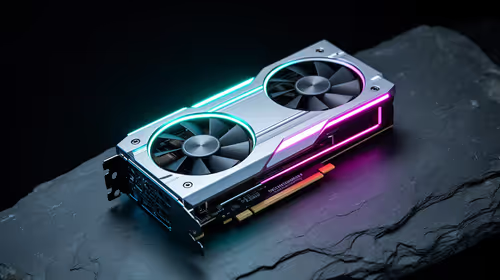
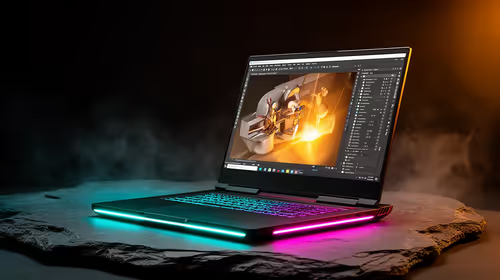
Staring at your FPS counter, wishing you could squeeze out more performance without forking out thousands of Rands for a new GPU? You're not alone. In South Africa, getting the most bang for your buck is key. That's where the magic of AI upscaling comes in. This guide breaks down the epic DLSS vs FSR vs XeSS comparison, helping you understand the tech that will define PC gaming by 2026 and beyond. ✨
Understanding the AI Upscaling Battle: DLSS vs FSR vs XeSS
So, what is this tech, really? At its core, AI upscaling is a clever trick. Your graphics card renders a game at a lower resolution (like 1080p), which is easy work. Then, a smart algorithm uses AI and machine learning to "upscale" that image to your screen's native resolution (like 1440p or 4K). The result? A massive performance boost, giving you higher frame rates without a noticeable drop in visual quality.
For gamers, this means playing the latest titles on ultra settings, even if you don't have a top-of-the-line rig. It’s all about getting a smooth, high-resolution experience, which is especially important if you've invested in one of the latest high-refresh-rate PC monitors.
NVIDIA DLSS: The AI-Powered Pioneer
NVIDIA's Deep Learning Super Sampling (DLSS) was the first major player, and it still sets a high bar. It uses dedicated hardware called Tensor Cores, found only on GeForce RTX graphics cards, along with a neural network trained on super-high-quality game images.
Key Strengths of DLSS
- Image Quality: Generally considered the gold standard. DLSS is fantastic at reconstructing fine details, resulting in an image that can sometimes look even sharper than native resolution.
- Advanced Features: DLSS 3 introduced Frame Generation, which inserts entirely new AI-generated frames between existing ones for an incredible smoothness boost.
- Maturity: With years of development and a huge library of supported games, it's a proven and reliable choice for anyone with compatible NVIDIA graphics cards.
The only real downside? It's exclusive to NVIDIA's RTX hardware.
AMD FSR: The Open-Source Contender
AMD's FidelityFX Super Resolution (FSR) is the people's champion. Unlike DLSS, FSR is an open-source technology. This means it doesn't require specialised hardware and works on a massive range of GPUs—including older AMD cards, NVIDIA cards, and even Intel's GPUs.
Why FSR is a Big Deal
- Universal Compatibility: This is FSR's killer feature. It's a lifeline for gamers looking to extend the life of their hardware. It can breathe new life into older but still popular cards like the ones in our NVIDIA GeForce GTX graphics cards category.
- Great for Budget Builds: FSR makes high-FPS gaming more accessible. It's a fantastic feature on more affordable gaming machines, like many of the laptops for sale under R25,000, allowing them to punch well above their weight.
While its image quality in early versions was a step behind DLSS, FSR 3 has closed the gap significantly and also introduced its own Frame Generation technology.
Intel XeSS: The Hybrid Challenger
Intel is the newest competitor in the DLSS vs FSR vs XeSS comparison with Xe Super Sampling (XeSS). It takes a clever hybrid approach. On Intel's own Arc GPUs, it uses dedicated AI hardware (XMX Engines) for the best results, similar to DLSS.
However, it also has a fallback mode that uses a more general algorithm, allowing it to run on competitor cards, much like FSR. This gives it both a high-quality, hardware-accelerated option and broad compatibility. Game support for the technology is growing steadily as more developers get on board with Intel Arc graphics cards. 🔧
Check Before You Buy 🚀
Most game store pages (like Steam or Epic) list the upscaling technologies they support right in the system requirements or features section. Before you buy the next big AAA title, quickly check if it supports your card's best feature—be it DLSS, FSR, or XeSS. This small step ensures you get the smoothest experience from day one!
The 2026 Outlook: A Direct DLSS vs FSR vs XeSS Comparison
Looking ahead, the competition is only getting hotter. Here’s a quick breakdown of how they stack up right now.
- Image Quality Winner: NVIDIA DLSS still holds a slight edge, especially with its Ray Reconstruction feature for intense ray-traced lighting.
- Performance Winner: It's a tie. All three provide game-changing FPS boosts. The exact numbers depend more on the game's implementation and your specific hardware.
- Compatibility Winner: AMD FSR, without a doubt. Its open nature makes it the most versatile tool for performance enhancement across the board.
This technology is also the secret sauce behind the success of modern handheld gaming consoles, which use FSR or similar techniques to run demanding AAA games on a small, efficient chip.
So, Which AI Upscaler Should You Choose?
This is the easy part. The best choice in the DLSS vs FSR vs XeSS showdown is almost always dictated by the graphics card in your rig.
- If you have an NVIDIA RTX card (20-series or newer): Use DLSS. It’s tailor-made for your hardware and offers the best image quality.
- If you have an AMD card or an older NVIDIA card: Use FSR. It’s your ticket to modern performance on a huge variety of hardware.
- If you have an Intel Arc card: Use XeSS. It’s optimised for your GPU and delivers fantastic results.
Ultimately, the real winner is the PC gaming community. This fierce competition means better performance, more choices, and more accessible gaming for everyone. Of course, having the right foundation is key, and it all starts with one of our best gaming PC deals.
Ready to Experience Next-Gen Performance?
The DLSS vs FSR vs XeSS debate proves one thing: you no longer need the absolute top-tier card to get amazing frame rates. The right machine makes all the difference. Explore our massive range of laptop specials and find the perfect portable powerhouse for your budget.