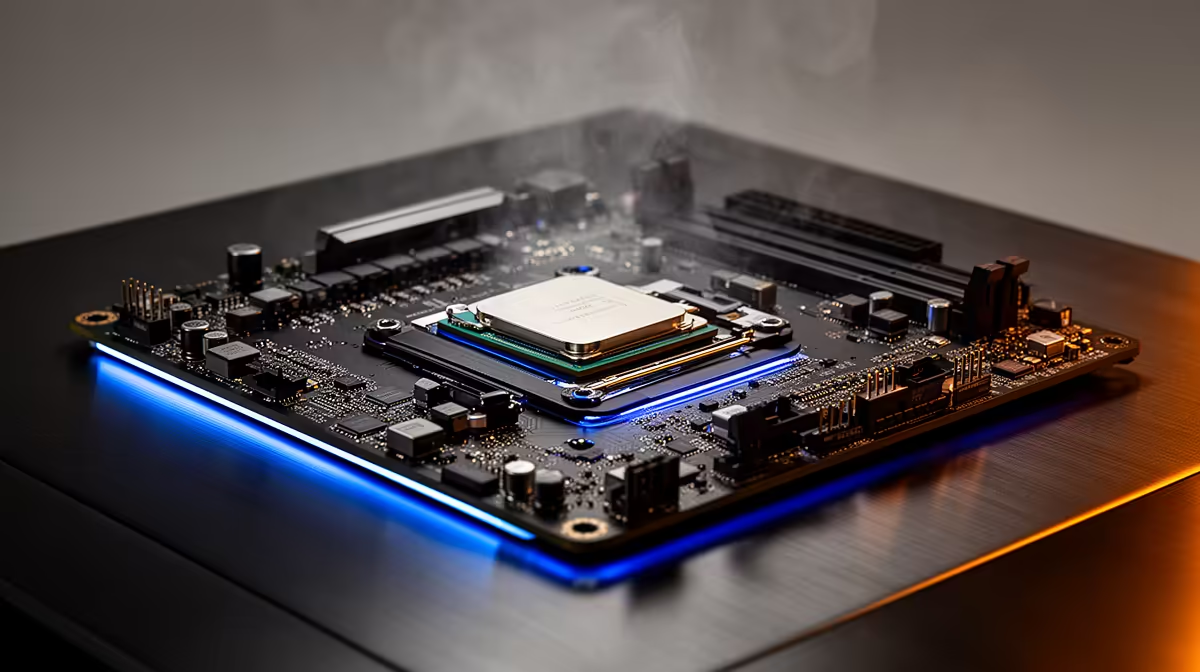
If your PC was built before late 2017, Windows 11 will refuse to install, and the reason sits in the processor. Microsoft drew a hard line at Intel's 8th generation Core chips and AMD's Ryzen 2000 series, so anything older is simply not on the supported list. Swapping in a newer CPU sounds like the easy fix, but because an older chip usually lives in an older socket, a CPU change almost always drags a new motherboard along with it.
Quick Answer
Yes, in most cases. Windows 11 requires at least an Intel 8th-gen Core or AMD Ryzen 2000 series CPU, plus TPM 2.0 and Secure Boot. If your processor predates those, you need a newer CPU, and since old sockets do not accept new chips, that almost always means a new motherboard too. Once you are buying both, weigh the cost against a fresh build.
What Windows 11 actually demands from your processor
The processor cut-off is the requirement that catches most people. Windows 11 supports Intel 8th-generation Core chips and newer, and AMD Ryzen 2000 series and newer, all of which arrived around late 2017 and early 2018. A 7th-gen Intel chip or a first-generation Ryzen, however capable it still feels, is not on the list.
There is a second requirement that trips up even owners of borderline-eligible machines: TPM 2.0, the Trusted Platform Module. Windows 11 also expects Secure Boot and a UEFI configuration. Plenty of systems have a TPM that is simply switched off in the BIOS, so before assuming you need new hardware, check whether TPM 2.0 and Secure Boot can be enabled on what you already own.
Why a CPU swap usually means a new motherboard
Processors and motherboards are matched by socket and chipset. An older board built for a 7th-gen Intel chip uses a socket that physically will not accept a current processor, and even where a socket overlaps, the chipset and BIOS may not support the newer part. So the moment you decide to move from an unsupported CPU to a supported one, you are almost always buying a motherboard to go with it.
The hidden knock-on costs
A new motherboard rarely travels alone. Modern boards expect DDR5 memory, so your existing DDR4 sticks may not fit, adding RAM to the bill. The CPU cooler mount may differ, and you will be reinstalling Windows cleanly on the new platform. None of this is hard, but it stacks up quickly, and that is the point at which an upgrade starts to look like a partial rebuild. If a compact, ready-to-run machine appeals more than juggling parts, the mini PC range at Evetech offers Windows 11-ready systems in a small footprint.
The one exception: AM4 CPU-only upgrades
There is a scenario where you can get away with just a new CPU and no new board: AMD's AM4 platform. AMD kept the same socket across Ryzen generations from 2017 through 2022, which means a board originally built for a Ryzen 1000 or 2000 chip can often accept a Ryzen 5000-series drop-in after a BIOS update. A Ryzen 5 5600 on an existing AM4 board is one of the cheapest paths to a Windows 11-supported processor, and you keep your DDR4 RAM.
The catch is the BIOS update. Older AM4 boards need a firmware update to recognise Ryzen 5000 chips, and some budget boards never received that update from the manufacturer. Before buying, confirm your specific board model supports Ryzen 5000 and that the BIOS can be flashed without needing a Ryzen 5000 chip already installed (some boards offer CPU-less BIOS flash via a USB port labelled for that purpose).
On the Intel side, there is no equivalent shortcut. 6th and 7th-generation Core platforms use LGA1151 sockets that do not accept 8th-generation or newer chips, so an Intel upgrade always means both CPU and board together.
What a platform upgrade actually costs in South Africa
Having the numbers in front of you makes the decision easier. A rough 2026 cost guide for common Windows 11 upgrade paths:
- AMD AM4 CPU-only (if board supports it): Ryzen 5 5600 around R2,500 to R3,000, DDR4 RAM reused. Total: R2,500 to R3,000 plus any cooler.
- AMD AM5 CPU plus board: Ryzen 5 7600 or 7500F paired with a B650 board, DDR5 RAM required. Budget R5,000 to R8,000 depending on tier.
- Intel B760 platform: Core i5-12400 or i5-13400 with a B760 board, DDR4 or DDR5 depending on the specific board. Roughly R5,500 to R9,000 for CPU and board together.
Add DDR5 if your current sticks are DDR4 and the new board requires it: a 16GB DDR5 kit starts around R1,500 to R2,200. A CPU cooler, if yours is platform-specific, can add another R300 to R1,200.
Once the parts total climbs past R7,000 to R9,000, a new complete machine from around R12,000 warrants a close look, since it includes a warranty, matched components and no reassembly risk.
Upgrade or buy new: how to decide
If your machine just needs TPM and Secure Boot toggled on, you are done for nothing. If it needs a CPU, motherboard and possibly RAM, add those prices up honestly. Once the parts bill climbs past roughly half the cost of a current desktop, a new machine usually wins on warranty, performance and resale value. For comparison shopping on complete systems, the best-selling PCs give a clear sense of what your upgrade budget buys outright.
Frequently Asked Questions
Do I really need a new CPU for Windows 11?
Only if your current one is older than an Intel 8th-gen Core or AMD Ryzen 2000 series chip. If you have one of those or newer, you may just need to enable TPM 2.0 and Secure Boot in the BIOS.
Why does changing the CPU mean changing the motherboard?
Because CPUs and motherboards are matched by socket and chipset. An older board physically cannot accept a current processor, so moving to a supported CPU almost always forces a board upgrade too.
What is TPM 2.0 and do I have it?
TPM 2.0 is a security module Windows 11 requires. Many existing PCs have it built into the motherboard but disabled by default, so check your BIOS before assuming you need new hardware.
Will my DDR4 RAM work on a new motherboard?
Often not. Many current motherboards use DDR5, so a platform upgrade may require new memory as well, which you should factor into the total cost.
Is it cheaper to upgrade or buy a new PC?
If you only need a CPU and board, upgrading can be cheaper. Once RAM and other parts are added and the bill nears half the price of a new machine, buying new is usually the better value.
Not sure whether to upgrade or replace? Compare ready-to-run Windows 11 systems in the mini PC range at Evetech and see how a fresh machine stacks up against your parts list.