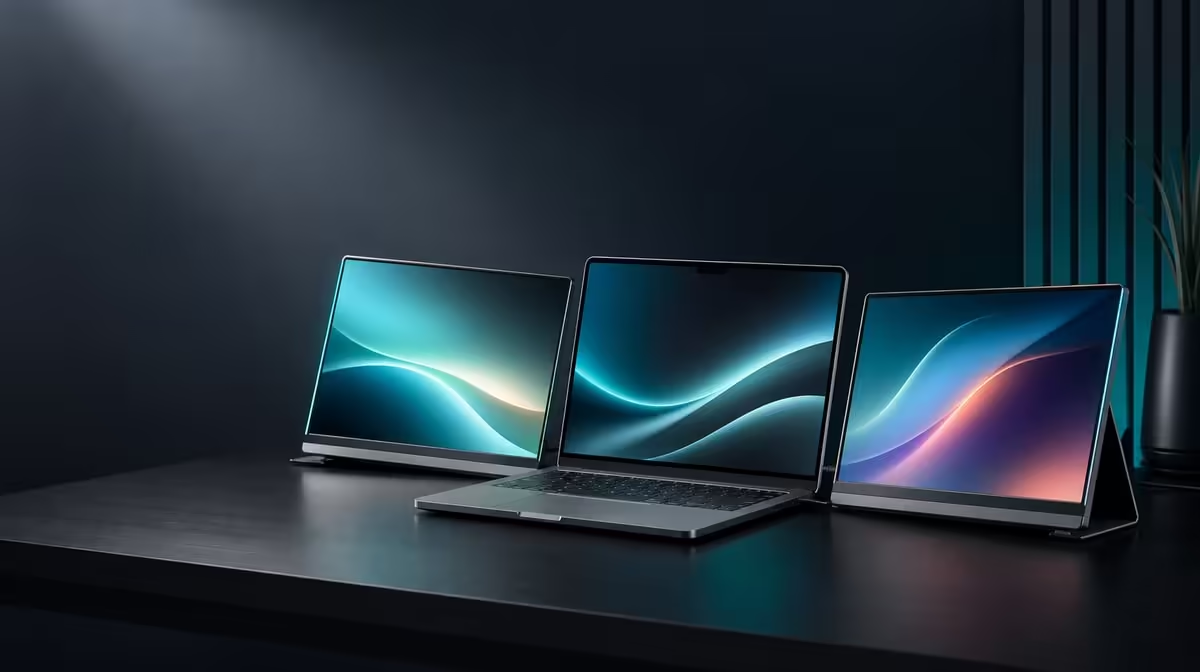
Response time matters most when the image changes rapidly and the viewer cares about every transition. Understanding what 25ms means for work, streaming and casual play starts by separating the UPERFECT Delta's panel behaviour from laptop load, connection stability and network delivery. The R4,299 dual monitor is productivity-led, and its two Full HD screens should be assigned accordingly.
Quick Answer
The R4,299 Delta's stated 25ms response is more naturally suited to documents, business tools, CAD controls, edit timelines and general multitasking than speed-focused competitive gaming. Streaming and casual play may be acceptable for viewers who are not highly sensitive to motion blur. Test native 1920 x 1080 with a stable source first; settings can reduce avoidable stutter but cannot change the panel's 25ms specification.
🎞️ Define response time without blaming it for everything
Pixel response describes how a display changes from one visual state to another. Slower transitions can make fast movement look less crisp to a sensitive viewer. The effect becomes more important when the content has rapid camera motion, quick aiming or high-contrast objects moving across the screen.
It does not explain a panel that has no signal, disappears from the operating system or loses power. Those symptoms belong to the connection and source path. Nor does response time automatically explain an application that pauses because the laptop is overloaded.
The Delta has two 15.6-inch IPS panels at native 1920 x 1080. Their 25ms figure should remain visible in the decision instead of being tuned away in language. A user can improve the quality of the input and remove unnecessary source delays, but the stated panel characteristic remains.
Use a controlled scene to understand it. A local clip, repeatable document scroll and simple pointer movement remove some of the uncertainty found in a network stream or complex game. Watch the same action on the laptop companion and each Delta panel, noting where the behaviour appears.
Browse Evetech portable monitors when comparing mobile displays by intended workload.
📊 Use the panels where motion is secondary
Documents, email, spreadsheets and reference material spend much of their time static. Even when scrolling, the important outcome is often readable content after the movement stops. These jobs can make strong use of independent visible areas without placing competitive motion at the centre.
CAD and video editing need a more deliberate division. The Delta can hold properties, layers, files, notes, scopes or a timeline while another screen carries the main view. A motion-critical preview can remain on the laptop or another display chosen for that priority, depending on the workflow.
The two panels also reduce window covering. Place the active task on one and its reference or controls on the other. Keep the notebook screen for communication only if those messages do not create distraction. A quiet panel can still be valuable when it prevents a needed document from being buried.
Start both displays at 1920 x 1080 and matching scale. Lowering resolution does not alter the 25ms response. It may change readability or source workload, so any improvement must be described accurately rather than presented as a faster panel.
Work for a sustained block. If the tools remain readable, pointer movement feels acceptable and the screen roles reduce interruption, the response trade-off may be reasonable for that user.
📺 Test streaming as a chain
Streaming motion reaches the viewer through several stages: network delivery, decoding by the source, graphics output, the display connection and finally the panel. A pause introduced earlier in that chain can look like a monitor problem.
Begin with a known local video. Close unrelated applications, keep the laptop power arrangement normal and confirm that both Delta screens remain detected. Then play the network stream and compare. If only the online content pauses, connection or service variation deserves attention before the panel is blamed.
One-cable operation also has a compatibility gate. The selected USB-C host must output both external images while fulfilling the monitor's power needs. Connector shape alone cannot establish this. An unstable or incomplete host path should be fixed before motion quality is judged.
Keep the monitor still on its built-in stand and leave cable slack outside the 360-degree hinge. Signal interruptions caused by movement are different from pixel transitions during a stable picture.
View the content at a normal distance and use scenes representative of what will actually be watched. A talking-head video, sports stream and fast action sequence place different motion demands on the screen.
🎮 Put "casual" into observable terms
Casual play is not one workload. A turn-based or strategy title with mostly static information differs from a rapid game built around immediate motion and precise tracking. Name the actual genre and action instead of relying on the label.
Play a repeatable section with the laptop and Delta in their intended positions. Keep native resolution, use the stable approved connection and close unrelated tasks. If the source delivers evenly but movement still appears soft, that observation belongs to the panel trade-off.
Do not claim the response has changed after adjusting applications. Settings can remove frame instability, background load or poor window placement; they cannot turn a 25ms productivity monitor into a speed-led competitive screen.
The most useful arrangement may keep the game or motion-critical view on another display while the Delta holds maps, communication, guides or streaming controls. That still uses the two independent panels honestly without treating them as a different class of product.
Compare fixed screens through the Evetech PC monitor category when high-speed motion matters more than folding and travel.
Record the result for each use
Create three rows: work, streaming and casual play. For each, note the content, source device, connection, application load and whether motion affected the task. This prevents one poor network stream from becoming a general verdict about every use.
Test after sleep and wake as well as after a portable disconnect and rebuild. If the picture changes only when the connection is recreated, investigate the source path. If behaviour remains consistent across stable tests, the user has a repeatable basis for accepting or rejecting the 25ms trade-off.
The Delta costs R4,299 and includes two independent Full HD panels in a folding stand assembly. Judge that whole package against the primary workload. A productivity buyer may place high value on simultaneous reference space, while a competitive player can rationally prioritise a different monitor characteristic.
Two-source support gives another useful test. Each independent panel can display a separate compatible device, allowing source A and source B to be compared without assuming their frame delivery is identical. A smoother result from one device reveals an upstream difference; it does not rewrite the response specification.
Verify the Delta's live Evetech listing before purchase. For broader buying context, review the current popular monitor collection.
Frequently Asked Questions
What does the Delta's 25ms figure describe?
It describes the panel's pixel transition behaviour during changing images.
Does 25ms cause a screen to disappear?
No. Missing detection, no signal and power loss belong to the source or connection diagnosis.
Which work benefits most from the Delta?
Documents, reference-heavy tasks, business tools, CAD support views, editing controls and general multitasking can use the separate screens.
Can streaming still be practical?
Yes, depending on the viewer and content, but network and source delivery should be tested separately from the panel.
Is it a competitive gaming monitor?
No. The 25ms response makes speed-focused play a weaker fit than productivity-led use.
Can settings reduce visible stutter?
They can reduce source-side problems, but they do not change the stated panel response.
Why test a local clip?
It removes network variability and gives a cleaner reference for comparing the laptop and external panels.
What does the Delta cost?
It is priced at R4,299 for the dual folding monitor.
Ready to judge 25ms against the motion you actually watch and create?
Compare Evetech displays and test the Delta with stable sources, native Full HD and workload-specific scenes.