

Will A Pcie 5.0 Gpu Work With A Pcie 4.0 Motherboard? Compatibility Guide
Will A Pcie 5.0 Gpu Work With A Pcie 4.0. Hand-picked gift ideas at every budget tier. SA pricing & Evetech availability included.
Read moreEvery spec on RTX 5060 explained in plain English. What matters for gaming and creator work in 2026, what's marketing fluff, and how each number translates to real-world performance.

Ever stared at that tiny switch on your new GPU and wondered if flicking it unlocks hidden frame rates? You are not alone. South African gamers are constantly looking for ways to optimise their rigs for our warm summers without breaking the bank. So... does Dual BIOS on the ASUS RTX 5060 improve gaming performance or just noise levels? Let us break down exactly what that switch does.
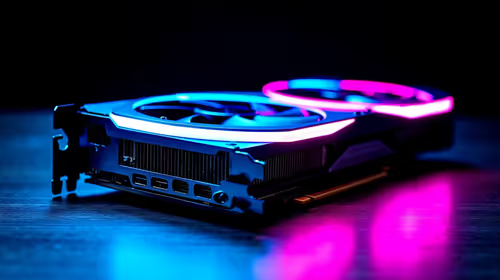
The ASUS RTX 5060 comes equipped with a small physical switch located directly on the printed circuit board. It toggles between two distinct profiles: Performance (P-mode) and Quiet (Q-mode). If you are browsing the market to buy graphics cards, you might assume that P-mode overclocks the silicon for massive frame rate gains. The reality is a bit more grounded. The switch primarily alters the fan curve and power target limits rather than raw clock speeds.
Many players upgrading from older Nvidia GeForce GTX graphics cards expect a magical boost when flipping to Performance mode. However, the actual performance difference between P-mode and Q-mode is virtually zero in most modern titles.
P-mode simply ramps up the fans earlier and spins them faster to keep the GPU core cooler. This aggressive cooling allows the card to maintain its factory boost clocks slightly longer before thermal throttling kicks in. You might see an extra frame or two per second on your overlay... but it is nothing you will actually feel during intense, fast-paced gameplay.
If the switch does not drastically improve gaming performance, why even bother using it? It all comes down to acoustics and personal preference. Q-mode relaxes the fan curve significantly. The fans spin slower and much quieter, sacrificing a few degrees in overall temperature for a nearly silent experience.
If you are hunting for the best graphics card deals to build a whisper-quiet media centre or a stealthy desktop rig, Q-mode is your best friend. Your PC will barely make a sound while running your favourite games.
Always shut down your PC completely before flicking the Dual BIOS switch on your ASUS RTX 5060. Changing the BIOS profile while the system is powered on can cause severe instability or instantly crash your display drivers.
For most South African gamers, leaving the card in P-mode makes the most sense. Our ambient room temperatures can climb quite high, and keeping the silicon cool is vital for long-term hardware longevity. But having the choice is exactly what makes this specific card brilliant value for your hard-earned ZAR.
If you want a complete, balanced system built around this impressive technology, checking out the best gaming PC deals is a fantastic place to start. Plus, you can often find massive savings on these custom builds by keeping a close eye on our weekly specials.
Ready to Upgrade Your Gaming Experience? Whether you crave whisper-quiet operation or maximum cooling power, the RTX 5060 delivers. Explore our massive range of graphics cards and find the perfect hardware to conquer your next adventure in ZAR-saving style.
RTX 5060 is available at Evetech.co.za with local SA warranty, Rand pricing and nationwide delivery. Stock and pricing is updated in real time on the product page.
The article breaks down the real-world impact on gaming FPS, creator workflows and everyday responsiveness — not just raw spec numbers.
Only a handful of specs meaningfully change your experience. The guide ranks them by real impact so you spend on what counts.
We cover upgrade headroom, platform longevity and the specific features worth paying extra for if you plan to keep this build for several years.
The article includes a clear generational uplift summary so you can judge whether upgrading from your current hardware is worthwhile.
Will A Pcie 5.0 Gpu Work With A Pcie 4.0. Hand-picked gift ideas at every budget tier. SA pricing & Evetech availability included.
Read more
Streamelements Setup with GPU: Streamer Guide. Clear setup instructions with SA-specific considerations, troubleshooting tips & recommended components.
Read more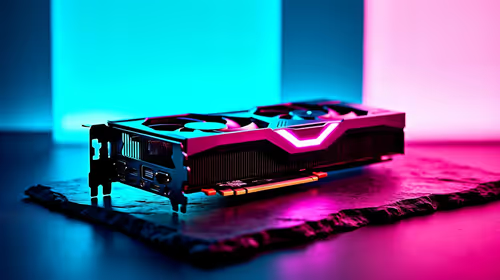
Intel Arc B580 Throttling Under Load: Temperature. Everything you need to know with SA pricing, step-by-step instructions & expert recommendations.
Read more
Complete ATX Case Size Guide: Interior Dimensions. Best deals curated with real SA discounts, price history & tips on getting genuine value.

What GPU Do You Need for AI & Machine Learning. Hardware requirements breakdown with recommended specs & SA pricing for each tier.

Top Settings for RTX 4060 at Ultrawide 1440p picks evaluated on performance, value & SA availability with current Rand pricing from Evetech.

Head-to-head comparison of FreeSync vs G-Sync Explained: Which Should Gamers for SA gamers. Performance benchmarks, Rand pricing & which delivers better value.

Every spec on PCIe 5.0 explained in plain English. What matters for gaming and creator work in 2026, what's marketing fluff, and how each number translates to real-world performance.

Every spec on bios explained in plain English. What matters for gaming and creator work in 2026, what's marketing fluff, and how each number translates to real-world performance.

Every spec on gaming setups explained in plain English. What matters for gaming and creator work in 2026, what's marketing fluff, and how each number translates to real-world performance.

Every spec on cooling systems explained in plain English. What matters for gaming and creator work in 2026, what's marketing fluff, and how each number translates to real-world performance.

Every spec on understanding how much vram is needed explained in plain English. What matters for gaming and creator work in 2026, what's marketing fluff, and how each number translates to real-world.

How to pick the right PCIe 5.0 for your build in 2026: the features worth paying for, ZAR value tiers, and the trade-offs between budget, mid-range and flagship picks.

Every spec on gpu explained in plain English. What matters for gaming and creator work in 2026, what's marketing fluff, and how each number translates to real-world performance.

Every spec on gpu explained in plain English. What matters for gaming and creator work in 2026, what's marketing fluff, and how each number translates to real-world performance for SA buyers.