


Storage Specs Explained for Beginners
Storage Specs Explained for Beginners. Plain-English explanation of what it means, why it matters & how it affects your buying decisions in SA.
Read moreDual-band vs tri-band router — decide the best fit for your South African home network with clear performance, device and budget guidance. 🏠⚡
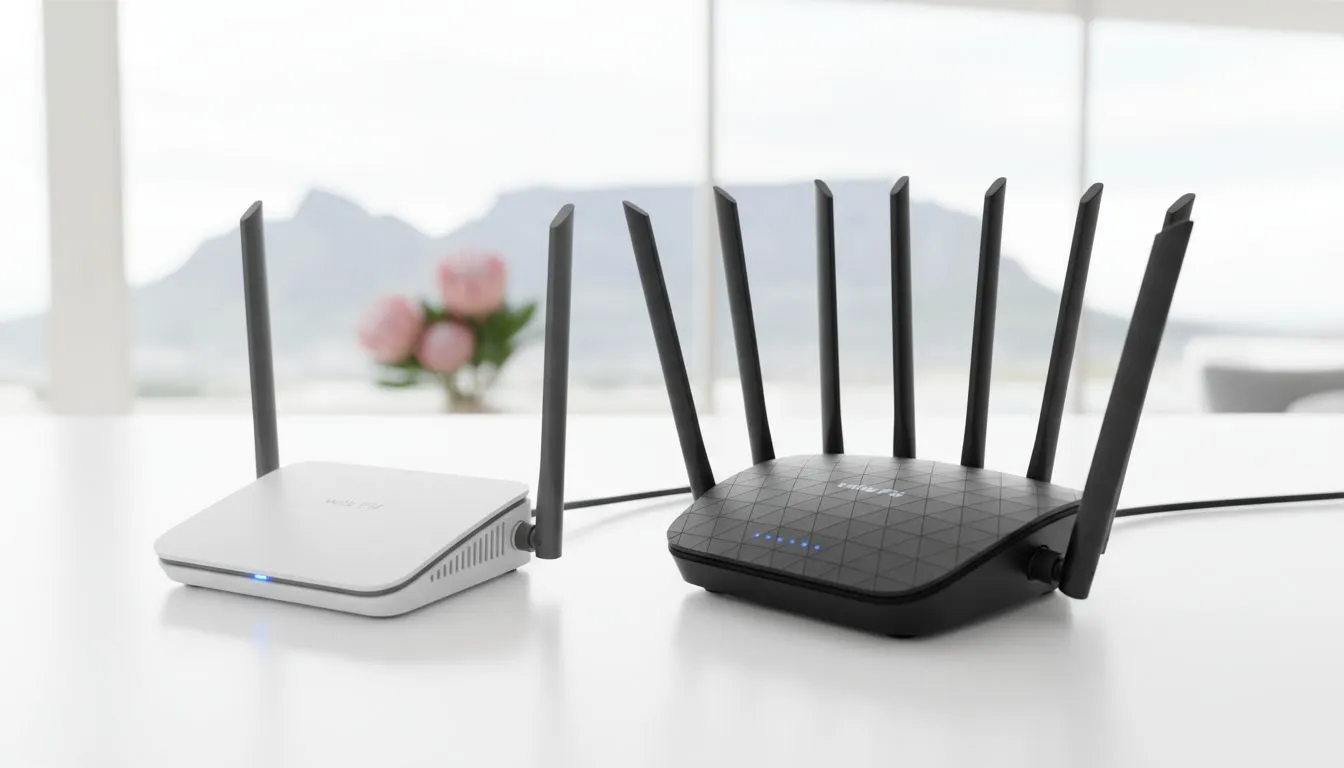
Is your fibre connection feeling sluggish? You’re paying for high speeds, but the Wi-Fi chokes the moment the whole family is online. Before you blame your ISP, the real bottleneck might be your router. Choosing between a dual-band vs tri-band router can feel technical, but it’s the single biggest upgrade for a busy South African home. Let’s break down which one is right for you, ensuring smooth streaming, lag-free gaming, and happy connections for everyone.
Think of Wi-Fi bands as lanes on a highway. The more lanes you have, the less traffic congestion you experience. Most modern wireless networking devices use two main bands:
Understanding this highway analogy is key to settling the dual-band vs tri-band router debate.
A dual-band router is the standard for most homes today. It broadcasts two separate networks: one 2.4GHz network and one 5GHz network. This gives you two "lanes" for your device traffic.
You can manually assign devices to each band—for example, putting your smart home gadgets on the 2.4GHz band and your gaming PC and smart TV on the faster 5GHz band. This simple traffic management is a huge step up from older single-band routers and is often enough for smaller households or those with fewer than 10-15 connected devices. Most of the affordable wireless routers for sale in South Africa fall into this category.
A tri-band router takes things to the next level. It offers three "lanes": one 2.4GHz band and two separate 5GHz bands. 🚀
Why is that second 5GHz band so important? It dramatically reduces congestion. Instead of all your high-performance devices competing for bandwidth on a single 5GHz lane, a tri-band router can split the load. This is incredibly effective in homes with multiple gamers, 4K streamers, or anyone working from home who needs a rock-solid connection for video calls. A tri-band router automatically manages this, ensuring your most demanding devices get the clean, fast connection they need without slowing anyone else down.
Many tri-band routers allow you to dedicate one of the 5GHz bands exclusively to your gaming devices. By connecting only your PC or console to this band, you create a private, ultra-fast lane for your game traffic, effectively eliminating Wi-Fi lag caused by other devices on the network.
So, which router is right for your home? The decision comes down to your specific needs and the number of devices you’re running.
Even the best router can struggle to cover a large, multi-story house with thick walls. If you have areas with weak or no signal, a more powerful router might not be the only solution. In these cases, consider adding Wi-Fi range extenders to boost the signal into those hard-to-reach corners. For a desktop PC that's far from the router, upgrading with a new wireless adapter can also make a massive difference to connection speed and stability.
Ready to Banish Lag for Good? The dual-band vs tri-band router choice depends on your needs, but for a future-proof, high-performance network in South Africa, a tri-band model is a true investment. Explore our massive range of Wi-Fi routers and find the perfect hub for your home.
Dual-band offers 2.4GHz and 5GHz bands; tri-band adds a second 5GHz (or 6GHz) band to reduce congestion and improve device handling.
For solo gamers a good dual-band or Wi‑Fi 6 router often suffices; tri-band helps households with many simultaneous gamers and devices.
Yes — tri-band routers manage many devices better by spreading connections across three bands, improving overall device performance.
Often yes; dual-band routers deliver solid speeds for small to medium homes and are generally more budget friendly than tri-band options.
Wi‑Fi 6 enhances efficiency and capacity on either type. A dual-band Wi‑Fi 6 router can outperform an older tri-band model.
Mesh systems can outperform single routers in coverage; tri-band mesh nodes often use a dedicated backhaul band for best results.
Match your ISP speeds to a router with adequate WAN throughput and modern features—Wi‑Fi 6 dual-band or tri-band for heavy households.
Storage Specs Explained for Beginners. Plain-English explanation of what it means, why it matters & how it affects your buying decisions in SA.
Read more
Will RDNA 5 Use the Same Silicon as the Next. Plain-English explanation of what it means, why it matters & how it affects your buying decisions in SA.
Read more
Google Workspace on Mac: Drive, Docs, Sheets and. Everything you need to know with SA pricing, step-by-step instructions & expert recommendations.
Read more
Back-to-School Parent Guide: Storages. Everything you need to know with SA pricing, step-by-step instructions & expert recommendations.
Read more
to Esports Tournaments. Everything you need to know with SA pricing, step-by-step instructions & expert recommendations.
Read more
Easter Storage Buying Guide. Hand-picked gift ideas at every budget tier. SA pricing & Evetech availability included.
Read more
AMD RX 9050 XT: Rumoured Specs, Price & Release. SA-focused analysis with local pricing data, real-world insights & actionable buying advice.

Can RTX 4080 Super Run AI Workloads for SA Developers Detailed answer with SA data, expert analysis & practical recommendations for local buyers.

Can RTX 4090 Run AI Workloads for SA Developers Detailed answer with SA data, expert analysis & practical recommendations for local buyers.

Top Settings for Intel Arc B580 at Ultrawide 1440p picks evaluated on performance, value & SA availability with current Rand pricing from Evetech.

RTX 4060 CS2 Low Settings at 1080p: FPS Results. Real-world benchmark data, FPS numbers & performance analysis. What SA gamers can actually expect.

Visual Artifacts: Possible GPU Issue Issue #1. Diagnosis steps, proven fixes & when to seek professional help. SA-specific support info included.

Can the RTX 4090 Handle 1440p 144Hz Gaming. Performance testing verdict with real data & practical recommendations for SA buyers.

Top ASUS GPU Under R15000 picks evaluated on performance, value & SA availability with current Rand pricing from Evetech.

GTA 6 Max Settings on RTX 5070. Tested & verified settings for best FPS and visual quality on SA hardware budgets.

Cyberpunk 2077 Max Settings on RTX 5080. Tested & verified settings for best FPS and visual quality on SA hardware budgets.

Starfield Max Settings on RTX 5070 Ti. Tested & verified settings for best FPS and visual quality on SA hardware budgets.

Top RTX 5090 Under R5000 picks evaluated on performance, value & SA availability with current Rand pricing from Evetech.