


AIO Liquid 240mm Setup and Configuration: Complete Tutorial
AIO Liquid 240mm Setup and Configuration. Clear setup instructions with SA-specific considerations, troubleshooting tips & recommended components.
Read more🔍 Boost your academic performance with student laptops featuring dual bay storage. ✅ Ready for seamless upgrades, these devices offer expandable storage solutions. #BestLaptopsForStudents #StorageUpgrades
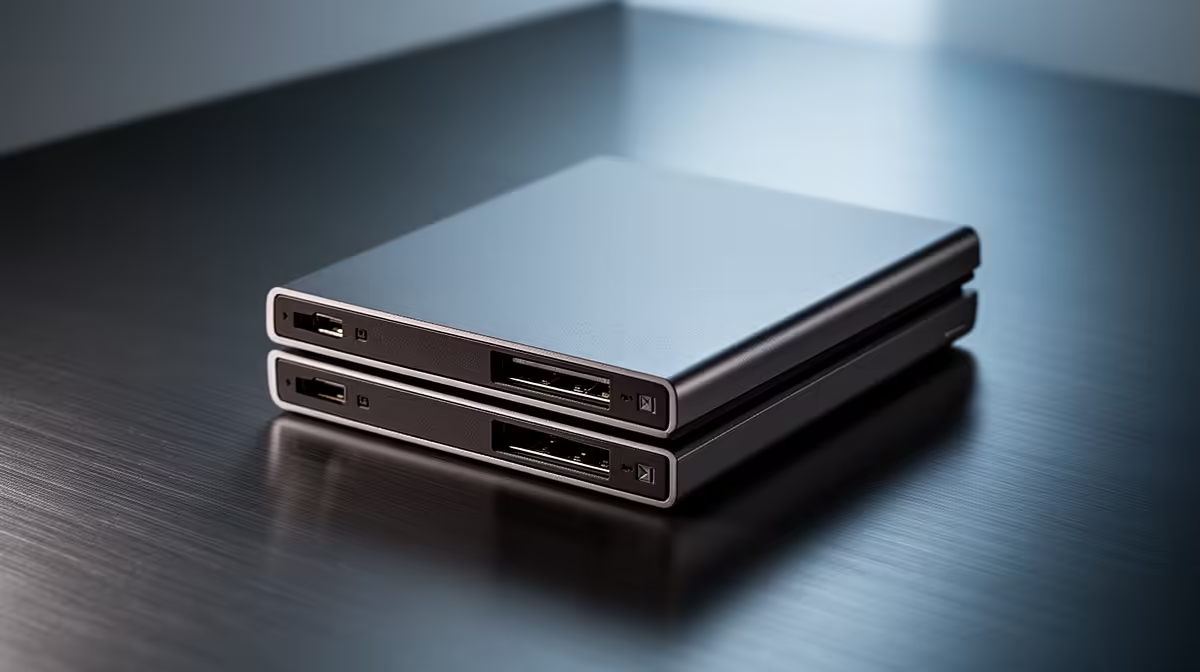
Running out of space on your student laptop? It’s a classic South African varsity problem. One minute you’re saving a critical assignment, the next you’re deleting your favourite game to make room for lecture notes. What if you didn’t have to choose? Laptops with dual bay storage are the perfect solution for students who need both blistering speed and massive capacity. This guide will help you find upgrade-ready options that won’t destroy your budget. 🚀
At its core, a laptop with dual storage bays lets you install two separate drives. This setup is the best of both worlds. You can have a super-fast Solid State Drive (SSD) for your operating system and essential programs, plus a larger, more affordable Hard Disk Drive (HDD) or a second SSD for all your files, games, and media.
The result? Your laptop boots up in seconds, apps launch instantly, and you still have terabytes of space for everything else. This makes dual bay storage for student laptops an incredibly smart investment, especially if you’re studying a course that involves large files like engineering, graphic design, or video production. You get premium performance without the premium price tag of a single, massive SSD. It’s about working smarter, not harder. You can explore a wide variety of configurations in our great laptop specials to see this in action.
So, how do you spot a laptop with these capabilities? The key is to look at the spec sheet. 🔧 You're searching for mentions of both an "M.2 slot" (usually for the fast NVMe SSD) and a "2.5-inch drive bay" (for a SATA SSD or HDD).
Often, a laptop might be sold with just one drive installed, leaving the second bay empty for a future upgrade. This is fantastic for students on a tight budget. You can start with a fast 256GB or 512GB SSD and add a massive 1TB HDD later when you have the cash. Many modern machines, especially those on the best gaming laptop deals, come standard with these dual bay storage options because gamers demand both speed and space.
When browsing online, always expand the full specifications list. If it mentions both "NVMe" and "SATA" support, or lists an M.2 slot and a 2.5" bay, you've likely found a machine with dual bay storage. When in doubt, ask the Evetech team!
The beauty of dual bay storage for student laptops is flexibility. You can tailor your setup to your exact needs. Here are the two most popular combinations:
This is the ultimate cost-effective combo. You get lightning-fast boot times and application performance from the NVMe SSD, paired with enormous, affordable storage from the HDD. It’s perfect for students who download large media files, have a huge Steam library, or need to store years of project data. 📚
Want speed everywhere? This is your setup. While the SATA SSD won't be quite as fast as the main NVMe drive, it's still dramatically faster than any HDD. This is ideal for content creators or gamers who want their entire library to load quickly, not just the OS. Both powerful AMD laptops and capable Intel-powered laptops offer excellent platforms for this kind of high-performance setup.
Ultimately, the right choice depends on your workflow and budget. But having the option to choose is what makes these laptops so valuable for students whose needs change from one semester to the next. ✨
Find Your Perfect Student Laptop Stop compromising on speed or space. Explore our wide range of upgrade-ready laptops designed for every South African student budget. Shop our laptop specials at Evetech for a machine that grows with you.
Dual bay laptops have two storage slots for adding or upgrading drives. 💾 Perfect for expanding storage.
Yes! Students can easily upgrade storage as needs grow. 📖 Ideal for coursework and projects.
Add a second drive like SSD/HDD for more space. ⚙️ Follow our laptop storage upgrade guide.
Yes—adding a faster SSD boosts speed and responsiveness. 💨 Disk upgrades enhance performance.
Evetech offers affordable options! 💻 Student-focused dual drive laptops with great value.
Combine SSD for speed + HDD for capacity. 🧠 Perfect balance for student files and software.
Not at all! Simple DIY steps make disk upgrades easy. 🔧 No technical expertise needed!
AIO Liquid 240mm Setup and Configuration. Clear setup instructions with SA-specific considerations, troubleshooting tips & recommended components.
Read more
Setting Up DDR5 64GB Kit. Tested & verified settings for best FPS and visual quality on SA hardware budgets.
Read more
Overwatch 2 Setup Guide Gamers. Clear setup instructions with SA-specific considerations, troubleshooting tips & recommended components.
Read more
R and RStudio on Mac: Data Science Setup Guide. Clear setup instructions with SA-specific considerations, troubleshooting tips & recommended components.
Read more
NVIDIA Broadcast Setup with GPU: Streamer Guide. Clear setup instructions with SA-specific considerations, troubleshooting tips & recommended components.
Read more
Core Ultra 7 265K Temperature Guide: Normal Range. Complete product range with SA pricing, key specs & recommendations for different budgets.
Read more
AMD RX 9050 XT: Rumoured Specs, Price & Release. SA-focused analysis with local pricing data, real-world insights & actionable buying advice.

Can RTX 4080 Super Run AI Workloads for SA Developers Detailed answer with SA data, expert analysis & practical recommendations for local buyers.

Can RTX 4090 Run AI Workloads for SA Developers Detailed answer with SA data, expert analysis & practical recommendations for local buyers.

Top Settings for Intel Arc B580 at Ultrawide 1440p picks evaluated on performance, value & SA availability with current Rand pricing from Evetech.

RTX 4060 CS2 Low Settings at 1080p: FPS Results. Real-world benchmark data, FPS numbers & performance analysis. What SA gamers can actually expect.

Visual Artifacts: Possible GPU Issue Issue #1. Diagnosis steps, proven fixes & when to seek professional help. SA-specific support info included.

Can the RTX 4090 Handle 1440p 144Hz Gaming. Performance testing verdict with real data & practical recommendations for SA buyers.

Top ASUS GPU Under R15000 picks evaluated on performance, value & SA availability with current Rand pricing from Evetech.

GTA 6 Max Settings on RTX 5070. Tested & verified settings for best FPS and visual quality on SA hardware budgets.

Cyberpunk 2077 Max Settings on RTX 5080. Tested & verified settings for best FPS and visual quality on SA hardware budgets.

Starfield Max Settings on RTX 5070 Ti. Tested & verified settings for best FPS and visual quality on SA hardware budgets.

Top RTX 5090 Under R5000 picks evaluated on performance, value & SA availability with current Rand pricing from Evetech.