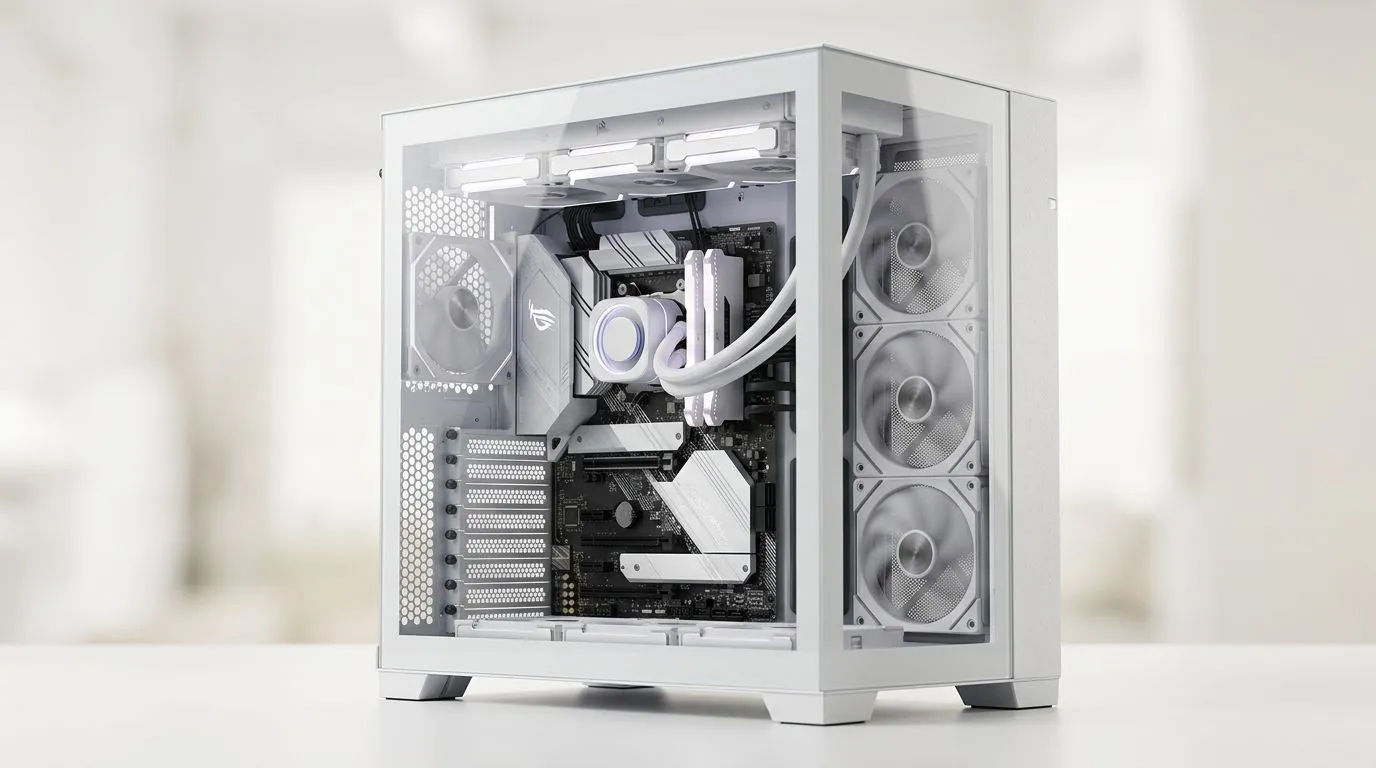
Why Dual-Chamber PC Case Layouts Matter for Your Build
South African gamers and PC builders know that a clean build isn’t just about aesthetics—it’s about peak performance. Dual-chamber PC case layouts have gained attention for delivering better cooling while maintaining sleek, clutter-free interiors. This design separates key components, reducing heat buildup and improving airflow. Whether you’re aiming for silent operation or maximum overclocking, understanding this layout can upgrade your rig’s efficiency and lifespan 🔧.
The Cooling Advantage of Dual-Chamber Design
Traditional single-chamber cases often struggle with heat from GPUs and PSUs mixing in one space. Dual-chamber layouts carve out a secondary section for the PSU and cable management away from the motherboard and GPU. This separation channels airflow more effectively, keeping your CPU and GPU cooler during intense gaming sessions. It also reduces dust accumulation around sensitive parts—a win for maintenance and longevity.
Many enthusiasts rave about how cases like these can keep temps down by up to 10°C under load, which means sustained performance without throttling. For gamers pushing rigs for streaming or 4K at high refresh rates, that difference is crucial.
For the latest in premium PC cases that use this smart layout, check out Fractal Design PC cases at Evetech. They blend industrial elegance with practical thermal engineering.
Building Clean: Cable Management Made Simple
A big benefit of dual-chamber designs is the dedicated space behind the motherboard tray. This makes cable routing straightforward, giving you more room to hide cables and avoid cramped, airflow-blocking tangles ⚡. Clean cable runs improve both airflow and the overall neatness of your setup.
Avoid cheap cases that squeeze cables into tight spaces. A case with ample clearance and velcro straps can cut your build time and frustration in half. Keeping cables in the second chamber means you can quickly swap or upgrade components without a maze of wires in the way.
For budget-friendly options with fantastic cable management, explore the Gamdias gaming cases priced under R1500 at Evetech. They demonstrate it’s possible to combine affordability with smart internal layouts.
Pro Tip: Optimise Fan Placement
Organise intake fans in the front chamber to direct cool air over your GPU and CPU. Exhaust fans at the top and rear remove warm air efficiently, maximising your dual-chamber setup’s cooling potential.
Choosing the Right Dual-Chamber PC Case at Evetech
Before buying, consider the size of your components and fans. Bigger GPUs and multiple storage drives can impact airflow. Dual-chamber cases often support more fans and liquid cooling options than traditional designs.
Not sure which model fits your needs? Browse a wide range of computer cases at Evetech to compare features, sizes, and pricing. Whether you’re into ultra-quiet builds or aggressive RGB setups, there’s a dual-chamber case ready to elevate your PC game 🚀.
Final Thoughts on Dual-Chamber Cases for Better Builds
South African builders who want clean aesthetics combined with optimal cooling should consider dual-chamber PC cases seriously. The layout’s natural separation of heat sources and cable clutter keeps rigs running cooler and looking sharp. This can extend hardware life and create an enjoyable building experience with less mess.
Explore the full potential of cleaner, cooler PC builds with Gamdias gaming cases at Evetech, trusted for innovative design and quality. Your next upgrade is just a click away.
Upgrade to a Cleaner, Cooler Build Today
Ready to build a PC that runs cooler and looks sharp? Shop now at Evetech for dual-chamber cases that outperform and impress.