




IPS vs VA for Strategy and Sim Games in SA
IPS vs VA for strategy and sim games should be judged by fit, not a single winner. Compare compatibility, latency, capacity, upgrade path, cost planning, and South African setup needs.
Read more• Compare modes; • Recommend use cases; • Buying guidance. Dual-Mode Gaming Monitor analysis: choose 1440p/500Hz for visuals or 1080p/1000Hz for esports speed ⚡🔍
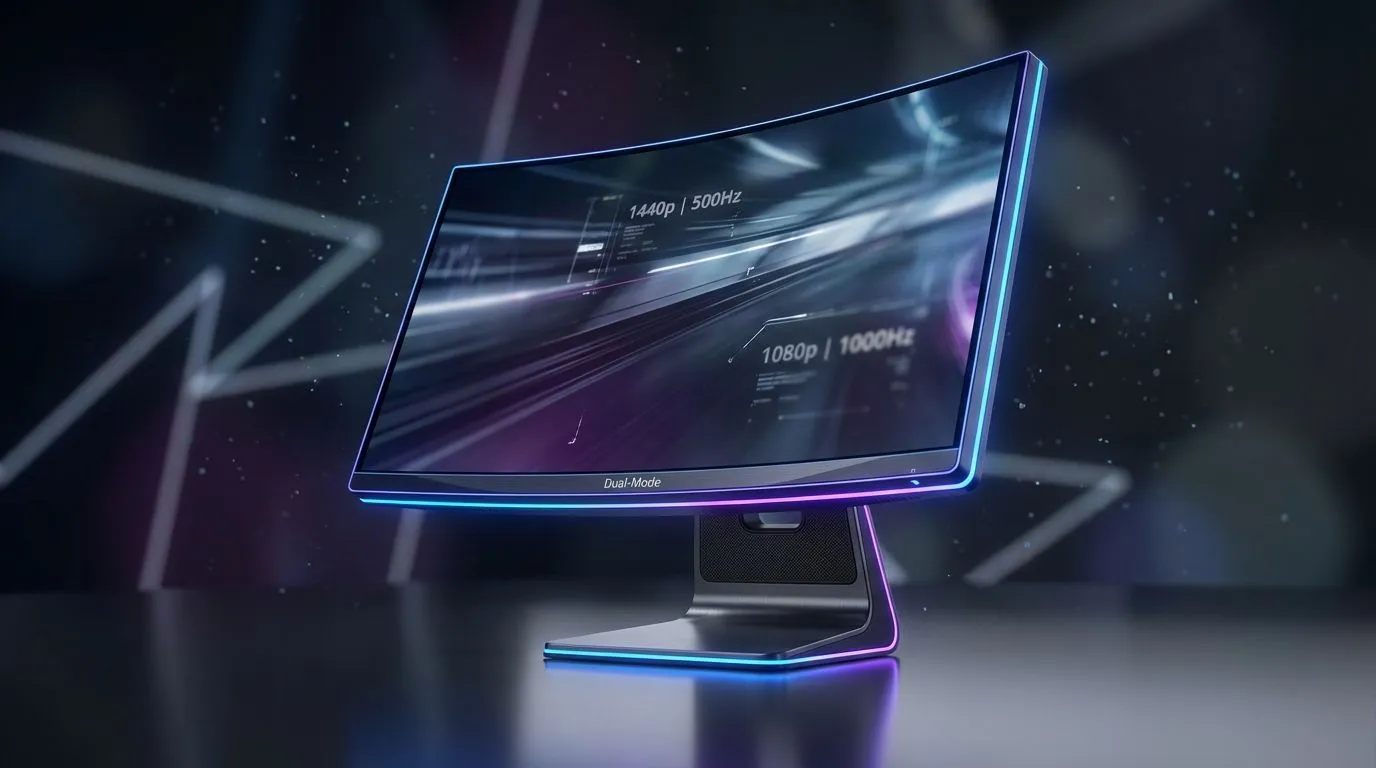
For years, South African gamers have faced a tough choice: stunning, crisp visuals or lightning-fast, buttery-smooth refresh rates? Do you pick a high-res screen for that gorgeous open world, or a speed demon for landing those flick shots in Valorant? What if you didn’t have to choose? Enter the dual-mode gaming monitor, a new breed of display promising the best of both worlds in a single panel. This tech is poised to redefine what we expect from our screens.
At its core, a dual-mode gaming monitor is a display that can operate natively in two different resolution and refresh rate combinations. Think of it like having two specialised screens in one. With the press of a button, you can switch from a high-resolution mode perfect for cinematic experiences to an ultra-high refresh rate mode built for competitive dominance. This isn't just upscaling or a software trick; the monitor's hardware physically changes how it drives the pixels, giving you two distinct, optimised performance profiles. It’s a true technological leap for the world of PC monitors.
The magic of a dual-mode gaming monitor lies in its flexibility. Let's break down the two modes you'll likely see on upcoming models, like the much-discussed 1440p/500Hz vs 1080p/1000Hz spec.
This is your eye-candy mode. Running at a crisp 2560x1440 (1440p or QHD) resolution, games look sharp, detailed, and immersive. It's the perfect setting for exploring the vast landscapes of Elden Ring or appreciating the detailed cityscapes in Cyberpunk 2077. And let's be clear, 500Hz is still absurdly fast… far beyond what most current high-end monitors offer. This mode is ideal for gamers who love single-player adventures, strategy titles, or even content creation where colour and clarity are key, especially on vibrant IPS panel monitors.
When winning is all that matters, you switch to this mode. By dropping the resolution to 1920x1080 (1080p), the monitor can push its refresh rate to an almost unbelievable 1000Hz. For competitive esports titles like CS2 or Valorant, this means motion is clearer than ever before, giving you a tangible edge in tracking fast-moving targets. The lower resolution is a calculated sacrifice for the absolute lowest input lag and smoothest motion possible. While today's esports pros often use panels in the 170Hz – 240Hz range, a 1000Hz option is the next frontier.
Before you get too excited, let's talk hardware. Powering a dual-mode monitor to its full potential is a serious task. To hit 500 frames per second at 1440p or a staggering 1000 FPS at 1080p, you'll need a top-tier graphics card and a beefy CPU. This technology is aimed squarely at the high-end enthusiast market.
You'll also need to ensure your system can take advantage of variable refresh rate (VRR) technology to prevent screen tearing at these extreme speeds. Whether your GPU supports FreeSync (AMD), the more universal Adaptive Sync, or premium G-Sync (NVIDIA), a compatible monitor is essential for a smooth experience.
After plugging in your new high-refresh-rate monitor, Windows often defaults to 60Hz. Don't get caught out! Right-click your desktop, go to 'Display settings' > 'Advanced display', and select your monitor's highest available refresh rate from the dropdown menu. You have to tell your PC you're ready for speed!
This new dual-mode capability will likely appear across different physical designs. For many competitive players, traditional flat screens are non-negotiable, as they ensure perfect geometric lines for precise aiming. However, for the immersive 1440p mode, the gentle wrap-around effect of curved monitors can enhance the experience in cinematic games. The choice will ultimately come down to your primary gaming focus and personal preference.
So, is a dual-mode gaming monitor the right choice for you? If you're a dedicated, high-level gamer who splits your time between sweating it out in competitive lobbies and getting lost in beautiful single-player worlds, the answer is a resounding yes. It offers a no-compromise solution for the gamer who truly wants it all.
However, if you only play esports titles or only play narrative-driven games, a specialised monitor might still offer better value for your specific needs. This technology represents the peak of flexibility, designed for the enthusiast who demands the best tool for every job.
Ready to Find Your Perfect Display? The 1440p vs 1080p debate gets a new twist with dual-mode tech. Whether you crave razor-sharp visuals or world-beating speed, the right screen is waiting. Explore our massive range of gaming monitors and find the perfect display to dominate your game.
A dual-mode gaming monitor supports two performance modes—e.g., 1440p/500Hz and 1080p/1000Hz—so you can switch between visual fidelity and maximum frame rates.
1080p/1000Hz typically favors competitive esports for peak responsiveness and frame pacing; choose 1440p/500Hz only if you need higher clarity and sustained high FPS.
Yes. Hitting high frame rates at 1440p/500Hz demands a top-tier GPU; consider GPUs listed in our benchmarks to avoid bottlenecks.
For casual players, 1000Hz benefits are subtle. 1080p/1000Hz is best for pro or competitive players who value every millisecond of input lag.
1080p/1000Hz reduces input lag and improves motion clarity at extreme refresh rates; 1440p/500Hz trades some responsiveness for sharper visuals.
Modern dual mode monitors manage both modes well; check reviews for firmware, motion handling, and color calibration in each mode.
Search 'gaming monitor comparison 2026' or '1440p 500hz monitor benchmarks' for detailed tests and GPU pairings.
IPS vs VA for strategy and sim games should be judged by fit, not a single winner. Compare compatibility, latency, capacity, upgrade path, cost planning, and South African setup needs.
Read more
Gen 5 NVMe SSD guide for Bloemfontein gamers should be shortlisted around the job it must do. South African buyers should compare capacity, speed, thermals, and motherboard support, warranty path, and upgrade room before treating any pick as best.
Read more
Skip the RTX 5070 if your first-time builder budget needs better balance. Better SA picks can free room for the right CPU, PSU, case, monitor, storage, and cooling while still giving a strong first gaming PC experience this year in South Africa.
Read more
RTX 5080: weighing the pros and cons for SA should be shortlisted around the job it must do. South African buyers should compare GPU tier, VRAM, cooling, and PSU headroom, warranty path, and upgrade room before treating any pick as best.
Read more
Core i5-13400F gives South African PC builders a capable mid-range CPU choice with clear limits. Check its gaming fit, discrete GPU requirement, LGA1700 platform costs, and upgrade path before locking in your parts list.
Read more
Pros and cons of the Wi-Fi 7 routers for SA should be shortlisted around the job it must do. South African buyers should compare WiFi standard, coverage, latency, and device support, warranty path, and upgrade room before treating any pick as best.
Read more
Steam content servers unreachable needs a download-path check, not an immediate reinstall of every game. Restart the client, inspect download settings and compare another connection when practical. Clearing the download cache is separate from deleting installed games.

Keychron G6 HE has built-in and swappable battery versions with different weights. The product brief lists 42g and 46g respectively, each with a 3g tolerance. Choose by grip and battery preference before treating one headline weight as universal.

Corsair HS80 v2 MAX supports 2.4GHz wireless and Bluetooth. Its maximum battery figures use RGB-off conditions and differ by connection. Check microphone routing, comfort and the exact device support before assuming every wireless mode behaves alike.

Windows taskbar notification badges can be shown or hidden in Taskbar behaviours. This changes the small app indicators, not the underlying messages. Choose a calmer desktop while keeping a deliberate routine for checking important conversations and app updates.
Windows taskbar notification badges can be shown or hidden in Taskbar behaviours. This changes the small app indicators, not the underlying messages. Choose a calmer desktop while keeping a deliberate routine for checking important conversations and app updates.

Windows USB device in use can mean a program still has the drive open. Finish transfers and close files before retrying ejection. Better performance caching requires safe removal; a replacement drive is not the first fix for an open-file warning.

Windows Nearby Sharing not working starts with feature, Bluetooth and visibility checks on both PCs. My devices only depends on matching Microsoft accounts. Test a small harmless file before buying networking hardware or changing your home router.

Windows hardware reserved RAM is different from memory used by applications. Compare installed memory with firmware detection and the usable amount before buying modules. Reservations and reporting limits vary by system; no universal setting restores every byte.

Windows title bar window shake can minimise other open windows when you shake the active window by its title bar. Inspect the Multitasking setting and switch it off if that gesture interrupts your work. The preference costs R0 and does not require new hardware.

Windows Print Screen opens Snipping Tool when its keyboard preference is enabled. Change the option under Accessibility, Keyboard to choose another workflow. Test whether you need a clipboard image or a saved file.

Windows desktop icons missing may be a visibility setting. Right-click the desktop, choose View and inspect Show desktop icons. If only system icons are absent, use Desktop icon settings. Check the Desktop folder before assuming files were deleted.

Windows set time zone automatically greyed out calls for a location and device-policy check. Automatic time-zone selection relies on location services. A manual time-zone choice is separate from synchronising the clock; check both before replacing hardware.