


Humidity Damage to PC Components: Recovery Guide
Humidity Damage to PC Components: Recovery Guide. Everything you need to know with SA pricing, step-by-step instructions & expert recommendations.
Read moreErgonomic mouse basics to help you pick the right shape for long office hours and prevent RSI. Learn grip types, shape tradeoffs, and buying tips to stay comfortable. 🖱️✅
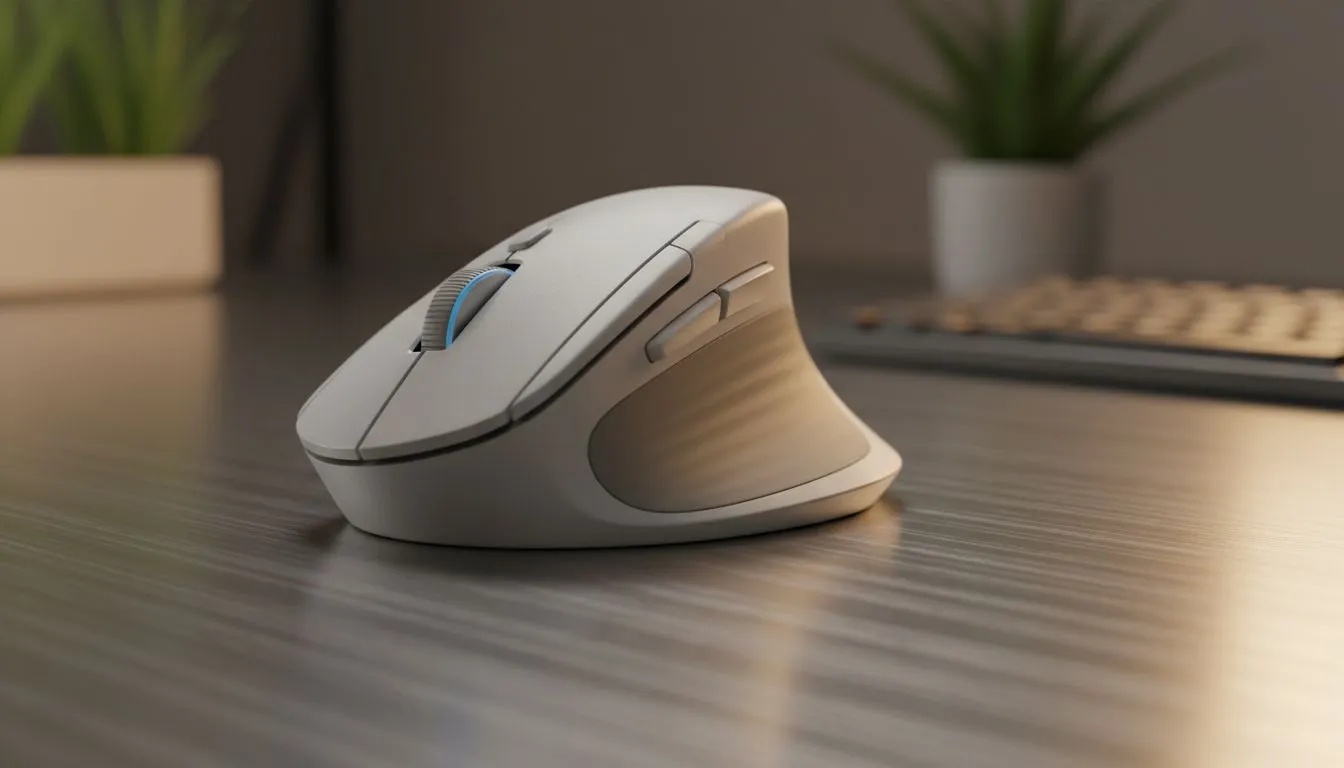
Spending eight hours a day at your desk in Sandton or Cape Town shouldn't leave your wrist feeling like it’s been through a rugby scrum. If you are still using that flat, generic plastic shell that came with your PC, you are doing it wrong. Finding an ergonomic mouse: choose the right shape for long office hours to save your joints and boost your productivity. 🔧
Many Saffas don't realise that their hand size and grip style dictate the type of hardware they should be using. If you prefer a full hand rest, a palm grip mouse with a high arch is your best bet. For those who need more agility during creative tasks, a claw or fingertip grip might feel more natural. You can browse our comprehensive gaming mouse selection to see different contours designed specifically for these varying hand shapes and sizes.
Try lowering your mouse sensitivity (DPI) and using your whole arm to move the cursor rather than just flicking your wrist. This technique significantly reduces the strain on your carpal tunnel during long spreadsheets or design sessions... your shoulder is much stronger than your delicate wrist joints.
Dealing with cable drag during a busy workday is more than just a nuisance... it can actually cause micro-strains in your forearm. Many professionals are now opting to buy a wireless mouse to keep their desk clutter-free and enjoy unhindered movement. However, if you want a lightweight feel and never want to think about charging, you might prefer to buy a wired mouse instead. Modern wired options often come with "paracord" style cables that feel almost invisible. 🚀
Even the best mouse needs a proper surface to glide on. High-quality pads or replacement skates can make a massive difference in how much effort it takes to move your cursor across the screen. If you find your current setup feels "scratchy" or resistant, it might be time to buy mouse accessories like a large desk mat or PTFE feet. Reducing friction is one of the easiest ways to prevent repetitive strain injuries.
You don't need to spend thousands of ZAR to get world-class comfort. When looking for an ergonomic mouse: choose the right shape for long office hours by focusing on the dimensions rather than just the brand name. We frequently update our best gaming mouse deals to include ergonomic designs that are perfect for both office productivity and after-hours gaming. ✨
Ready to Upgrade Your Workspace? Your health is an investment, not an expense. Finding the right ergonomic mouse can transform your workday from a chore into a breeze. Explore our massive range of mouse specials and find the perfect fit for your hand today.
An ergonomic mouse reduces wrist strain by matching hand posture. Shape determines wrist angle, grip comfort, and RSI prevention — pick one that suits your hand and work hours.
Vertical, contoured, and trackball styles typically reduce pronation and fatigue. Try a vertical ergonomic mouse or a comfortable contoured design for extended use.
Match mouse shape to your grip, hand size, and tasks. Prioritise neutral wrist posture, adjustable DPI, and review ergonomic mouse for RSI recommendations.
Yes. Palm, claw, and fingertip grips suit different shapes — palm grips prefer larger contoured mice, while fingertip users may like smaller ambidextrous ergonomic mice.
Vertical ergonomic mice reduce forearm pronation and can cut discomfort. They may need an adaptation period but often help users who work long hours.
A trackball ergonomic mouse stays stationary; you roll the ball with fingers or thumb. It's ideal for limited desk space or users seeking less wrist movement.
Check hand fit, test common tasks, and ensure neutral wrist alignment. If possible, try models from ergonomic mouse shape guide lists in-store or via return-friendly retailers.
Yes. Adjust pointer speed, DPI, and button mapping to reduce repetitive motions and enhance ergonomics for long office use.
Humidity Damage to PC Components: Recovery Guide. Everything you need to know with SA pricing, step-by-step instructions & expert recommendations.
Read more
Gamer Spending Trends April : Complete Setups. Clear setup instructions with SA-specific considerations, troubleshooting tips & recommended components.
Read more
Setting Up DDR5 32GB Kit. Tested & verified settings for best FPS and visual quality on SA hardware budgets.
Read more
Tech Setup Guide for SPU Res Students. Clear setup instructions with SA-specific considerations, troubleshooting tips & recommended components.
Read more
Monster Hunter Wilds Ultrawide Support: 21:9 and. Clear setup instructions with SA-specific considerations, troubleshooting tips & recommended components.
Read more
Apple iPad Durability Guide: Cases, Screen. Practical breakdown of costs, regulations & whether it makes financial sense for SA buyers.
Read more
AMD RX 9050 XT: Rumoured Specs, Price & Release. SA-focused analysis with local pricing data, real-world insights & actionable buying advice.

Can RTX 4080 Super Run AI Workloads for SA Developers Detailed answer with SA data, expert analysis & practical recommendations for local buyers.

Can RTX 4090 Run AI Workloads for SA Developers Detailed answer with SA data, expert analysis & practical recommendations for local buyers.

Top Settings for Intel Arc B580 at Ultrawide 1440p picks evaluated on performance, value & SA availability with current Rand pricing from Evetech.

RTX 4060 CS2 Low Settings at 1080p: FPS Results. Real-world benchmark data, FPS numbers & performance analysis. What SA gamers can actually expect.

Visual Artifacts: Possible GPU Issue Issue #1. Diagnosis steps, proven fixes & when to seek professional help. SA-specific support info included.

Can the RTX 4090 Handle 1440p 144Hz Gaming. Performance testing verdict with real data & practical recommendations for SA buyers.

Top ASUS GPU Under R15000 picks evaluated on performance, value & SA availability with current Rand pricing from Evetech.

GTA 6 Max Settings on RTX 5070. Tested & verified settings for best FPS and visual quality on SA hardware budgets.

Cyberpunk 2077 Max Settings on RTX 5080. Tested & verified settings for best FPS and visual quality on SA hardware budgets.

Starfield Max Settings on RTX 5070 Ti. Tested & verified settings for best FPS and visual quality on SA hardware budgets.

Top RTX 5090 Under R5000 picks evaluated on performance, value & SA availability with current Rand pricing from Evetech.