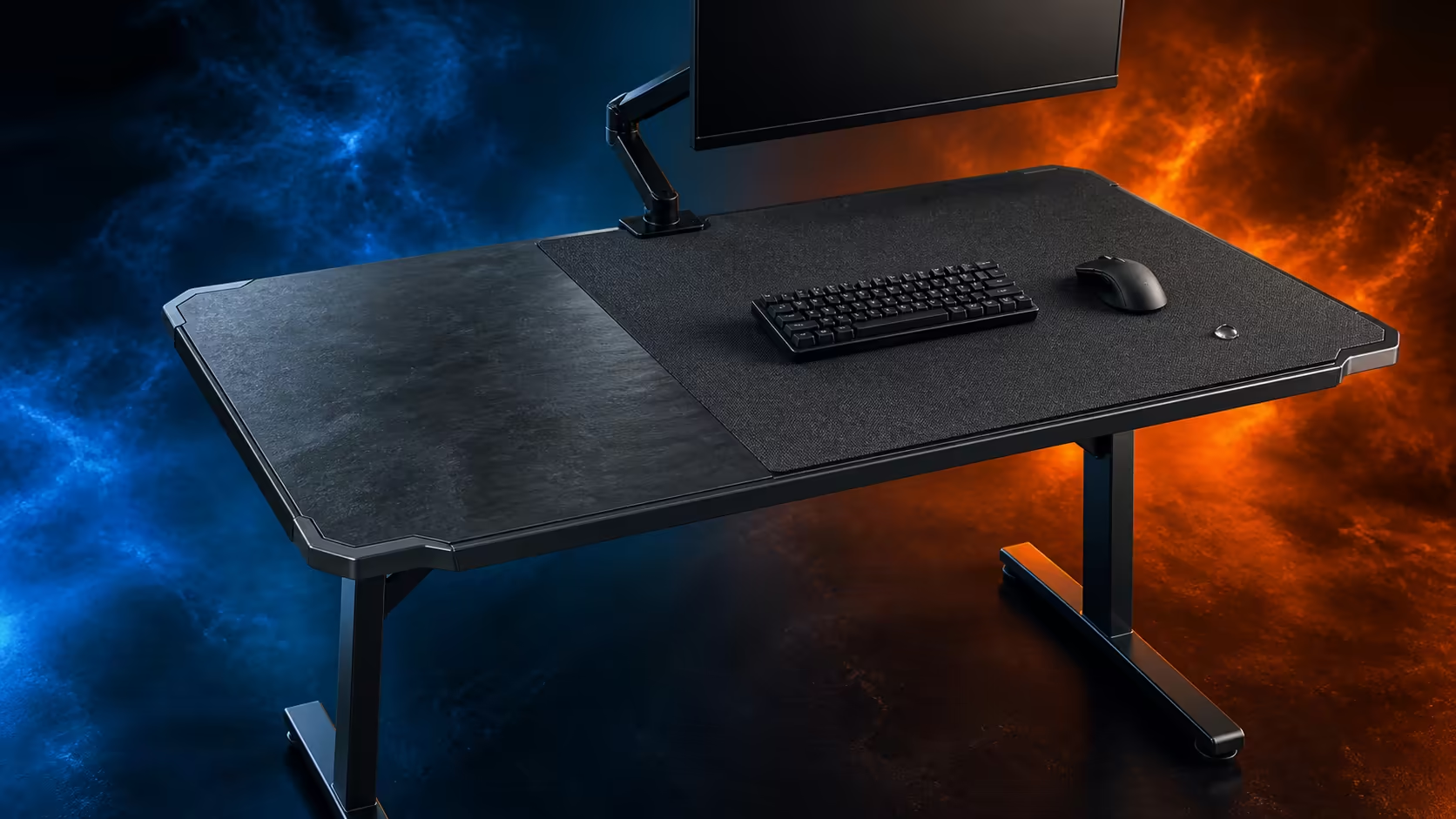
The surface beneath a gaming mouse affects control, maintenance and where the keyboard can sit. Gaming desk surfaces deskpads mouse control and water resistance should be compared through coverage, glide, stopping feel, backing, spill response and replacement. The R5,099 Arozzi Arena offers a huge water-resistant, easy-clean mousepad across its entire 160x82cm worktop.
Quick Answer
Choose a surface by testing the owned mouse at normal sensitivity, mapping the full sweep and deciding how much of the worktop needs protection. A small removable mat is easy to reposition or replace, while a desk-wide pad provides continuous keyboard-and-mouse coverage. The R5,099 Arena builds the broad approach into a height-adjustable desk, with three cable cut-outs and monitor attachment supporting the surrounding layout.
🧵 Understand the surface categories
A bare hard top gives direct contact and easy access for wiping, but the mouse may need a dedicated compatible surface. A standard mat defines a small control zone that can be moved independently.
A deskpad expands coverage beneath keyboard, mouse and some accessories. Full-surface designs extend the concept across most or all of the worktop. This can create a unified visual field and allow inputs to change position together.
Microfiber is one possible textile category, not a universal name for all soft pads. Weave, thickness, backing and edge construction can differ. These details influence sound, glide and how the pad lies on the desktop.
The Arena takes a full-coverage route with its huge mousepad. Its practical characteristics are water resistance and easy cleaning across a 160x82cm surface.
Compare gaming desk surface options by coverage and care rather than assuming every textile behaves alike.
🖱️ Test control with real mouse movement
Clean the mouse feet and remove surface debris before comparing. Use the same pointer settings, game and movement sequence on each candidate so the result is not distorted by another variable.
Draw the widest left, right, forward and backward sweep. The useful area ends at the first keyboard edge, accessory, cable or stand foot, regardless of how much pad exists beyond it.
Glide describes how freely the mouse starts and moves. Stopping feel describes control as movement ends. Neither has a single best setting; game style, sensitivity and preference decide the balance.
Test slow selections as well as quick turns. A surface can feel fast during broad movement but reveal inconsistent residue or a trapped particle during precision work. Repeat the test after an extended session, not only the first minute.
The Arena's full-surface design lets keyboard and mouse shift together. Keep the pair centred on the main display so extra coverage does not tempt the pointer into a far-off corner that twists the torso.
Use Arozzi setup layouts to see how continuous dark coverage can unify equipment, then rebuild the active zone from the user's real sweep.
💧 Treat water resistance correctly
Water resistance can slow absorption and create time for a response. It does not make liquid safe around a keyboard, PC, power connection or the Arena's three cut-outs.
Move electronics away, disconnect safely where necessary and blot from the edge towards the centre. Inspect the underside, desk edge and nearby cable routes for moisture.
Remove dry debris regularly by lifting equipment and using a gentle compatible method. Clean mouse feet before rebuilding the station so particles are not returned immediately.
Use minimal moisture for routine marks and let the surface dry completely. Machine washing is appropriate only when a removable pad's own instructions explicitly permit it; water resistance does not establish washability.
The Arena surface is easy-clean, making prompt maintenance part of the desk package. Keep drinks outside the input and electronics zones so resistance is a backup rather than a daily test.
📐 Fit the pad into the complete workstation
Surface choice cannot compensate for an overcrowded top. Trace monitor bases, PC, keyboard and mouse before adding docks or decorations. Preserve cleaning access around every stand.
Set the height-adjustable Arena around the seated input position, then arrange the monitor for gaze. The pad changes contact feel, while chair, desk and display geometry create posture.
Monitor attachment can change the amount of stand area on the top. Any selected arm still needs compatibility with the screen and installation point, including clear underside access.
Route leads through the closest sensible cut-outs so they do not cross or ridge the active pad. Leave service slack for moving equipment and support adapter weight below.
Consider replacement and mode changes. A small mat is independent of the desk, while a full-surface system places more importance on correct care. Shared users may value broad repositioning but need a common cleaning routine.
Browse complete gaming setup arrangements after the pointer test passes. At R5,099, the Arena should be assessed as one large surface, routing and adjustment system.
Surface temperature and skin contact can change perception during a long session. Compare in normal room conditions and ordinary clothing rather than touching a sample briefly. Rest the forearm as it would during work and notice whether edge pressure, not material, creates discomfort.
Keyboard placement supplies another test. Type on the broad layer, then move the board through the positions used for work and gaming. A surface that supports the mouse well can still be inconvenient if seams, raised edges or accessories disturb the keyboard.
Consider how the pad behaves during equipment maintenance. Monitor stands and a PC should be lifted safely, not dragged across the layer. Keep a clear holding area so cleaning does not turn into stacking valuable hardware on the chair or floor.
Shared desks need an agreed care threshold. One user may tolerate crumbs that another notices during precision movement. A simple end-of-session dry check keeps the surface ready and prevents residue from becoming part of the normal control feel.
Document the mouse model, feet condition and pointer settings used for comparison. If control changes later, clean the surface and feet first, then repeat the same movement. This separates a maintenance issue from an unnecessary surface replacement.
Frequently Asked Questions
How does deskpad material influence mouse control?
Weave, backing, thickness, mouse feet and cleanliness can change glide and stopping feel. Test the exact combination.
What does a full-surface pad protect?
It places a layer beneath keyboard, mouse and other equipment across a broad part of the worktop.
Why might a removable pad still appeal?
It can be repositioned or replaced independently and may be easier to take elsewhere for approved care.
How useful is water resistance?
It gives more time to move electronics and blot a spill, but does not remove the need for immediate action.
What surface does the Arozzi Arena use?
It has a huge full-surface mousepad that is water-resistant and easy-clean.
How often should a mouse surface be maintained?
Remove dry debris routinely and address fresh marks immediately instead of waiting for tracking to change.
Can surface choice replace mouse-space planning?
No. Physical equipment and cables still determine the usable sweep, even when the whole top is covered.
What does the Arena Dark Grey cost?
The 160x82cm height-adjustable desk costs R5,099.
Ready to compare mouse surfaces with the same sweep, settings and cleaning standard?
Explore Evetech's gaming desk options, test the owned mouse across a complete task block, and choose coverage that the household can maintain consistently.