


Storage Specs Explained for Beginners
Storage Specs Explained for Beginners. Plain-English explanation of what it means, why it matters & how it affects your buying decisions in SA.
Read moreEvery spec on ASUS ROG Strix B850-E Gaming explained in plain English. What matters for gaming and creator work in 2026, what's marketing fluff, and how each number translates to real-world.
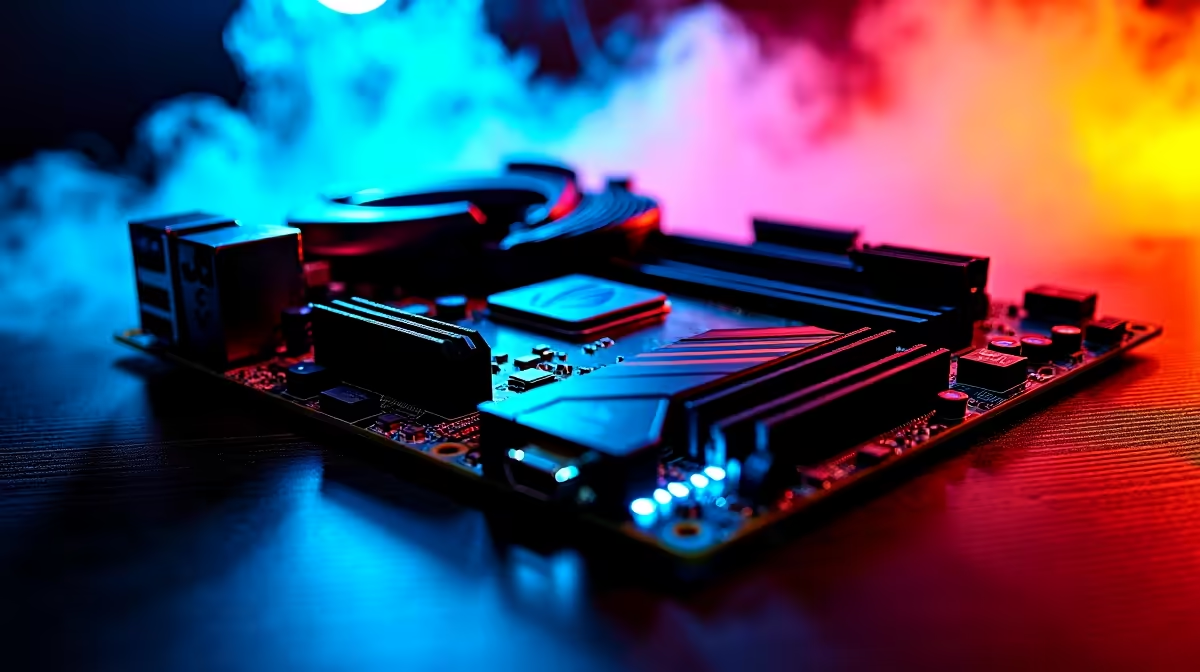
Building a new rig or upgrading your current setup? The motherboard is the heart of your entire system. If you are eyeing the latest AMD processors, you need a board that handles serious power without emptying your wallet. Let us break down every key ASUS ROG Strix B850-E Gaming WiFi feature explained for gamers, builders, and upgraders in South Africa.
When you shop for premium motherboards, the sheer number of options can feel overwhelming. The ROG Strix B850-E stands out primarily because of the 'E' in its name. That single letter stands for Extreme. It means you get full PCIe 5.0 support for both your graphics card and your primary NVMe SSD.
This ensures your system is completely ready for the future. PCIe 5.0 doubles the bandwidth of the previous generation. Your load times will vanish... and your graphics card will never face a bottleneck.
This board is built specifically for the AM5 socket. It is designed to push the latest Ryzen CPUs to their absolute limits. ASUS has packed it with robust power stages and massive VRM heatsinks. This translates to cleaner power delivery and much lower temperatures during intense gaming sessions.
Compared to other ASUS AMD motherboards on the market, the Strix B850-E strikes the perfect balance. It offers high-end enthusiast features while still providing incredible value for your hard-earned ZAR.
Perhaps you are thinking of switching camps? If you previously used ASUS Intel motherboards, you will find the BIOS and software experience here completely familiar. ASUS keeps their ecosystem consistent across platforms. You still get access to AI Overclocking and AI Cooling II to optimise your system acoustics automatically.
DDR5 is the new standard for modern gaming. The Strix B850-E supports blisteringly fast RAM speeds. To get the absolute most out of your new Ryzen processor, you need to pair it with high-speed memory kits.
Look for DDR5 RAM that includes AMD EXPO support. This technology allows you to achieve maximum memory performance with a single click in the BIOS. There is no need for manual tuning or complex voltage adjustments.
When installing your new M.2 NVMe SSD, take advantage of the ASUS Q-Latch feature. It completely eliminates the need for those tiny screws that always seem to vanish into your carpet. Just slide the drive in and turn the plastic latch to secure it perfectly.
Lag is the ultimate enemy of any competitive gamer. The built-in WiFi technology gives you incredibly fast and stable wireless connections. It is perfect for downloading massive AAA titles or competing in fast-paced multiplayer shooters.
If you prefer not to build the system yourself, you can always find this incredible board featured in some of the best gaming PC deals available right now.
For the DIY builders, the PCIe Slot Q-Release button is a massive relief. Pressing one simple button releases your heavy graphics card safely. No more struggling with a screwdriver in tight spaces. Furthermore, the BIOS FlashBack feature is a lifesaver in South Africa. If load-shedding interrupts a BIOS update, you can easily recover your board using just a USB flash drive and a power supply.
Ready to Build Your Dream AM5 Rig? Upgrading your motherboard unlocks a world of next-gen performance, faster load times, and higher frame rates. Explore our massive range of PC components and start piecing together your ultimate gaming setup today.
ASUS ROG Strix B850-E Gaming is available at Evetech.co.za with local SA warranty, Rand pricing and nationwide delivery. Stock and pricing is updated in real time on the product page.
The article breaks down the real-world impact on gaming FPS, creator workflows and everyday responsiveness — not just raw spec numbers.
Only a handful of specs meaningfully change your experience. The guide ranks them by real impact so you spend on what counts.
We cover upgrade headroom, platform longevity and the specific features worth paying extra for if you plan to keep this build for several years.
The article includes a clear generational uplift summary so you can judge whether upgrading from your current hardware is worthwhile.
Storage Specs Explained for Beginners. Plain-English explanation of what it means, why it matters & how it affects your buying decisions in SA.
Read more
Will RDNA 5 Use the Same Silicon as the Next. Plain-English explanation of what it means, why it matters & how it affects your buying decisions in SA.
Read more
Google Workspace on Mac: Drive, Docs, Sheets and. Everything you need to know with SA pricing, step-by-step instructions & expert recommendations.
Read more
Back-to-School Parent Guide: Storages. Everything you need to know with SA pricing, step-by-step instructions & expert recommendations.
Read more
to Esports Tournaments. Everything you need to know with SA pricing, step-by-step instructions & expert recommendations.
Read more
Easter Storage Buying Guide. Hand-picked gift ideas at every budget tier. SA pricing & Evetech availability included.
Read more
AMD RX 9050 XT: Rumoured Specs, Price & Release. SA-focused analysis with local pricing data, real-world insights & actionable buying advice.

Can RTX 4080 Super Run AI Workloads for SA Developers Detailed answer with SA data, expert analysis & practical recommendations for local buyers.

Can RTX 4090 Run AI Workloads for SA Developers Detailed answer with SA data, expert analysis & practical recommendations for local buyers.

Top Settings for Intel Arc B580 at Ultrawide 1440p picks evaluated on performance, value & SA availability with current Rand pricing from Evetech.

RTX 4060 CS2 Low Settings at 1080p: FPS Results. Real-world benchmark data, FPS numbers & performance analysis. What SA gamers can actually expect.

Visual Artifacts: Possible GPU Issue Issue #1. Diagnosis steps, proven fixes & when to seek professional help. SA-specific support info included.

Can the RTX 4090 Handle 1440p 144Hz Gaming. Performance testing verdict with real data & practical recommendations for SA buyers.

Top ASUS GPU Under R15000 picks evaluated on performance, value & SA availability with current Rand pricing from Evetech.

GTA 6 Max Settings on RTX 5070. Tested & verified settings for best FPS and visual quality on SA hardware budgets.

Cyberpunk 2077 Max Settings on RTX 5080. Tested & verified settings for best FPS and visual quality on SA hardware budgets.

Starfield Max Settings on RTX 5070 Ti. Tested & verified settings for best FPS and visual quality on SA hardware budgets.

Top RTX 5090 Under R5000 picks evaluated on performance, value & SA availability with current Rand pricing from Evetech.