


AIO Liquid 240mm Setup and Configuration: Complete Tutorial
AIO Liquid 240mm Setup and Configuration. Clear setup instructions with SA-specific considerations, troubleshooting tips & recommended components.
Read moreEvery spec on WiFi 7 explained in plain English. What matters for gaming and creator work in 2026, what's marketing fluff, and how each number translates to real-world performance.
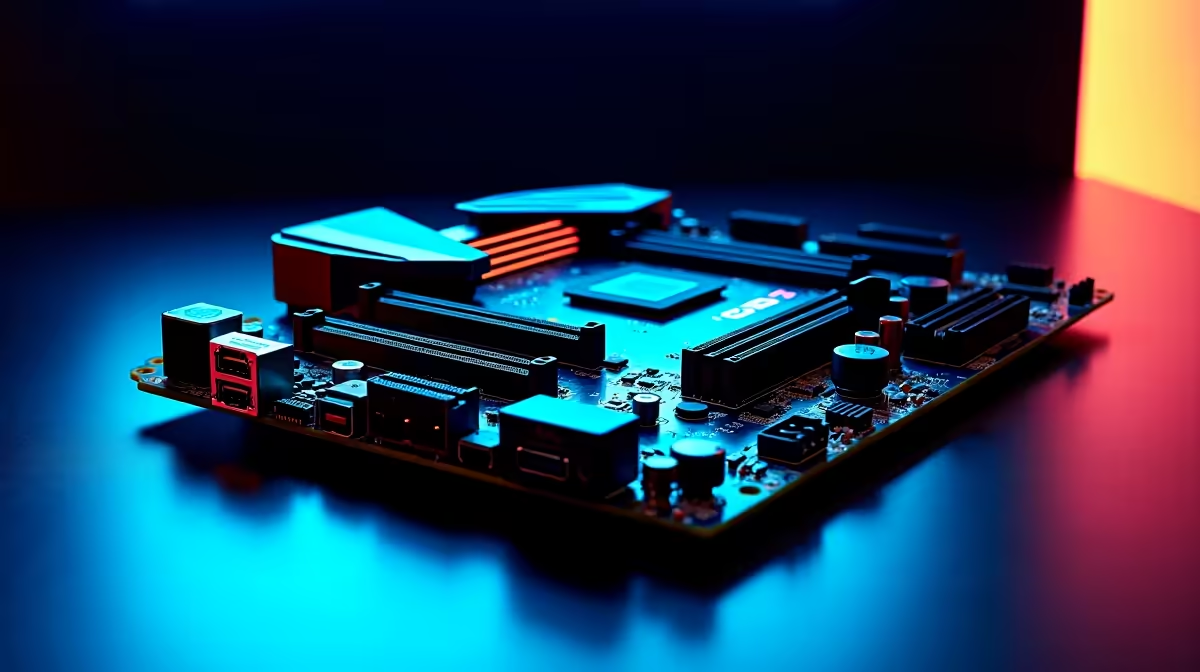
Let's talk about lag. You are in a clutch 1v1 on a local server, and your ping spikes. Infuriating, right? South African gamers know the struggle of unstable connections and slow load times. But modern connectivity is fighting back. Want to future-proof your rig? Understanding WiFi 7, 10GB Ethernet and High-Speed I/O on a gaming motherboard is your first step to total dominance. Let us break down exactly what these specs mean for your daily gameplay.
Gone are the days when competitive players avoided wireless internet like the plague. WiFi 7 is here to rewrite the rules. It uses ultra-wide 320MHz channels to deliver speeds that rival wired connections. This means lower latency and zero packet loss... even when loadshedding forces you onto a backup router.
It effectively clears up network congestion in busy households. When browsing premium motherboards, look for integrated WiFi 7. It will help optimise your setup for next-gen fibre speeds rolling out across South Africa.
If you prefer a physical cable, standard gigabit ports are starting to look slow. Enter 10GB Ethernet. It offers ten times the bandwidth of older standards. This is vital if you move massive 4K video files or run a local media server. Imagine copying your entire Steam library across your home network in minutes instead of hours. That is the raw power we are talking about.
Many top-tier ASUS AMD motherboards now feature these high-speed LAN ports. They keep your latency at absolute zero during intense online tournaments. You will download massive 100GB game patches in a fraction of the time.
Your motherboard acts as the central nervous system of your PC. High-Speed I/O determines how fast your components talk to each other. We are talking about PCIe 5.0 slots for your graphics card and lightning-fast NVMe SSDs. You can find incredible I/O layouts on modern ASUS Intel motherboards that maximise data transfer.
These fast lanes ensure your processor never waits for data to render complex textures. Pair this bandwidth with high-performance memory kits, and you will see load screens vanish in seconds. When you plug in a high-end webcam or a premium audio interface, you need reliable bandwidth. Without it, your stream might stutter or drop audio frames. More USB 3.2 ports also mean your external drives and streaming gear run flawlessly.
Always use a Cat6a or Cat7 Ethernet cable if you are plugging into a 10GB port. Standard Cat5e cables cap out at much lower speeds and will severely bottleneck your expensive new hardware. Also, ensure your home switch or router actually supports these multi-gigabit speeds to get the full benefit.
Investing in WiFi 7, 10GB Ethernet and High-Speed I/O on a gaming motherboard costs a few extra Rands upfront. But it saves you from costly upgrades later. Whether you are building from scratch or exploring pre-built gaming PCs, prioritising these specs is crucial. They give you the edge in competitive matches. They also make daily tasks feel incredibly snappy. Do not let a cheap board bottleneck your high-end graphics card.
Ready to Upgrade Your Connectivity? Do not let outdated hardware hold back your kill/death ratio. Explore our massive range of gaming motherboards and find the perfect foundation to conquer your digital world today.
WiFi 7 is available at Evetech.co.za with local SA warranty, Rand pricing and nationwide delivery. Stock and pricing is updated in real time on the product page.
The article breaks down the real-world impact on gaming FPS, creator workflows and everyday responsiveness — not just raw spec numbers.
Only a handful of specs meaningfully change your experience. The guide ranks them by real impact so you spend on what counts.
We cover upgrade headroom, platform longevity and the specific features worth paying extra for if you plan to keep this build for several years.
The article includes a clear generational uplift summary so you can judge whether upgrading from your current hardware is worthwhile.
AIO Liquid 240mm Setup and Configuration. Clear setup instructions with SA-specific considerations, troubleshooting tips & recommended components.
Read more
Setting Up DDR5 64GB Kit. Tested & verified settings for best FPS and visual quality on SA hardware budgets.
Read more
Overwatch 2 Setup Guide Gamers. Clear setup instructions with SA-specific considerations, troubleshooting tips & recommended components.
Read more
R and RStudio on Mac: Data Science Setup Guide. Clear setup instructions with SA-specific considerations, troubleshooting tips & recommended components.
Read more
NVIDIA Broadcast Setup with GPU: Streamer Guide. Clear setup instructions with SA-specific considerations, troubleshooting tips & recommended components.
Read more
Core Ultra 7 265K Temperature Guide: Normal Range. Complete product range with SA pricing, key specs & recommendations for different budgets.
Read more
AMD RX 9050 XT: Rumoured Specs, Price & Release. SA-focused analysis with local pricing data, real-world insights & actionable buying advice.

Can RTX 4080 Super Run AI Workloads for SA Developers Detailed answer with SA data, expert analysis & practical recommendations for local buyers.

Can RTX 4090 Run AI Workloads for SA Developers Detailed answer with SA data, expert analysis & practical recommendations for local buyers.

Top Settings for Intel Arc B580 at Ultrawide 1440p picks evaluated on performance, value & SA availability with current Rand pricing from Evetech.

RTX 4060 CS2 Low Settings at 1080p: FPS Results. Real-world benchmark data, FPS numbers & performance analysis. What SA gamers can actually expect.

Visual Artifacts: Possible GPU Issue Issue #1. Diagnosis steps, proven fixes & when to seek professional help. SA-specific support info included.

Can the RTX 4090 Handle 1440p 144Hz Gaming. Performance testing verdict with real data & practical recommendations for SA buyers.

Top ASUS GPU Under R15000 picks evaluated on performance, value & SA availability with current Rand pricing from Evetech.

GTA 6 Max Settings on RTX 5070. Tested & verified settings for best FPS and visual quality on SA hardware budgets.

Cyberpunk 2077 Max Settings on RTX 5080. Tested & verified settings for best FPS and visual quality on SA hardware budgets.

Starfield Max Settings on RTX 5070 Ti. Tested & verified settings for best FPS and visual quality on SA hardware budgets.

Top RTX 5090 Under R5000 picks evaluated on performance, value & SA availability with current Rand pricing from Evetech.