


AIO Liquid 240mm Setup and Configuration: Complete Tutorial
AIO Liquid 240mm Setup and Configuration. Clear setup instructions with SA-specific considerations, troubleshooting tips & recommended components.
Read more🚀 Upgrade your workflow with fast external SSD docks. Transfer files in seconds and boost productivity. Efficiency meets speed today!
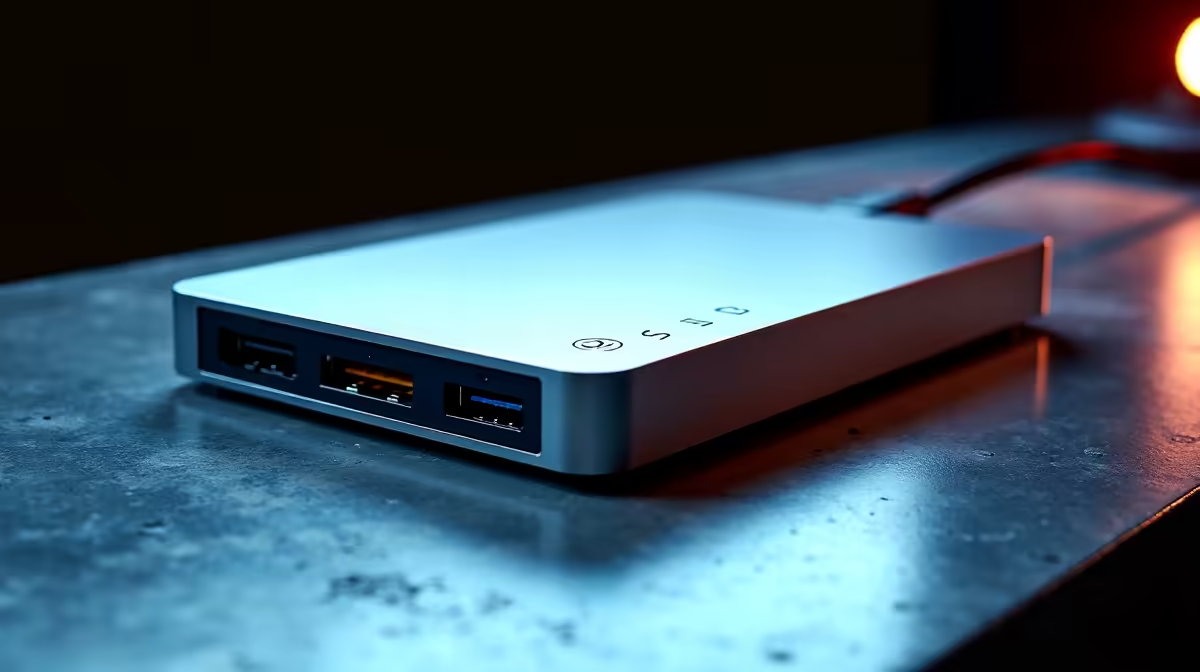
Waiting for files to transfer is the modern equivalent of watching paint dry... especially in South Africa where every minute counts. Whether you're a gamer backing up a massive library, a creator offloading 4K footage, or just cloning a drive, slow transfers are a massive headache. But what if you could slash those wait times? A fast external SSD dock is the secret weapon for achieving quick file transfers and reclaiming your valuable time. ⚡
Let's be honest, we've all got a drawer full of old USB hubs. While they're fine for a mouse and keyboard, they are a serious bottleneck when it comes to data. A dedicated external SSD docking station is built for one primary purpose: speed. It connects your bare 2.5" or 3.5" SSDs (and even HDDs) directly to your PC over a high-speed interface like USB 3.2, bypassing the slow controllers found in many cheap enclosures.
The difference is night and day. Instead of waiting hours, you could clone a 1TB drive in the time it takes to make a cup of coffee. For gamers, this means backing up your entire Steam library before a LAN party is no longer a weekend-long task.
Not all docks are created equal. The key is to match the dock's capabilities with your drives and your PC's ports. A fast external SSD dock can offer more than just a single slot. Many advanced models provide dual bays for easy drive-to-drive cloning without even needing a PC, plus extra ports like SD card readers for photographers and videographers.
For a workflow that demands flexibility and power, looking into feature-packed docks from brands like Promate can seriously streamline your setup. Imagine offloading drone footage, backing up your project drive, and charging your phone... all from one sleek device. 🚀
Always plug your SSD dock into the fastest available USB port on your PC—usually a blue or red USB 3.2 or Type-C port. Connecting to an older USB 2.0 port will bottleneck your speed, no matter how fast your dock is!
Getting quick file transfers doesn't have to break the bank. The market has excellent options for every budget, and you can find a great solution right here in South Africa. It's all about matching your needs to the price point.
For everyday backups, cloning your main drive to a new SSD, or accessing old drives, you don't need the absolute top-of-the-line model. There are plenty of solid options under R1000 that deliver reliable USB 3.0 speeds, which is a massive leap from older USB 2.0 enclosures.
If you're a content creator, IT professional, or a serious gamer who frequently moves terabytes of data, investing a bit more pays off. In this bracket, you'll find dual-bay docks, faster 10Gbps USB 3.2 Gen 2 speeds, and more robust build quality. You can step up your game for under R2000 and get a tool that will save you countless hours in the long run. ✨
Ready for Lightning-Fast Transfers? Stop waiting and start doing. An external SSD dock is the performance upgrade you didn't know you needed. Explore the full range at Evetech and find the perfect match for your setup today.
Fast SSD docks use USB 3.2 or Thunderbolt 4 for high-speed data transfer. They support quick file access and minimize latency.
Look for docks with Thunderbolt 4 or USB 3.2 Gen 2 connectivity. Ensure compatibility with your storage devices for peak performance.
Yes! Fast SSD docks enable quick file access, reducing wait times and streamlining tasks for professionals handling large data volumes.
Yes. Portable SSD docks offer high-speed transfers and are compact, ideal for on-the-go professionals. Look for rugged, lightweight designs.
NVMe M.2 SSDs are ideal. They deliver faster read/write speeds than SATA SSDs, maximizing your dock's performance.
No. Check the dock's specs for data transfer speeds and ensure it supports your SSD type for optimal fast file transfers.
AIO Liquid 240mm Setup and Configuration. Clear setup instructions with SA-specific considerations, troubleshooting tips & recommended components.
Read more
Setting Up DDR5 64GB Kit. Tested & verified settings for best FPS and visual quality on SA hardware budgets.
Read more
Overwatch 2 Setup Guide Gamers. Clear setup instructions with SA-specific considerations, troubleshooting tips & recommended components.
Read more
R and RStudio on Mac: Data Science Setup Guide. Clear setup instructions with SA-specific considerations, troubleshooting tips & recommended components.
Read more
NVIDIA Broadcast Setup with GPU: Streamer Guide. Clear setup instructions with SA-specific considerations, troubleshooting tips & recommended components.
Read more
Core Ultra 7 265K Temperature Guide: Normal Range. Complete product range with SA pricing, key specs & recommendations for different budgets.
Read more
AMD RX 9050 XT: Rumoured Specs, Price & Release. SA-focused analysis with local pricing data, real-world insights & actionable buying advice.

Can RTX 4080 Super Run AI Workloads for SA Developers Detailed answer with SA data, expert analysis & practical recommendations for local buyers.

Can RTX 4090 Run AI Workloads for SA Developers Detailed answer with SA data, expert analysis & practical recommendations for local buyers.

Top Settings for Intel Arc B580 at Ultrawide 1440p picks evaluated on performance, value & SA availability with current Rand pricing from Evetech.

RTX 4060 CS2 Low Settings at 1080p: FPS Results. Real-world benchmark data, FPS numbers & performance analysis. What SA gamers can actually expect.

Visual Artifacts: Possible GPU Issue Issue #1. Diagnosis steps, proven fixes & when to seek professional help. SA-specific support info included.

Can the RTX 4090 Handle 1440p 144Hz Gaming. Performance testing verdict with real data & practical recommendations for SA buyers.

Top ASUS GPU Under R15000 picks evaluated on performance, value & SA availability with current Rand pricing from Evetech.

GTA 6 Max Settings on RTX 5070. Tested & verified settings for best FPS and visual quality on SA hardware budgets.

Cyberpunk 2077 Max Settings on RTX 5080. Tested & verified settings for best FPS and visual quality on SA hardware budgets.

Starfield Max Settings on RTX 5070 Ti. Tested & verified settings for best FPS and visual quality on SA hardware budgets.

Top RTX 5090 Under R5000 picks evaluated on performance, value & SA availability with current Rand pricing from Evetech.