


Complete Guide: Setting Up AIO Liquid 420mm
Setting Up AIO Liquid 420mm. Tested & verified settings for best FPS and visual quality on SA hardware budgets.
Read moreStruggling with online gaming lag in South Africa? 😠 Don't let high ping and packet loss ruin your match. Our guide helps you diagnose and fix common network issues, from router settings to ISP choices, for a smoother, faster gaming experience. Get back in the game! 🎮
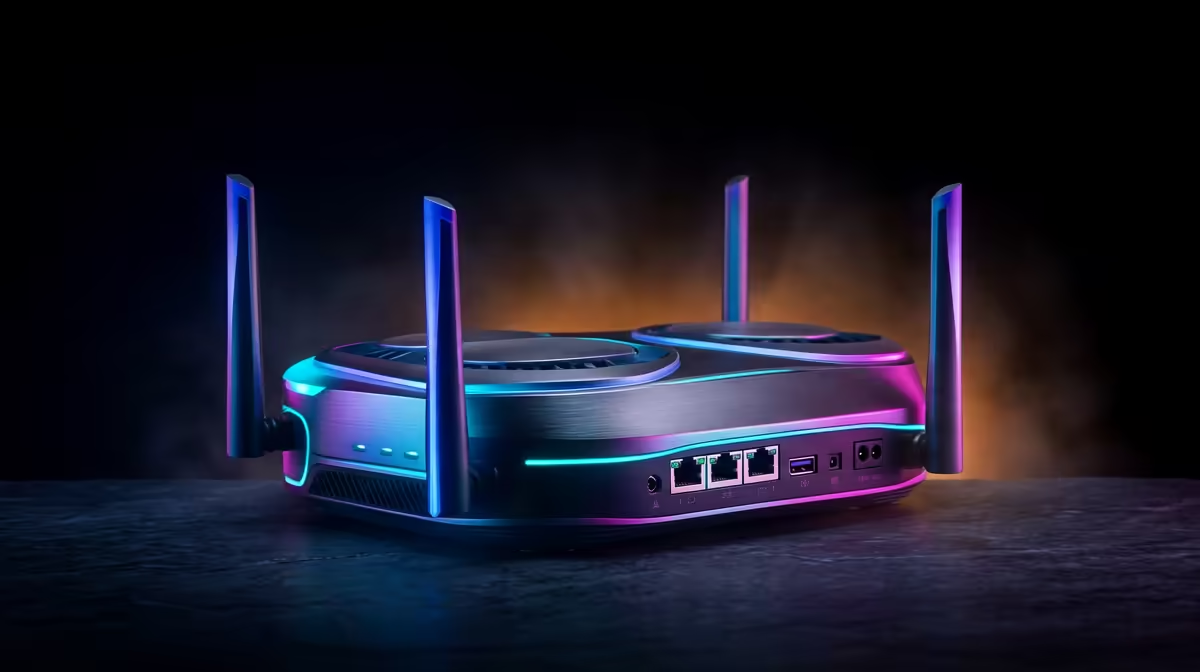
Nothing stings more than a perfect headshot denied by a sudden stutter. You had the drop, the perfect angle... and then your screen freezes. For gamers across the country, dealing with online gaming lag in South Africa can feel like a losing battle. High latency to international servers is a reality, but it's not the only enemy. This guide will walk you through diagnosing and fixing the real culprits behind your lag, from your router to your rig. 🚀
Before you can fix the problem, you need to understand it. In South Africa, gaming lag generally falls into two camps: network lag (your internet) and performance lag (your PC).
This is the classic "lag" most people talk about. It’s caused by a slow or unstable internet connection.
This type of lag has nothing to do with your internet and everything to do with your hardware. It's when your PC can't keep up with the game, resulting in a low or inconsistent frame rate (Frames Per Second). A graphically intense title like Cyberpunk 2077 requires serious horsepower to render its stunning world without stuttering.
Let's tackle the most common source of online gaming lag for South African players: the network. These steps can drastically improve your connection stability.
If you’re gaming on Wi-Fi, stop. Seriously. Wi-Fi signals are prone to interference from walls, appliances, and other devices. An Ethernet cable provides a direct, stable link to your router, minimising jitter and packet loss. This simple change is often the single most effective fix for network lag.
Your router is the gatekeeper of your home network. A quick reboot can often clear up temporary issues. For a more advanced fix, log into your router's settings and look for a feature called Quality of Service (QoS). By prioritising your PC or console, you ensure your game traffic gets the green light. A stable connection is vital for gaining a competitive edge in tactical shooters like Counter-Strike 2.
For online gaming, fibre is king. Its consistency and low latency are far superior to ADSL or wireless options. While a high download speed is nice, a stable, low-ping connection is far more important for a smooth gaming experience.
If your internet is solid but you're still experiencing freezes and stutter, it's time to look at your PC. A powerful machine is crucial for a smooth experience.
Before you launch a game, open Task Manager (Ctrl+Shift+Esc) and close non-essential apps like web browsers or cloud sync services. Every bit of RAM and CPU power counts, especially in a massive 150-player lobby.
Your graphics card drivers are the bridge between your hardware and your games. Always ensure you have the latest version installed from NVIDIA or AMD's website. If you're still getting low FPS, don't be afraid to lower some in-game settings. Dropping shadows from "Ultra" to "High" can provide a huge performance boost. Games with vast, detailed worlds, like those seen in Microsoft Flight Simulator, can bring even strong PCs to a crawl on max settings.
A lean system is a fast system. Beyond closing apps, make sure Windows is up to date and that Game Mode is enabled in your settings. In fast-paced shooters like Fortnite or the frantic team fights of Overwatch 2, a single stutter can be the difference between victory and defeat. Similarly, the constant loading of assets in a sprawling city can cause hitches, a common issue for gamers exploring the world of GTA V on older hardware.
You’ve tweaked every setting and optimised your network, but the lag persists. Sometimes, the hard truth is that your hardware is the bottleneck. As games become more complex, the demands on your PC grow.
An older CPU can struggle to keep up, your RAM might not be enough to handle modern games, and a dated graphics card will fail to deliver smooth frame rates. Massive battle royales are notoriously demanding, and having a rig optimised for PUBG or a beastly machine for Call of Duty: Warzone 2.0 can give you a tangible advantage.
Even a game that looks simple on the surface, like Minecraft, can become a performance nightmare with high-resolution texture packs and demanding ray-tracing shaders. Investing in a modern gaming PC is the only guaranteed way to eliminate performance lag for good.
Ready to Eliminate Lag for Good? Tired of losing gunfights to stutter and poor performance? A purpose-built rig is your ultimate weapon against lag, ensuring your hardware is never the bottleneck. Shop now at Evetech for performance that leaves lag in the dust.
High ping in South Africa is often due to the long physical distance to international game servers, local ISP network congestion, or a poorly configured home network.
To reduce latency, use a wired Ethernet connection, choose a gaming-focused ISP, optimize your router's QoS settings, and close bandwidth-heavy background apps.
While under 50ms is ideal, a ping of 100-150ms is often considered playable for many games when connecting to European servers from South Africa.
A quality gaming VPN can sometimes reduce lag by finding a more efficient route to the game server, but results vary greatly depending on your ISP and location.
Fibre is the best internet connection for gaming in South Africa due to its low latency and high stability compared to LTE, 5G, or ADSL connections.
Start by restarting your router and ONT. Then, run a ping test to check for packet loss and ensure you are using an Ethernet cable directly to your PC or console.
Setting Up AIO Liquid 420mm. Tested & verified settings for best FPS and visual quality on SA hardware budgets.
Read more
Intel XTU Download & Setup Guide: Intel CPU. Clear setup instructions with SA-specific considerations, troubleshooting tips & recommended components.
Read more
Cyberpunk 2077 Max Settings on RTX 4090. Tested & verified settings for best FPS and visual quality on SA hardware budgets.
Read more
The Complete Guide to GPU. Everything you need to know with SA pricing, step-by-step instructions & expert recommendations.
Read more
NVCleanstall Download & Setup Guide: NVIDIA. Clear setup instructions with SA-specific considerations, troubleshooting tips & recommended components.
Read more
to Driver Installation for Beginners. Everything you need to know with SA pricing, step-by-step instructions & expert recommendations.
Read more
AMD RX 9050 XT: Rumoured Specs, Price & Release. SA-focused analysis with local pricing data, real-world insights & actionable buying advice.

Can RTX 4080 Super Run AI Workloads for SA Developers Detailed answer with SA data, expert analysis & practical recommendations for local buyers.

Can RTX 4090 Run AI Workloads for SA Developers Detailed answer with SA data, expert analysis & practical recommendations for local buyers.

Top Settings for Intel Arc B580 at Ultrawide 1440p picks evaluated on performance, value & SA availability with current Rand pricing from Evetech.

RTX 4060 CS2 Low Settings at 1080p: FPS Results. Real-world benchmark data, FPS numbers & performance analysis. What SA gamers can actually expect.

Visual Artifacts: Possible GPU Issue Issue #1. Diagnosis steps, proven fixes & when to seek professional help. SA-specific support info included.

Can the RTX 4090 Handle 1440p 144Hz Gaming. Performance testing verdict with real data & practical recommendations for SA buyers.

Top ASUS GPU Under R15000 picks evaluated on performance, value & SA availability with current Rand pricing from Evetech.

GTA 6 Max Settings on RTX 5070. Tested & verified settings for best FPS and visual quality on SA hardware budgets.

Cyberpunk 2077 Max Settings on RTX 5080. Tested & verified settings for best FPS and visual quality on SA hardware budgets.

Starfield Max Settings on RTX 5070 Ti. Tested & verified settings for best FPS and visual quality on SA hardware budgets.

Top RTX 5090 Under R5000 picks evaluated on performance, value & SA availability with current Rand pricing from Evetech.