


AIO Liquid 240mm Setup and Configuration: Complete Tutorial
AIO Liquid 240mm Setup and Configuration. Clear setup instructions with SA-specific considerations, troubleshooting tips & recommended components.
Read more• Compare pros and cons • Recommend displays by use-case • Provide buying and setup tips Flat vs Curved Monitors: Get clear guidance to match display shape to gaming, productivity, or multi-monitor setups. Learn advantages, drawbacks, and buying tips to pick the right monitor for your desk 🎮💼
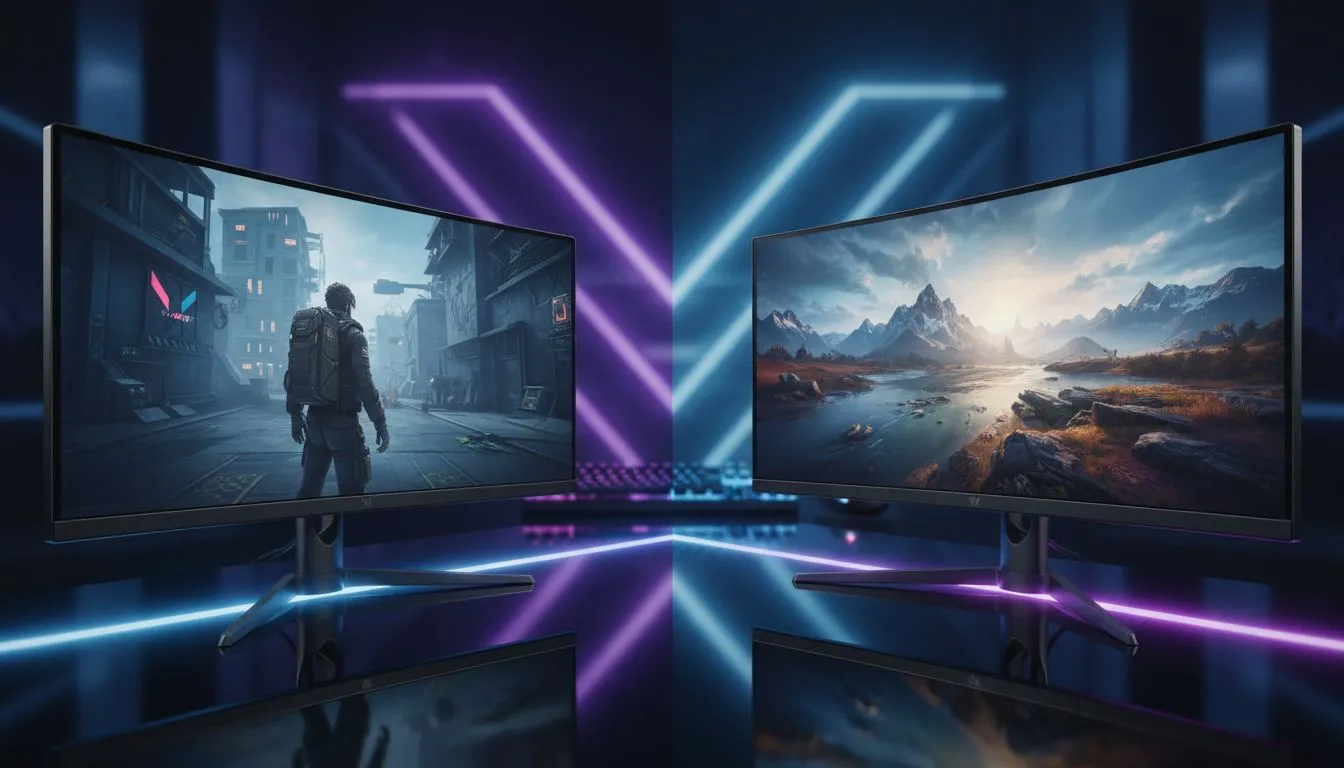
Choosing a new monitor in South Africa feels like a boss battle. You've got your budget, you know the size you want... but then the big question hits: flat or curved? It’s a decision that shapes your entire gaming and work experience. Whether you’re lining up a headshot in Valorant or deep in a spreadsheet, the debate over flat vs curved monitors is real. Let’s settle it and find the perfect display style for your setup.
A curved monitor’s primary goal is immersion. By gently wrapping the display around your field of view, it mimics your natural peripheral vision, pulling you deeper into the game world. For cinematic single-player titles like Starfield or sim-racing games, the effect is incredible. This design can also reduce eye strain during long sessions, as your eyes don't need to constantly refocus when looking at the screen's edges.
This immersive quality makes the choice between a curved vs flat monitor an easy one for many gamers who prioritise experience over raw competition. If getting lost in another world is your goal, explore our incredible range of dedicated curved monitors.
While curved screens pull you in, traditional flat monitors offer uncompromising precision. 🚀 For content creators, graphic designers, and video editors, a flat panel ensures that straight lines look perfectly straight, with zero distortion. This is non-negotiable for any work that demands geometric accuracy.
In the competitive gaming scene, many pros prefer flat screens. The predictable, uniform surface makes it easier to track targets across the screen without any perceived warping at the edges. It’s no surprise that many of our best high-resolution 4K and 5K monitors stick to this classic, reliable design for maximum clarity.
So, which display style is right for you? It boils down to your primary use.
For story-driven, atmospheric games, a curved display offers a more engaging experience. For fast-paced, competitive esports titles like CS2 or Apex Legends, the distortion-free view of a flat monitor is often the winning choice. Ultimately, you can find top-tier performance in both styles across all our gaming monitors.
Here, the flat monitor is the clear champion. The lack of distortion is critical for accurate creative work. However, for tasks involving long documents or massive spreadsheets, some users find an ultrawide curved monitor helps keep everything within a comfortable viewing range.
Considering an ultrawide? A curve is almost essential on screens over 34 inches. The gentle bend ensures the edges of the screen remain in your peripheral vision, reducing head movement and eye strain. For flat ultrawides, you might find yourself turning your head constantly to see the corners.
The flat vs curved monitor debate is just one piece of the puzzle. Don’t forget these other crucial factors when browsing the huge selection of PC monitors for every need and budget.
Your setup doesn't end at the main display, either. For ultimate flexibility, portable monitors are becoming a popular choice for a second screen on the go. And to perfect your ergonomics, don't forget the right monitor accessories like a sturdy VESA mount or monitor arm. ✨
Ready to Upgrade Your View? The flat vs curved monitor debate comes down to personal preference and your primary use case. Whether you crave immersion or demand precision, the perfect screen is waiting. Explore our massive range of PC monitor deals and find the display that will conquer your world.
Curved monitors boost immersion and peripheral engagement for single-player and racing games. Flat monitors often win on price and desk flexibility.
Curved screens can reduce eye movement across large ultrawides, which may ease strain for some users, but proper height and distance matter most.
Flat monitors often suit multi-window workflows and multi-monitor setups, while curved ultrawides help focus on wide spreadsheets and timeline work.
Curved monitors work best as single ultrawide displays; mixing curved and flat screens can create awkward viewing angles in multi-monitor setups.
Curved panels typically cost more at similar specs. You get immersion benefits, but flat monitors often offer equal refresh rates and color accuracy at lower cost.
Prioritize panel size, resolution, refresh rate, and color accuracy first. Then choose flat or curved by workspace, viewing distance, and content type.
Single-player gaming, immersive media, and wide productivity workflows benefit most. For split desks or close multi-monitor rigs, flat displays usually fit better.
AIO Liquid 240mm Setup and Configuration. Clear setup instructions with SA-specific considerations, troubleshooting tips & recommended components.
Read more
Setting Up DDR5 64GB Kit. Tested & verified settings for best FPS and visual quality on SA hardware budgets.
Read more
Overwatch 2 Setup Guide Gamers. Clear setup instructions with SA-specific considerations, troubleshooting tips & recommended components.
Read more
R and RStudio on Mac: Data Science Setup Guide. Clear setup instructions with SA-specific considerations, troubleshooting tips & recommended components.
Read more
NVIDIA Broadcast Setup with GPU: Streamer Guide. Clear setup instructions with SA-specific considerations, troubleshooting tips & recommended components.
Read more
Core Ultra 7 265K Temperature Guide: Normal Range. Complete product range with SA pricing, key specs & recommendations for different budgets.
Read more
AMD RX 9050 XT: Rumoured Specs, Price & Release. SA-focused analysis with local pricing data, real-world insights & actionable buying advice.

Can RTX 4080 Super Run AI Workloads for SA Developers Detailed answer with SA data, expert analysis & practical recommendations for local buyers.

Can RTX 4090 Run AI Workloads for SA Developers Detailed answer with SA data, expert analysis & practical recommendations for local buyers.

Top Settings for Intel Arc B580 at Ultrawide 1440p picks evaluated on performance, value & SA availability with current Rand pricing from Evetech.

RTX 4060 CS2 Low Settings at 1080p: FPS Results. Real-world benchmark data, FPS numbers & performance analysis. What SA gamers can actually expect.

Visual Artifacts: Possible GPU Issue Issue #1. Diagnosis steps, proven fixes & when to seek professional help. SA-specific support info included.

Can the RTX 4090 Handle 1440p 144Hz Gaming. Performance testing verdict with real data & practical recommendations for SA buyers.

Top ASUS GPU Under R15000 picks evaluated on performance, value & SA availability with current Rand pricing from Evetech.

GTA 6 Max Settings on RTX 5070. Tested & verified settings for best FPS and visual quality on SA hardware budgets.

Cyberpunk 2077 Max Settings on RTX 5080. Tested & verified settings for best FPS and visual quality on SA hardware budgets.

Starfield Max Settings on RTX 5070 Ti. Tested & verified settings for best FPS and visual quality on SA hardware budgets.

Top RTX 5090 Under R5000 picks evaluated on performance, value & SA availability with current Rand pricing from Evetech.