


AIO Liquid 240mm Setup and Configuration: Complete Tutorial
AIO Liquid 240mm Setup and Configuration. Clear setup instructions with SA-specific considerations, troubleshooting tips & recommended components.
Read moreFloor mat placement mistakes weaken protection and cause premature wear. Learn common errors, quick fixes, and step-by-step tips to keep mats secure and floors safe. 🚗🛡️
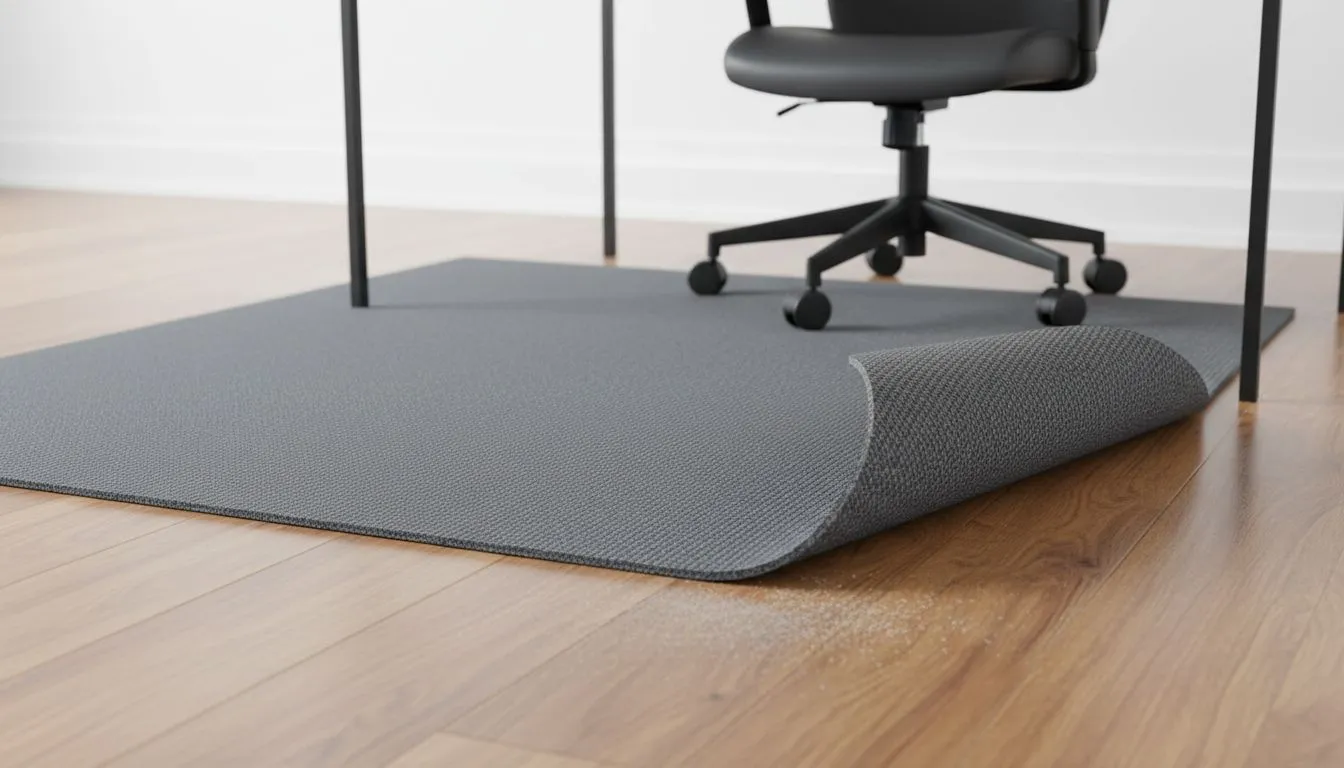
You’ve spent thousands on a high-end gaming chair and a sleek desk. But if your chair wheels are currently grinding your expensive laminate flooring into dust, you’re missing a crucial piece of the puzzle. Proper floor mat placement is often overlooked by South African gamers. Getting it wrong doesn’t just look messy... it actually ruins the ergonomics and floor protection you paid for in the first place.
We often focus on the hardware on top of the desk, but what happens beneath your feet dictates how long your flooring—and your chair’s castors—will last. In South Africa, where many of us have tiled or laminate flooring, the friction from a heavy gaming chair can cause permanent scuffs. A dedicated Arozzi floor pad is designed to absorb this pressure, but its effectiveness is entirely dependent on where you put it. 🔧
The goal is to create a seamless glide zone. If the mat is positioned incorrectly, you’ll find yourself constantly "falling off" the edge of the mat, which puts unnecessary strain on your chair's base and your own lower back.
One of the most frequent mistakes is the "Offset Alignment." Many users place their mat directly under the desk, forgetting that when they lean back or scoot away to stand up, the chair moves significantly backward. You should ensure the mat extends further behind you than it does under the desk. If you are browsing a wide variety of floor mats, always look for dimensions that accommodate your full range of motion. ⚡
Another oversight is failing to check which side of the mat faces down. Placing a mat intended for hard floors on a thick carpet—or vice versa—leads to "creeping," where the mat slowly migrates across the room as you move. This doesn't just reduce effectiveness; it becomes a tripping hazard. If you are looking for premium floor pads under R640, ensure the underside has the correct anti-slip coating for your specific floor type.
To keep your mat from sliding or losing its grip, wipe the underside and your floor with a damp cloth once a week. Dust buildup is the primary reason mats lose their "stick" to the floor, especially in drier South African climates where static can attract extra debris.
Many gamers try to wedge their mat under the legs of their desk to keep it still. This is a mistake. Most mats are not designed to bear the static weight of a heavy desk and a PC tower... it can lead to permanent indentations or even cracking in the material. Instead, leave a small gap between the mat edge and the desk legs. With high-quality options starting from R619, you get enough surface area to cover your movement zone without needing to pin the mat down under furniture. 🚀
Floor mat placement: common mistakes that reduce effectiveness are usually easy to fix once you realise that the mat is an extension of your chair's movement, not just a static rug. By centering the mat according to your "recline zone" rather than just the desk edge, you'll protect your home and improve your comfort during long sessions. ✨
Ready to Protect Your Setup? Don't let your flooring suffer another day of friction and scuffs. Whether you need a sleek aesthetic or heavy-duty protection, Evetech has the gear to level up your gaming space. Explore our massive range of floor mats and find the perfect match for your home office or battle station.
Common errors include misalignment, overlapping pedals, unsecured edges, wrong size mats, and ignoring retention clips. Use floor mat placement tips to fix them.
Use OEM retention clips or non-slip backing, ensure correct mat sizing, and avoid stacking. These steps help prevent floor mat slipping.
Mats should align with footwell contours, not necessarily perfectly centered. Proper alignment avoids pedal interference and uneven wear.
Yes. Overlapping or loose mats can trap pedals and cause dangerous interference. Secure mats away from pedal paths immediately.
Retention systems reduce movement and are recommended, especially for driver-side mats. Avoid floor mat retention system mistakes by using correct clips.
Measure the footwell, match to the mat template, and place mats to cover high-wear zones without touching pedals. Follow floor mat placement tips for best fit.
Yes. Misplaced mats cause concentrated wear, trapped moisture, and stains. Correct placement protects flooring and extends mat life.
AIO Liquid 240mm Setup and Configuration. Clear setup instructions with SA-specific considerations, troubleshooting tips & recommended components.
Read more
Setting Up DDR5 64GB Kit. Tested & verified settings for best FPS and visual quality on SA hardware budgets.
Read more
Overwatch 2 Setup Guide Gamers. Clear setup instructions with SA-specific considerations, troubleshooting tips & recommended components.
Read more
R and RStudio on Mac: Data Science Setup Guide. Clear setup instructions with SA-specific considerations, troubleshooting tips & recommended components.
Read more
NVIDIA Broadcast Setup with GPU: Streamer Guide. Clear setup instructions with SA-specific considerations, troubleshooting tips & recommended components.
Read more
Core Ultra 7 265K Temperature Guide: Normal Range. Complete product range with SA pricing, key specs & recommendations for different budgets.
Read more
AMD RX 9050 XT: Rumoured Specs, Price & Release. SA-focused analysis with local pricing data, real-world insights & actionable buying advice.

Can RTX 4080 Super Run AI Workloads for SA Developers Detailed answer with SA data, expert analysis & practical recommendations for local buyers.

Can RTX 4090 Run AI Workloads for SA Developers Detailed answer with SA data, expert analysis & practical recommendations for local buyers.

Top Settings for Intel Arc B580 at Ultrawide 1440p picks evaluated on performance, value & SA availability with current Rand pricing from Evetech.

RTX 4060 CS2 Low Settings at 1080p: FPS Results. Real-world benchmark data, FPS numbers & performance analysis. What SA gamers can actually expect.

Visual Artifacts: Possible GPU Issue Issue #1. Diagnosis steps, proven fixes & when to seek professional help. SA-specific support info included.

Can the RTX 4090 Handle 1440p 144Hz Gaming. Performance testing verdict with real data & practical recommendations for SA buyers.

Top ASUS GPU Under R15000 picks evaluated on performance, value & SA availability with current Rand pricing from Evetech.

GTA 6 Max Settings on RTX 5070. Tested & verified settings for best FPS and visual quality on SA hardware budgets.

Cyberpunk 2077 Max Settings on RTX 5080. Tested & verified settings for best FPS and visual quality on SA hardware budgets.

Starfield Max Settings on RTX 5070 Ti. Tested & verified settings for best FPS and visual quality on SA hardware budgets.

Top RTX 5090 Under R5000 picks evaluated on performance, value & SA availability with current Rand pricing from Evetech.