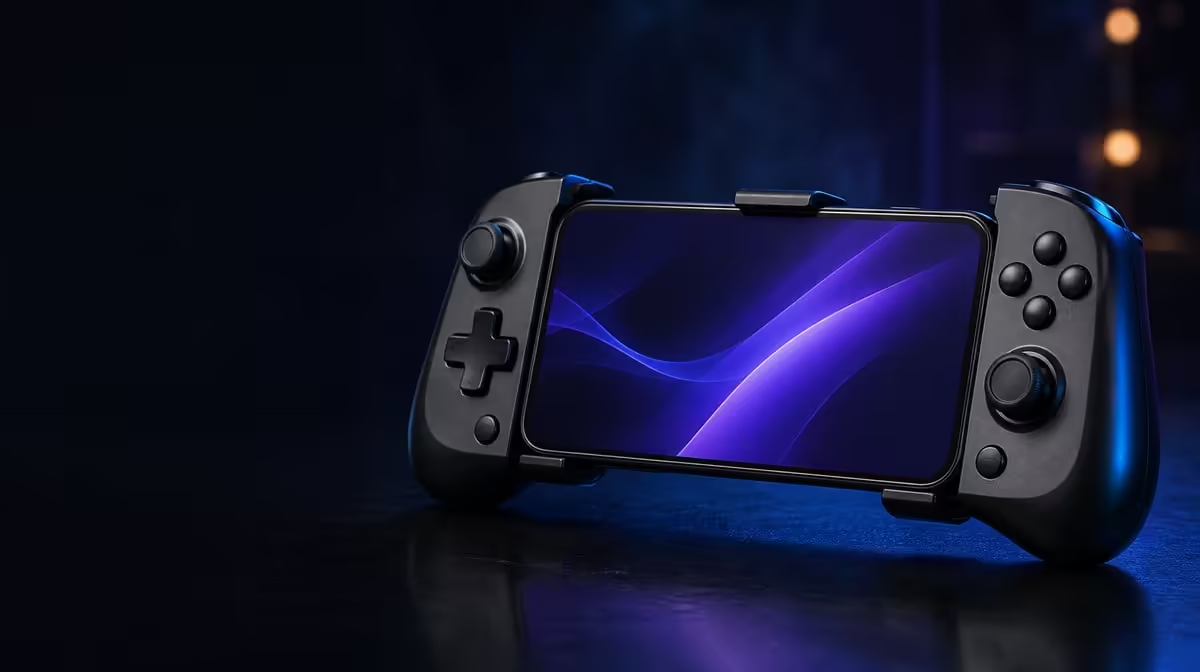
Android gaming benefits from a controller that can travel lightly, connect without drama and keep its main inputs consistent. The GameSir X5s for Android gaming answers that brief at R699 with Bluetooth, USB-C and 2.4GHz connectivity, Hall Effect sticks, 6-axis gyro and a lightweight design. Its strength is the combination, provided the chosen mobile games support the controls a player expects.
Quick Answer
Yes, the GameSir X5s is a strong Android option for players who want wireless convenience, anti-drift stick technology and motion input. It costs R699 and supports Bluetooth, USB-C and receiver-based 2.4GHz, although the dongle for that third mode is not included. Confirm external controller and gyro support in each Android game.
📱 Android support starts at the game
The controller is Android-compatible, but Android compatibility and game compatibility are separate checks. Pairing the X5s proves that the phone and controller can communicate. It does not prove that every title accepts external buttons, uses analog trigger travel or interprets the controller's gyro.
Begin with the games that matter most. Look for their controller options, pair over Bluetooth and test a menu direction, each face button and both sticks. Then enter normal play. Some titles may show controller prompts immediately; others may require a setting; still others may remain focused on touch input.
Keep the default layout for this first test. Swapping ABXY caps or loading a custom mapping too early can make a game-support problem look like a controller problem. Once ordinary input passes, save that baseline and personalise from a known state.
Create a small compatibility card for the phone. Record the Android device, game, connection used and controls that worked. A note such as "Bluetooth, sticks and face buttons passed; gyro option present" is more useful than a general memory that the controller connected. Repeat the card for another title instead of assuming results carry across games.
This evidence also helps decide whether the X5s is good for a particular player rather than for Android in the abstract. A controller that supports three favourite games, the desired connection and the preferred aiming method has a clear role. One that merely appears on the phone's paired list does not.
The Evetech gaming controller range gives mobile players a category view when Android support is the first filter rather than an afterthought.
🧲 Hall controls support the everyday inputs
Magnetic anti-drift sticks form the X5s's main control foundation. Hall sensing removes the rubbing potentiometer tracks associated with one source of stick drift, a useful feature for aiming, movement and any game that relies on a stable neutral point.
Hall technology still needs a sensible setup. Release the sticks on a steady surface, observe centre, move them around the full range and let them return naturally. Adjust deadzone only after confirming the baseline. A very large deadzone may hide an offset while making early movement feel slow.
Analog triggers provide graduated input where the Android game recognises it. Test them separately from the sticks by pressing slowly and observing whether the action progresses. A title that reads only on or off may be applying its own control design, so do not assume the hardware has failed.
Keep trigger results on the compatibility card as well. Mobile titles can differ widely in how they use controller input. A gradual response in one game and a simple command in another says something about their implementations, not necessarily about a change in the X5s.
At R699, the X5s places these conventional controls beside software customisation. The best profile is not the one with the most changes; it is the one that preserves stable input and makes a frequently used action easier.
🧭 Gyro adds a mobile-native control option
Six-axis gyro allows physical controller movement to become input in supported games. It can complement thumbstick aiming: use the Hall stick for a broad camera turn and a small tilt for final correction.
Calibrate the controller while it is genuinely still, preferably on a stable surface. Start with restrained sensitivity and practise returning to one fixed point from several directions. Trigger presses and HD Vibration can move the controller slightly in the hands, so test gyro during realistic play rather than only in an empty menu.
Motion input is valuable only where the game accepts it. If the option is absent, the controller still retains its Hall sticks, triggers and buttons. This makes gyro an added route rather than the entire Android value proposition.
Test gyro with ordinary actions. A trigger press or reach towards ABXY can tilt the controller and shift aim, which is useful to discover during setup rather than during a demanding scene. Practise the complete movement, then decide whether sensitivity or grip needs the smaller change.
Players building a phone-based kit can browse Evetech gaming accessories after confirming the controls required by their games.
🔌 Tri-mode helps beyond one phone
Bluetooth is the natural first choice for receiver-free Android play. USB-C offers a direct route where a cable fits the device and playing position. The 2.4GHz mode can serve another setup, but it requires a compatible dongle that does not accompany the X5s.
That exclusion changes the complete cost of receiver-based use, not the R699 controller price. A mobile player relying on Bluetooth may barely notice it. Someone planning a PC desk around 2.4GHz should include the extra hardware in the decision.
Tri-mode also helps troubleshooting. If Bluetooth input feels unusual, compare the same game action over USB-C without changing the display or performance settings. A delay that remains across connections may belong to the game, device or screen rather than the wireless path.
The lightweight design supports moving between playing spaces, while swappable ABXY buttons and separate software profiles can address different conventions on Android and PC. Keep physical labels and digital actions as distinct layers during setup.
Portability benefits from a repeatable pack-and-connect routine. Store the sticks without pressure, decide whether Bluetooth removes the need for a cable on the trip, and load the intended game profile only after default input is recognised. Fewer improvised steps make a mobile controller feel more reliable.
At the end of a week, review which X5s features were actually used. Bluetooth and Hall sticks may appear in every session, while gyro or Turbo may belong to one title. That pattern answers the "good for Android" question more honestly than counting features equally.
The Evetech accessories best-seller page provides broader context once the controller has passed the device and game checks.
Frequently Asked Questions
Does Android compatibility mean every game supports the X5s fully?
No. The phone can recognise the controller while a game offers partial or no external input support. Confirm behaviour in each title.
Which connection is simplest for mobile use?
Bluetooth is the straightforward receiver-free route. USB-C can provide a direct comparison when a cable suits the phone and position.
What makes the Hall sticks useful on Android?
They measure position magnetically and reduce contact-related wear associated with traditional potentiometer tracks. That supports a stable control foundation across compatible games.
What should buyers remember about R699?
R699 is the GameSir X5s controller price. The 2.4GHz dongle is not included, so receiver-based use has another component to plan.
Ready to replace touch-only sessions with deliberate controls?
Explore Evetech's gaming controllers and match Android support, stick technology and connection choice to the games you play most.