


Black Myth: Wukong 2 Ultrawide Support: 21:9 and 32:9 Setup Guide
Black Myth: Wukong 2 Ultrawide Support: 21:9 and. Clear setup instructions with SA-specific considerations, troubleshooting tips & recommended components.
Read moreGaming chair adjustment features explained so you can dial in fit fast—3D armrests, lumbar, recline locks, and more. Find what matters for comfort and posture 😊🪑
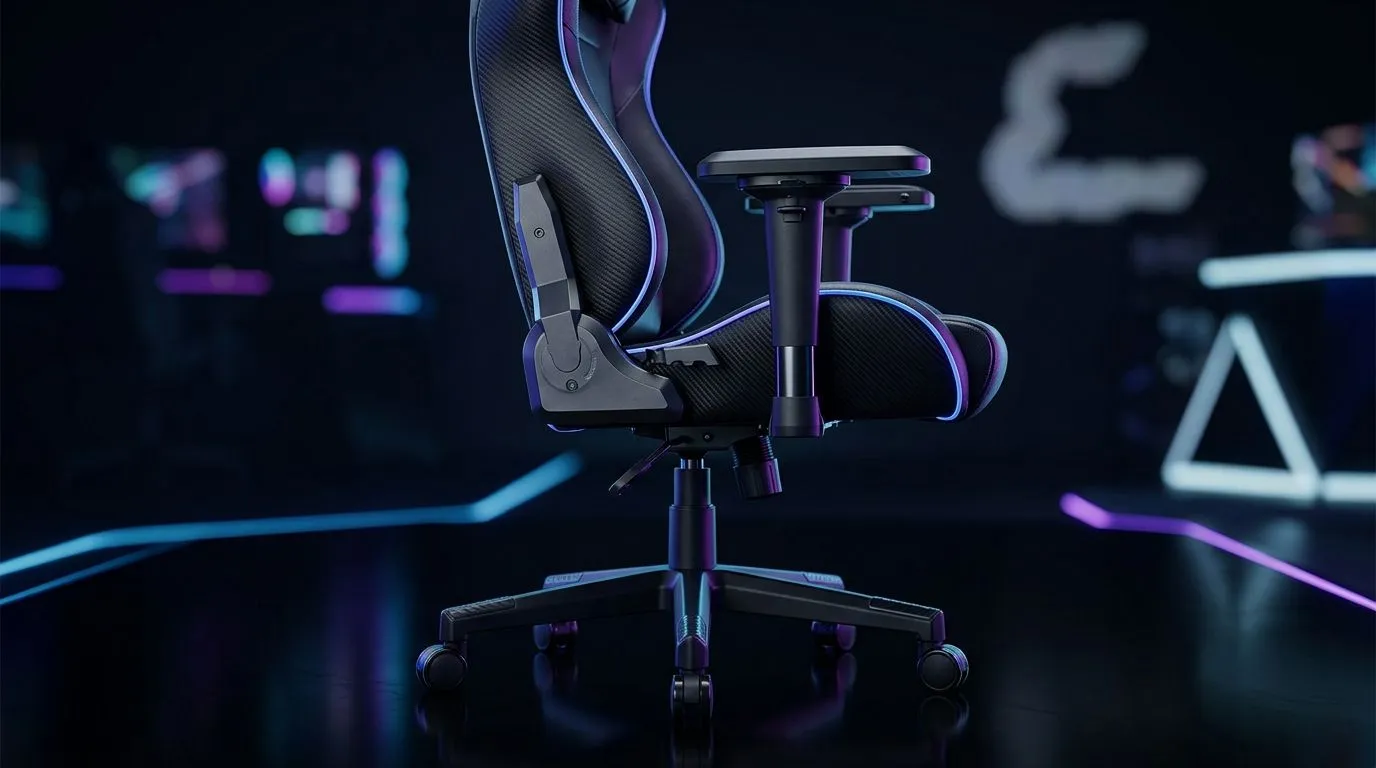
Gaming chair adjustment features can look like marketing fluff at first glance. Then you sit down for a long raid, a late-night ranked grind, or a full work-from-home day... and suddenly those levers, knobs, and recline settings matter a lot. For South African gamers, comfort is not a luxury. It is the difference between finishing strong and fidgeting every 20 minutes 🔧
A proper gaming chair adjustment features explained guide should answer one simple question: how do you make the chair work for your body, not the other way around? That is the real value. Good adjustment helps with posture, pressure relief, and focus during long sessions. It also helps the chair fit different desk heights, monitor setups, and user sizes.
If you are shopping for a chair, look past the flashy stitching. Start with the basics:
Each one changes how the chair feels after an hour, not just the first five minutes.
This is the first setting most people use. Your feet should sit flat on the floor, with knees roughly at a comfortable angle. If the chair is too high, pressure builds under your thighs. Too low, and your desk setup starts to feel awkward.
Recline is useful when you want to lean back between matches or during a cutscene. Tilt gives a more relaxed sit. A chair that locks in several positions gives you more control than a simple free-tilt design.
Armrests matter more than many buyers expect. Height-adjustable armrests can reduce shoulder strain. Some chairs also let you move the armrests forward, back, or sideways. That helps when switching between mouse-heavy gaming and relaxed browsing.
Lower back support is one of the most important comfort features. Some chairs use a built-in curve. Others use a cushion you can move. The best option depends on your spine shape and how upright you like to sit.
A headrest is not just for leaning back dramatically after a loss. It can help support your neck during breaks and longer sits. If it is adjustable, even better.
The chair is only part of the setup. Your desk height, monitor position, and keyboard placement all affect comfort. A well-adjusted chair can still feel wrong if the desk is too high or the screen is too low.
A neat way to think about it is this: your chair sets the foundation, then the rest of the setup follows. If you are building a proper gaming corner, pairing your seat with the right surface helps too. You can explore a practical gaming desk option here: gaming desk range.
Before you settle in for a long session, set your chair height first, then adjust the armrests so your shoulders stay relaxed. After that, fine-tune recline and lumbar support. Small changes here can make a big difference over time.
If you like coordinated setups, it can help to browse a full environment rather than just one item. Evetech’s gaming setup collection is useful if you want to compare desk, chair, and accessory styling in one place: gaming setups.
South African buyers often have to balance comfort, durability, and value. That makes adjustability even more important. A chair that fits a broader range of body types can be a smarter purchase than one with a single fixed posture.
When comparing options, check:
If you are matching the chair with your room setup, small visual details can matter too. For example, ambient lighting can make a clean battlestation feel more polished. If that is your style, have a look at NZXT case lighting for a subtle finishing touch ✨
The best chair is not the one with the most features. It is the one you keep using comfortably. That usually means a chair that lets you sit naturally, shift position easily, and avoid pressure points.
For many buyers, adjustability becomes the deciding factor after the first week. That is when the honeymoon ends and the real test starts. If the lumbar support feels wrong or the armrests sit too low, you notice it every day. If the chair adjusts well, you stop thinking about it entirely... and that is exactly what you want.
To compare models built for gamers and home setups, browse Evetech’s gaming chairs in South Africa category here: gaming chairs South Africa. It is a solid place to start if you want options that suit local budgets and practical use.
Before you buy, ask yourself three questions:
Those answers narrow the field fast. They also stop you from paying extra for features you will never use. That is smart buying, especially when every rand counts.
Ready to Find Your Perfect Match? The Mac vs Windows debate is complex, but for maximum power, choice, and value in South Africa, Windows is hard to beat. Explore our massive range of laptop specials and find the perfect machine to conquer your world.
.
Start with seat height, armrest height/depth, lumbar support, and recline lock. These gaming chair adjustment features help match your posture to the chair.
3D armrests typically adjust height and depth, reducing shoulder strain and wrist awkward angles. Pair them with armrest width for a better gaming chair fit.
A 4-degree lockable backrest recline usually locks in precise increments for consistent support. It helps maintain a comfortable angle during long sessions.
Set lumbar support to fill the lower-back curve without pressing hard. Use recline lock and tilt tension for balance with your gaming chair lumbar adjustment.
Seat height affects foot contact and knee angle, while tilt tension controls how easily the chair reclines. Together, they improve ergonomic gaming chair settings.
Yes. Too much recline can strain the neck. Use recline lock angles and proper armrest adjustment to keep shoulders and head aligned.
Use separate chair setup: upright for desk tasks (seat height, armrest height) and reclined for gaming (lumbar and 3D armrests) to reduce fatigue.
Black Myth: Wukong 2 Ultrawide Support: 21:9 and. Clear setup instructions with SA-specific considerations, troubleshooting tips & recommended components.
Read more
Setting Up HDMI 2.1 Cable. Tested & verified settings for best FPS and visual quality on SA hardware budgets.
Read more
Every spec on PCIe 5.0 explained in plain English. What matters for gaming and creator work in 2026, what's marketing fluff, and how each number translates to real-world performance.

A head-to-head look at WiFi 7: real-world performance, ZAR pricing and which option delivers better value for SA builders. The clear answer — no fluff.

Everything you need to set up and tune PCIe 5.0 properly: the prep work, the settings that actually matter, and the mistakes to skip. Written for SA builders in 2026.

Everything you need to set up and tune X870E Motherboard properly: the prep work, the settings that actually matter, and the mistakes to skip. Written for SA builders in 2026.

Wondering what a 512GB SSD capacity really holds? This guide breaks down how many games, photos, and documents fit on 512GB, with real-world ranges 📦💾

Every spec on vrm explained in plain English. What matters for gaming and creator work in 2026, what's marketing fluff, and how each number translates to real-world performance.

Every spec on motherboard explained in plain English. What matters for gaming and creator work in 2026, what's marketing fluff, and how each number translates to real-world performance.

Premium vs Midrange Motherboards in South Africa: real-world performance, SA pricing, power draw and which one delivers better value for your build for SA buyers. The clear answer — without the fluff.
Wondering what a 512GB SSD capacity really holds? This guide breaks down how many games, photos, and documents fit on 512GB, with real-world ranges 📦💾
Every spec on PCIe 5.0 explained in plain English. What matters for gaming and creator work in 2026, what's marketing fluff, and how each number translates to real-world performance.
A head-to-head look at WiFi 7: real-world performance, ZAR pricing and which option delivers better value for SA builders. The clear answer — no fluff.

Every spec on USB4 explained in plain English. What matters for gaming and creator work in 2026, what's marketing fluff, and how each number translates to real-world performance.