


Complete Guide: Setting Up AIO Liquid 420mm
Setting Up AIO Liquid 420mm. Tested & verified settings for best FPS and visual quality on SA hardware budgets.
Read moreA powerful gaming laptop cooling system is the unsung hero of every victory. 🏆 It prevents thermal throttling, protects your components, and ensures you get the smooth, high-FPS gameplay you paid for. Learn how to keep your machine cool and your performance hot! 🔥
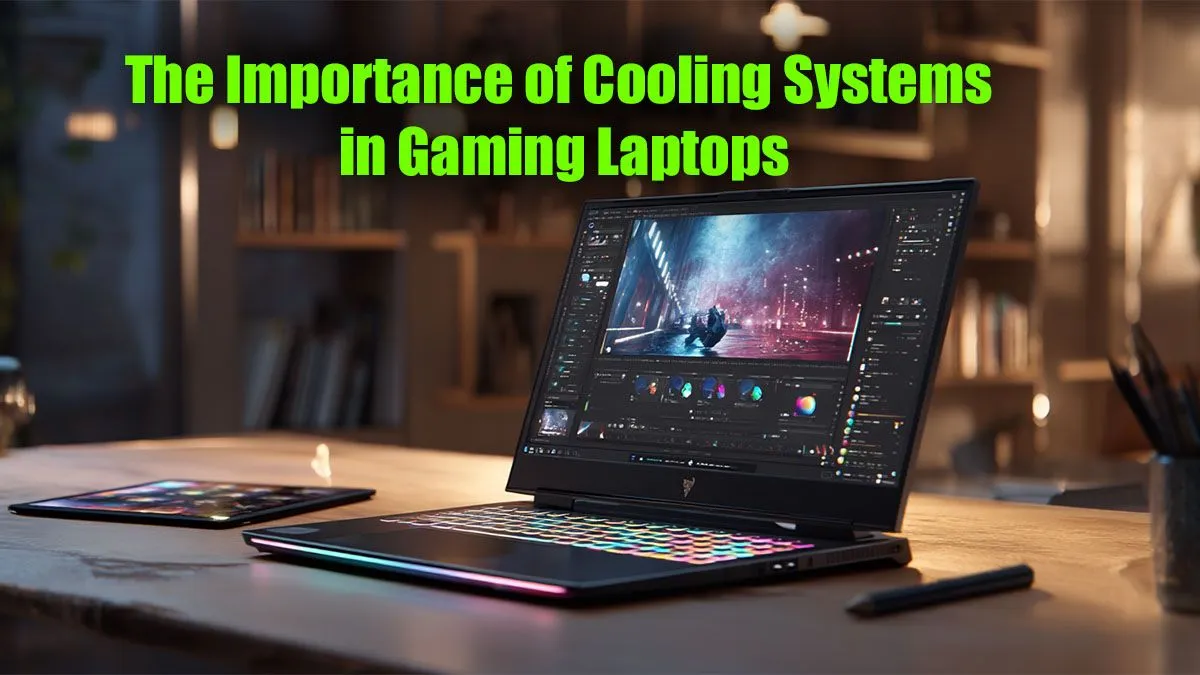
Picture this: you’re in the final moments of a tense match, victory is in sight… and suddenly your frame rate plummets. Your laptop sounds like a jet engine, and the WASD keys are scorching hot. The culprit? Not your GPU, but an overwhelmed gaming laptop cooling system. In South Africa's often warm climate, understanding your laptop's thermals isn't just a "nice-to-have"—it's absolutely essential for unlocking peak performance and ensuring your hardware lasts.
At the heart of every gaming laptop is a powerful CPU and GPU, both generating immense heat. When that heat isn't managed effectively, your laptop engages a self-preservation mechanism called "thermal throttling." In simple terms, your components intentionally slow down to prevent damage from overheating. The result? Stuttering, lag, and a frustrating drop in FPS, right when you need performance the most.
A sophisticated gaming laptop cooling system is the crucial barrier between you and thermal throttling. It ensures your high-end components can run at their boosted clock speeds for longer, delivering the smooth, immersive experience you paid for. It’s the secret sauce that makes the hardware shine, especially when you're looking at the best gaming laptop deals on the market.
Not all cooling solutions are created equal. Modern gaming laptops use a combination of advanced components to wage war against heat.
It starts with high-speed fans. Manufacturers spend millions on research to develop fan blades that move more air with less noise. This is paired with strategically placed intake and exhaust vents to create a clear airflow path, pulling cool air in and blasting hot air out.
These are the superhighways for heat. Copper heat pipes contain a small amount of liquid that evaporates when it gets hot (near the CPU/GPU), travels down the pipe as vapour, and condenses back into liquid at the cooler end (near the fans), releasing its heat. Vapour chambers are a more advanced version of this, offering a larger surface area to dissipate heat even more efficiently on top-tier models.
The tiny, imperfect gaps between your CPU/GPU and the heatsink are filled with a TIM, like thermal paste or liquid metal. Liquid metal offers superior thermal conductivity but is typically found in more premium machines. A good TIM ensures the most efficient heat transfer possible.
Even the best gaming laptop cooling system needs a little help from its owner. A few simple habits can make a massive difference to your temperatures and performance. Keeping your machine's vents clean and unobstructed is priority number one.
Never game on a soft surface like a bed or a couch! It blocks the crucial air intake vents underneath your laptop, causing it to suffocate and overheat. For a quick and cheap fix, prop the back of your laptop up on a book to immediately improve airflow. For a more permanent solution, a dedicated cooling stand is a great investment.
Beyond physical placement, most gaming laptops come with software that lets you control fan profiles. Don't be afraid to switch to a "Performance" or "Turbo" mode when gaming to ramp up the fans. These principles of thermal management are just as vital in other high-performance machines, like the powerful workstation laptops used for 3D rendering and complex simulations.
When you're ready to upgrade, don't just look at the CPU and GPU specs. Dig a little deeper. Manufacturers often give their cooling technologies specific names like "Cooler Boost," "Vapor Chamber Cooling," or "Anti-Dust Tunnels." These aren't just marketing fluff; they indicate a genuine focus on thermal performance.
Always check independent reviews that show temperature readings under load. A laptop that stays cooler will perform better and last longer. As you browse the latest laptop specials for sale in South Africa, keep an eye on the specs sheet for details on the cooling design. It’s as important as the graphics card itself.
Ready to Game Without the Thermal Throttle? Overheating kills performance. A superior gaming laptop cooling system is your ticket to smooth, high-FPS gameplay. Don't let lag ruin your match. Explore our range of expertly cooled gaming laptops and find a machine that keeps its cool under pressure.
Proper cooling is vital to prevent thermal throttling, where the CPU and GPU automatically slow down to avoid overheating. A good system ensures consistent high performance.
You can improve gaming laptop cooling by cleaning fans and vents, reapplying quality thermal paste, using a cooling pad, and ensuring adequate airflow around the device.
Yes, cooling pads can be effective. They increase airflow to the laptop's intake vents, helping to lower internal temperatures and reduce the risk of thermal throttling.
Thermal throttling is a safety feature where a laptop's processor or graphics card reduces its speed to lower heat output, preventing damage but causing performance drops.
Vapor chambers generally offer superior heat dissipation over a larger surface area compared to traditional heat pipes, making them more effective in high-performance laptops.
For optimal performance, you should clean your gaming laptop's fans and vents every 6 to 12 months to remove dust buildup that restricts airflow and causes overheating.
Setting Up AIO Liquid 420mm. Tested & verified settings for best FPS and visual quality on SA hardware budgets.
Read more
Intel XTU Download & Setup Guide: Intel CPU. Clear setup instructions with SA-specific considerations, troubleshooting tips & recommended components.
Read more
Cyberpunk 2077 Max Settings on RTX 4090. Tested & verified settings for best FPS and visual quality on SA hardware budgets.
Read more
The Complete Guide to GPU. Everything you need to know with SA pricing, step-by-step instructions & expert recommendations.
Read more
NVCleanstall Download & Setup Guide: NVIDIA. Clear setup instructions with SA-specific considerations, troubleshooting tips & recommended components.
Read more
to Driver Installation for Beginners. Everything you need to know with SA pricing, step-by-step instructions & expert recommendations.
Read more
AMD RX 9050 XT: Rumoured Specs, Price & Release. SA-focused analysis with local pricing data, real-world insights & actionable buying advice.

Can RTX 4080 Super Run AI Workloads for SA Developers Detailed answer with SA data, expert analysis & practical recommendations for local buyers.

Can RTX 4090 Run AI Workloads for SA Developers Detailed answer with SA data, expert analysis & practical recommendations for local buyers.

Top Settings for Intel Arc B580 at Ultrawide 1440p picks evaluated on performance, value & SA availability with current Rand pricing from Evetech.

RTX 4060 CS2 Low Settings at 1080p: FPS Results. Real-world benchmark data, FPS numbers & performance analysis. What SA gamers can actually expect.

Visual Artifacts: Possible GPU Issue Issue #1. Diagnosis steps, proven fixes & when to seek professional help. SA-specific support info included.

Can the RTX 4090 Handle 1440p 144Hz Gaming. Performance testing verdict with real data & practical recommendations for SA buyers.

Top ASUS GPU Under R15000 picks evaluated on performance, value & SA availability with current Rand pricing from Evetech.

GTA 6 Max Settings on RTX 5070. Tested & verified settings for best FPS and visual quality on SA hardware budgets.

Cyberpunk 2077 Max Settings on RTX 5080. Tested & verified settings for best FPS and visual quality on SA hardware budgets.

Starfield Max Settings on RTX 5070 Ti. Tested & verified settings for best FPS and visual quality on SA hardware budgets.

Top RTX 5090 Under R5000 picks evaluated on performance, value & SA availability with current Rand pricing from Evetech.