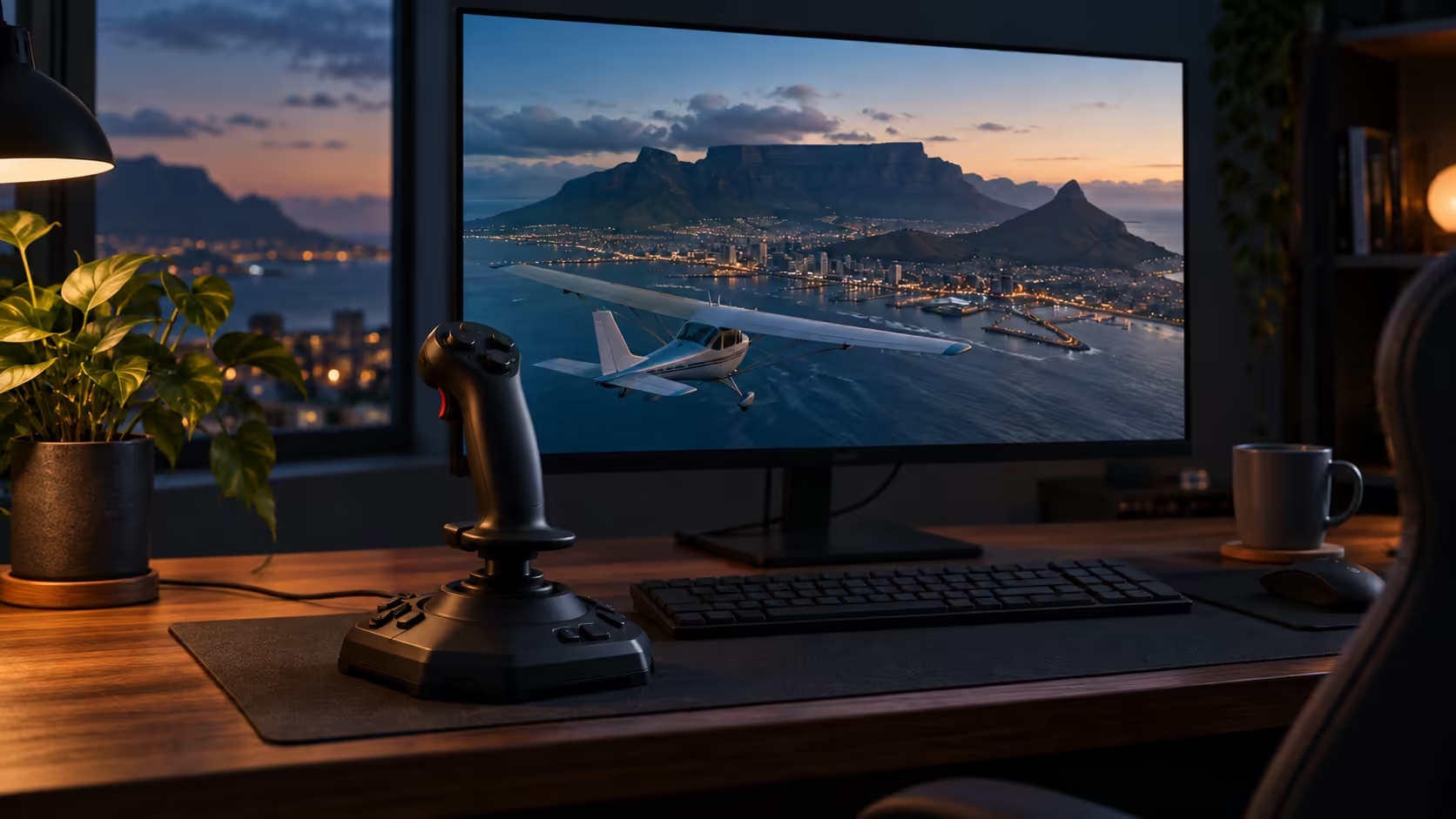
Zoom into Table Mountain in Google Earth and the same app can put you in a jet, flying low over the real terrain below. The google earth flight simulator is easy to miss, so this guide covers how to open it, what it can and cannot do, and where proper flying hardware fits in once a scenic flight is no longer enough.
Quick Answer
Open Google Earth Pro on a Windows PC and press Ctrl+Alt+A to fly an F-16 or a Cirrus SR22 over real terrain. The desktop app is free, and keyboard flying over Table Mountain makes a fun taster. A USB stick such as the R3,999 Turtle Beach VelocityOne Flightstick is where proper sims begin.
🌍 Finding the hidden simulator
The flight simulator lives only in the free Google Earth Pro desktop app for Windows and macOS. The browser version of Google Earth does not include it, so if you are working in a browser tab, download the desktop app first. Once Google Earth Pro is open, press Ctrl+Alt+A on Windows or Cmd+Option+A on a Mac. You can also open the Tools menu and choose Enter Flight Simulator to get the same result.
The flight starts from whatever you are looking at on the map, so pan to your chosen spot before you launch. Table Mountain, the Drakensberg, Durban's beachfront and the Highveld all make good starting points because the terrain changes so much from one to the next. The start window also has a joystick option, so you can select a stick there once one is connected to your PC. The flight simulation components range covers the sticks and yokes if you decide to go further.
Keyboard flying needs no extra kit at all, so the free version is a quick way to find out whether flying interests you before you spend anything.
🛫 Choosing between the F-16 and the SR22
The simulator offers two aircraft: the F-16 fighter jet and the Cirrus SR22, a single-engine propeller plane. The SR22 is the better pick when you are new, because it is easier to learn on than the jet. Its slower speed also gives you more time to read the terrain and work out where you are.
Start over Table Mountain in the SR22, since its flat top is an obvious landmark from the air. Then head to the Drakensberg, where the peaks and valleys give you ridgelines to steer around. Each peak forces a small correction, so the range is the best place to practice gentle banks. Once you can hold a steady path, try the F-16 for a faster run over Durban's beachfront. The jet covers ground much more quickly, so keep an eye on your position on the map as the scenery changes. To move on to a new landmark, use the Exit Flight Simulator button, pan the map there, then press Ctrl+Alt+A again.
The Highveld suits the jet as well, since its wide, open terrain gives you long straight runs for getting a feel for speed.
Expect the first few minutes to feel slow. Holding a level course in a propeller plane is harder than it looks, and that is exactly the practice the SR22 gives you. Keep your movements small, because a propeller plane answers slowly and overcorrecting is the quickest way to lose your bearings.
🎮 What the free sim leaves out, and where a stick fits
The Google Earth flight is a scenic taster, not a training tool. It has no airports, no air traffic, no weather and no cockpit instruments the way a full flight sim does. You fly by sight over the map, which is the fun part, but the limits show up quickly once you want real practice.
A joystick changes that feel. A stick gives you pitch and roll in one movement, so banking over Table Mountain becomes a single smooth motion rather than a series of key presses. A throttle controls engine power separately, which is why several of the setups below include one.
A stick for a small room
A desk-clamped stick suits a small flat or a shared room, where a full yoke and pedal set would crowd the desk. The Turtle Beach VelocityOne Flightstick costs R3,999 and is the lowest-priced standalone stick of the setups in this guide, which makes it a first step for a teen curious about flying. Measure the desk before you buy any of the bigger setups below, because a yoke and pedals need far more room than a single stick. For the wider sim range beyond flight, see the simulation gear page.
Bigger setups for a dedicated corner
Prices on Evetech at the time of writing start at R2,999 for the Logitech G Saitek Pro Flight Yoke System, which pairs a yoke with a throttle quadrant, and reach R8,999 for the Turtle Beach VelocityOne Flight Universal Control System, which puts the yoke and throttle in one unit. The Logitech G Saitek Pro Flight Rudder Pedals cost R2,999, and the Logitech G X56 HOTAS, a throttle and stick combination, costs R4,639.
A yoke feels closer to a real cockpit, with a column you pull and push, while a flight stick is smaller and easier to fit into a corner. Rudder pedals handle yaw, the nose-left and nose-right movement that a stick cannot reach. Without them, the stick covers pitch and roll, and turns come from banking.
If you are building a dedicated corner, the flight simulator gear range is the place to compare yokes, pedals and sticks together. Start with the stick, add pedals once you know you want more, and move to a full yoke and throttle only when the desk space and budget allow it.
Frequently Asked Questions
Can I fly the Google Earth simulator in a browser?
No. It only lives in the free Google Earth Pro desktop app for Windows and macOS, so the browser version of Google Earth does not include it.
Which keyboard shortcut starts the flight?
Press Ctrl+Alt+A on Windows or Cmd+Option+A on a Mac. The Tools menu also has an Enter Flight Simulator option that does the same job.
Which aircraft should a beginner fly first?
Start with the Cirrus SR22, a single-engine propeller plane that is easier to learn on than the F-16 jet. Move to the F-16 once you want a faster aircraft.
Does the free flight include airports or weather?
No. It has no airports, air traffic, weather or cockpit instruments, so it works best as a scenic flight rather than practice for a full sim.
Where does the flight begin?
The flight starts from your current map view, so move the map to Table Mountain, the Drakensberg, Durban's beachfront or the Highveld before you press the shortcut.
Which stick should I buy first?
The R3,999 Turtle Beach VelocityOne Flightstick is the lowest-priced standalone stick covered in this guide, and it is a practical first step if you want to fly with real hardware rather than the keyboard.
Do I need a joystick to fly?
No. Keyboard flying works straight away in the free app, and a stick is an upgrade rather than a requirement.
Ready to take the controls?
Browse Evetech's flight simulation gear, from a single R3,999 stick up to a full yoke and throttle setup for a dedicated corner.