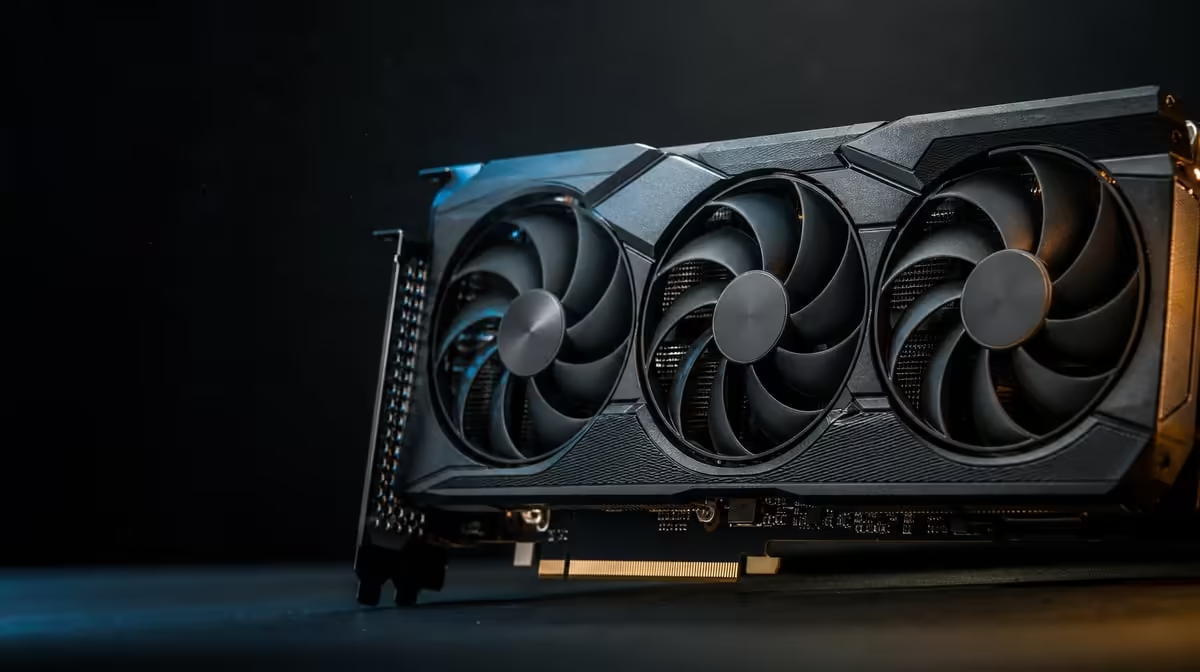
AI creation is not one operation, and a large acceleration figure is not one universal result. GPU features that matter for AI content creation begin with application support, then include model fit, sustained cooling, data movement and the surrounding workstation.
Quick Answer
For R73,599, the ASUS TUF RTX 5090 combines 3352 AI TOPs with 32GB GDDR7. Those resources matter when a named AI tool uses the processing path and its working set benefits from the memory; they cannot predict generation time or remove every external bottleneck.
🤖 Start with the application, not the GPU
Name the exact content job: local image generation, video processing, model inference, assisted editing or another repeatable feature. Each can use different operations and distribute work across the computer differently.
Check whether the installed application version supports acceleration on the intended hardware. Read its developer guidance, choose a supported model and confirm that the relevant feature is actually using the GPU during a run. An AI label in a menu is not proof of sustained graphics processing.
Precision and model design affect how a TOPs figure should be understood. The RTX 5090's 3352 AI TOPs is a theoretical processing metric under defined conditions. It cannot be converted directly into seconds per image without software and workload context.
Save a representative input and settings. Record model, precision, output dimensions, step count or other relevant controls. Consistency matters because reducing quality to create a faster result does not demonstrate the same job improving.
Document the software environment too. Application builds, extensions and model revisions can alter both performance and output. A comparison made months later needs enough context to explain whether hardware or software changed.
Separate interactive and batch needs. A creator adjusting prompts or masks may value quick feedback, while an overnight batch prioritises completion reliability and throughput. The same GPU can be assessed differently for those two schedules.
Explore Evetech's ASUS graphics-card range only after the application and test case are fixed.
🧠 Distinguish model room from computation
The 32GB GDDR7 pool offers space for working data on the graphics card. A larger model or complex project may need that room, but capacity does not perform the AI operations by itself.
Observe the model's behaviour. Does it fit fully, require reduced settings, move data between host and GPU or fail at a particular size? The application decides what happens under memory pressure, so do not assume a standard response.
Allocation readings should be paired with results. Some software reserves memory ahead of immediate need. Note whether extra capacity changes model size, output quality, completion reliability or the ability to keep other creative tools open.
Host resources still matter. System memory may hold project data, storage must deliver files and the processor can prepare or coordinate work. A GPU upgrade can reveal a delay elsewhere rather than making every stage disappear.
Data organisation affects practical throughput. Keep models and project assets in known locations, remove broken references from the test and time any loading stage that belongs to the working routine. A fast generation step can be hidden by slow preparation.
PCIe 5.0 identifies this card's host interface. It may support capable data movement on a compatible platform, but it is not a substitute for enough system RAM, responsive storage or suitable software.
Compare complete options in Evetech's NVIDIA graphics-card category, scoring memory and AI processing independently.
🌡️ Design for long creator sessions
AI jobs can hold the GPU active for extended periods. The ASUS TUF model names the vapor-spreading chamber with axial-tech fans, which spread heat and move air through the card. The case then has to exchange that warmed air with the room.
Confirm chassis clearance and documented power requirements before purchase. Route cables safely, keep intakes unobstructed and check that existing exhaust paths suit a sustained workload. Premium on-card cooling cannot repair a sealed environment.
Test a short job and a production-length job. Record elapsed time, consistency, fan behaviour and whether performance changes as the system warms. A one-minute demonstration may not reveal how a long batch behaves.
Room conditions are part of the comparison. Note whether the run occurred in a cool morning or warm afternoon rather than treating temperature as a fixed property of the card.
The protective PCB coating is a named design feature, but it does not cool the GPU or increase AI speed. Keep durability context separate from performance claims.
Plan interruptions and recovery. Save projects before a long batch, know where outputs are written and verify that a failed item can be resumed without repeating the entire queue. Hardware performance matters more when the workflow protects completed work.
Dual HDMI 2.1b beside a trio of DisplayPort 2.1b outputs connectors can support a creator desk with timeline, preview or reference panels. Map monitor inputs and intended modes; five physical sockets do not guarantee every five-screen arrangement.
🧪 Measure the whole content pipeline
Build a repeatable benchmark from real work. Begin the timer when the user begins the operation and stop when the usable output is ready, including any data preparation or transfer that forms part of the routine.
Capture output correctness. For image or video work, compare dimensions, quality controls and model settings. For a local model, preserve context and precision. A faster but materially different output is not equivalent.
Run the test several times. File caches, background activity and thermal state can change a single result. Record the median, failed attempts and the spread between runs instead of selecting the best number.
Watch the other resources while testing. High CPU use, full system memory or sustained storage activity can identify the next constraint. The answer may be a balanced system change rather than a more expensive GPU.
At R73,599, the RTX 5090 is easiest to justify when AI content work is frequent, supported and large enough to use its processing and memory together. Occasional experimentation offers a different value equation.
Add ergonomics to the review. Multi-display routing, noise at the normal seat and the ability to keep editing during processing affect the workday even when they do not improve the AI metric.
Create a small acceptance sheet for the new system: the model fits, the expected output is correct, repeated runs stay consistent and the normal editing environment remains responsive enough. Passing those checks is more informative than celebrating one record run.
Use Evetech's GPU best-seller range as a final reference and check current availability after your test plan identifies the resources that matter.
Frequently Asked Questions
Why does application support come before the AI metric?
Without a compatible acceleration path, the software may direct little or none of the intended processing to the GPU.
What does 32GB of GDDR7 add to an AI workflow?
It provides room for models and working data when the application can place them in graphics memory.
Can 3352 AI TOPs predict generation time by itself?
No. Model, precision, software path, settings and host bottlenecks all influence elapsed time.
Why does cooling matter for AI content creation?
Long jobs can sustain GPU activity, requiring the card cooler and chassis airflow to handle heat consistently.
Which display connections suit a creator workstation?
The card provides dual HDMI 2.1b beside a trio of DisplayPort 2.1b outputs routes for compatible monitors.
Does a powerful AI GPU eliminate every workflow bottleneck?
No. CPU preparation, system memory, storage, data transfer and software can still limit the complete job.
How should a creator evaluate this GPU before purchase?
Run or research the exact application, model and project size, then compare complete-job results at the required output quality.
Building an AI content workstation around real work?
Fix one production test, compare Evetech graphics cards by supported processing and model fit, and budget for the system that completes the whole pipeline reliably.