The Gamer's Dilemma: Blurry Text in a High-Stakes World
Meet Thabo, a dedicated Apex Legends player from Pretoria. Like many South African gamers, he thrives on fast-paced action and crystal-clear visuals. But Thabo had a nagging problem: whenever he dropped his in-game resolution to boost frame rates, the on-screen text and UI elements would become noticeably blurry. This wasn't just a minor annoyance; it often made crucial information hard to read in the heat of battle, impacting his performance and enjoyment. He knew the difference between GPU scaling and monitor scaling, but couldn't quite nail down the settings for optimal text sharpness. His challenge was clear: achieve smooth frames without sacrificing visual clarity.
Evetech's Precision Display Solutions ✨
Thabo initially experimented with his existing setup, trying various in-game and driver settings. He learnt that GPU scaling renders the game at a lower resolution and then upscales it using the graphics card, sending a native resolution signal to the monitor. Monitor scaling, conversely, sends a lower-resolution signal directly to the monitor, letting the display's internal scaler chip handle the upscaling. Each method handles text and UI elements differently, often resulting in varying degrees of blur. Thabo's older monitor simply wasn't up to the task.
He turned to Evetech, renowned for their expertise in high-performance hardware, searching for a display that could intelligently handle scaling without compromising text sharpness. He specifically explored Evetech's range of PC monitors, focusing on models known for superior scaling capabilities and picture quality.
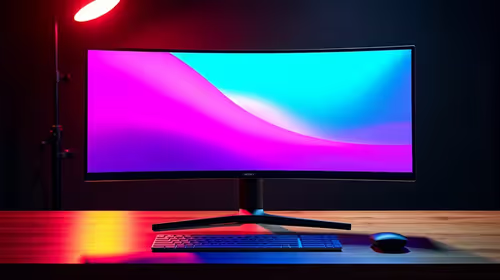
His solution began with upgrading to a high-refresh-rate Evetech display, specifically one of the latest gaming monitors with advanced scaler chips. He understood that a monitor designed for gaming often features more sophisticated hardware for handling non-native resolutions gracefully. This targeted approach allowed him to leverage the monitor's dedicated processing power, offloading the upscaling from his GPU and ensuring a crisper image.
Thabo also considered the resolution. While his budget didn't stretch to a full 5K or 4K monitor this time, he made a mental note for future upgrades, knowing higher pixel density inherently contributes to sharper text. He also briefly looked at the immersive experience offered by curved monitors, though his priority remained text clarity.
Implementation: Dialling In Display Perfection 🔧
With his new monitor from Evetech, Thabo embarked on a testing phase.
- Monitor Selection: He chose a 1440p 165Hz monitor, striking a balance between resolution and refresh rate for competitive play.
- Driver Settings: He configured his GPU driver (NVIDIA Control Panel) to "Perform scaling on: Display" – this forced the monitor's built-in scaler to do the work.
- In-Game Resolution: He then tested various lower resolutions within Apex Legends, such as 1920x1080, while maintaining his monitor's native 2560x1440 resolution.
- Fine-Tuning: He experimented with "sharpening" filters within his GPU drivers, a subtle tweak to enhance perceived clarity without introducing artifacts.
- Optimised Workspace: Thabo also picked up some practical monitor accessories to improve ergonomics and positioning, including a monitor arm. He even considered a portable monitor for his coding work, valuing the crisp text for productivity.
Mastering Scaling for Sharpness
For the absolute sharpest text, always aim to run games and your desktop at your monitor's native resolution. If you must scale, try "Display Scaling" in your GPU drivers to let your monitor's dedicated scaler handle the upscaling; often, it does a better job with text than your GPU.
Results: A Visual Victory 🚀
The impact was immediate and substantial. By correctly utilising his new monitor's superior scaling capabilities, Thabo experienced a dramatic improvement in text sharpness and overall UI clarity. His frame rates remained high, but now, crucial in-game information was perfectly legible.
| Feature |
Before Evetech Monitor Upgrade |
After Evetech Monitor Upgrade |
| Text Sharpness |
Noticeably blurry |
Crystal clear |
| UI Clarity |
Fuzzy, hard to distinguish |
Crisp, easy to read |
| Gaming Immersion |
Interrupted by visual artifacts |
Seamless, focused gameplay |
| Competitive Edge |
Hindered by unclear info |
Enhanced by precise visuals |
Thabo could now comfortably drop his in-game resolution from 1440p to 1080p, gaining a significant FPS boost, without the dreaded blur. This allowed him to maintain a competitive edge, reacting faster and making more informed decisions. He even snagged some fantastic savings thanks to Evetech's best PC monitor deals, making his upgrade even sweeter.
“Switching to an Evetech monitor and understanding how to properly use monitor scaling was a game-changer for me. No more squinting at kill feeds or blurry weapon stats. It’s like seeing my games for the first time… truly next level!” – Thabo, Apex Legends Player
Upgrade Your Visuals. Dominate Your Game.
Don't let blurry text or fuzzy UIs hold you back. Discover the perfect display to elevate your gaming and productivity. Shop PC monitors at Evetech today and experience the clarity you deserve.