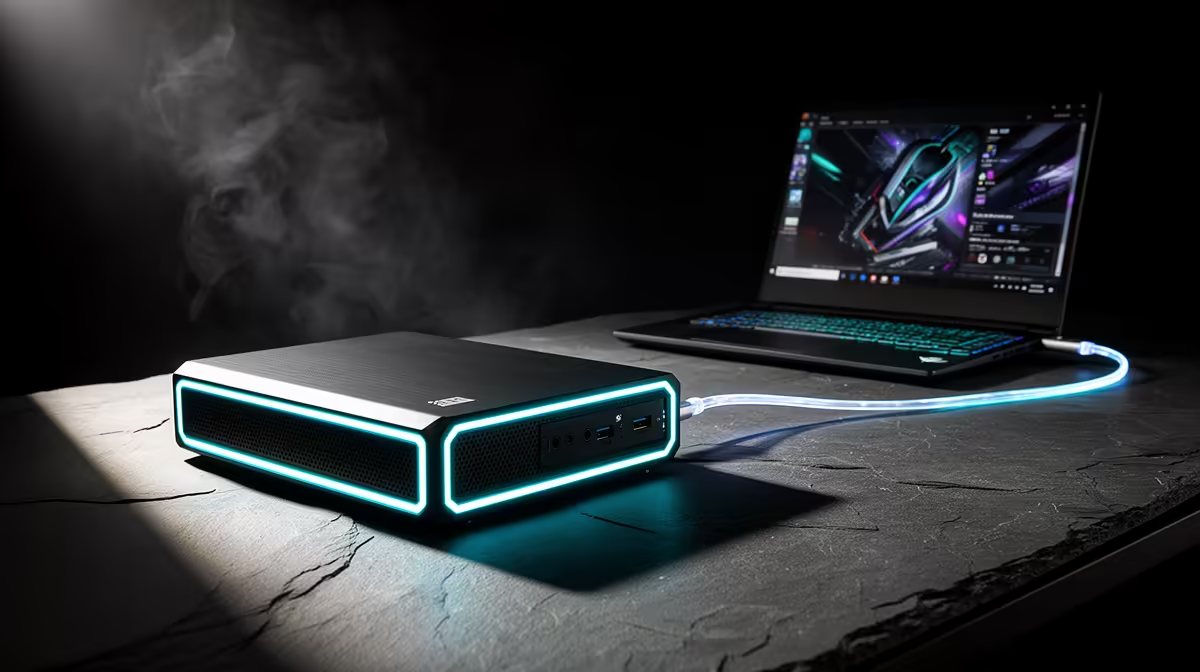
Running a capable language model on your own machine comes down to one hard limit: video memory. A laptop with 8GB of shared graphics memory hits a wall fast, and integrated graphics simply cannot hold a useful model. An external GPU enclosure sidesteps that ceiling entirely by bolting a full desktop graphics card, and all of its dedicated VRAM, onto a laptop you already own. Suddenly a thin notebook can load models that would never fit on its internal hardware.
Quick Answer
An eGPU enclosure connects a desktop GPU to your laptop over OCuLink or Thunderbolt 5, giving you that card's full VRAM for local inference. A 16GB card lets you comfortably run quantised models in the 13B to 14B class, and once the model is loaded into VRAM, OCuLink loses only about 2 to 3 percent of native speed while Thunderbolt sits closer to 15 percent.
Why VRAM is the real bottleneck for local models
Local inference is memory-bound before it is compute-bound. A model has to fit into the GPU's VRAM in full, or the overflow drains into system RAM and the generation grinds along at a fraction of native speed. This is why an 8GB laptop GPU struggles with anything beyond small 7B models at aggressive quantisation, while a 16GB or 24GB desktop card opens up a far larger menu.
The numbers are blunt. At 4-bit quantisation, a 7B model occupies roughly 5 to 6GB of VRAM. A 13B model wants around 9 to 11GB. Step up to a 30B-class model and you are looking at 18GB or more. Your enclosure does not add compute to the laptop in a vague sense. It adds a specific, countable pool of VRAM, and that pool decides which models you can actually run.
OCuLink versus Thunderbolt 5: the connection decides your speed
The cable matters more than people expect. Once a model is fully resident in VRAM, the connection only carries prompts and results, so bandwidth penalties shrink. But during loading, and for any work that streams data back and forth, the link shows its character.
OCuLink: near-desktop speed, limited compatibility
OCuLink exposes native PCIe 4.0 x4 with very little protocol overhead, delivering around 64 Gbps and an inference penalty of just 2 to 3 percent versus a card plugged straight into a desktop board. The catch is availability. OCuLink ports are rare on laptops, appearing mostly on a handful of mini PCs and gaming notebooks. If your machine has one, it is the fastest path. If it does not, you cannot add one easily.
Thunderbolt 5: broad compatibility, a modest tax
Thunderbolt 5 pushes up to 80 Gbps, roughly 63 Gbps effective, which lands close to PCIe 4.0 x4 territory. Real-world inference penalties sit around 15 percent once a model loads, which is perfectly usable for everyday local AI. The big advantage is reach. Thunderbolt 5 is appearing across new premium laptops, and it is hot-pluggable, so you dock and undock cleanly. For most buyers, Thunderbolt 5 is the realistic choice.
What to look for in an enclosure
Check three things before you buy. First, power: confirm the internal supply can feed your chosen card under sustained load, since inference holds the GPU busy for long stretches. Second, physical clearance, because larger 16GB and 24GB cards need a chassis that takes longer, taller boards. Third, cooling, since an enclosure that throttles defeats the point.
Match the card to your VRAM target rather than chasing raw gaming benchmarks. A 16GB card is the sweet spot for most local-LLM hobbyists in South Africa, giving room for 13B to 14B models with comfortable context windows. If you are building toward a more serious local-AI setup, the dedicated AI-focused PCs and components range covers the cards and platforms that suit inference work, and the systems in Evetech's best-selling PC line-up show what the same money buys as a full desktop instead.
Empty enclosure versus bundled card
You have two routes. An empty enclosure lets you choose and fit your own card, which usually gives the best VRAM-per-Rand and lets you reuse a card you already own. The trade-off is the responsibility of matching power, clearance and cooling yourself. A bundled box ships with a card pre-installed and factory-matched, removing that homework at a price premium. For a first build where you would rather not gamble on compatibility, bundled is reassuring. For maximum value or an existing card, empty wins.
Setting it up and what can trip you up
Getting an eGPU running is usually straightforward, but a few details matter. Install the GPU's drivers fresh, and on some laptops you may need to confirm in the system settings or vendor utility that the external GPU is recognised as the active compute device rather than the integrated graphics. Your inference software then needs pointing at that GPU so it loads the model into the external card's VRAM rather than system memory.
The most common disappointment is bandwidth-bound loading. A large model takes time to copy into VRAM over the link, and that copy is where you feel the connection's limits most. Once it is loaded, generation speed is close to native, so judge the experience on steady-state token output, not on the initial load. Also keep an eye on thermals: an enclosure that throttles a hot card will quietly drop performance during a long session, which undermines the whole point of adding a desktop GPU in the first place.
Who an eGPU actually suits
This setup makes sense if you genuinely value portability and already own a capable laptop with the right port. You get one machine that travels light and, when docked, runs serious local models. It makes less sense if the laptop rarely leaves a desk, because a desktop with the same card avoids the connection tax and the enclosure cost entirely. Be honest about how often you actually move, then decide.
Frequently Asked Questions
How much VRAM do I need for a useful local model?
For comfortable local inference, aim for at least 16GB. That handles quantised 13B to 14B models with a healthy context window. With 8GB you are limited to small 7B models, and 24GB opens the door to larger 30B-class models.
Does the slower eGPU connection hurt model speed?
Less than you would think. Once the model is fully loaded into VRAM, OCuLink loses only 2 to 3 percent of native speed and Thunderbolt around 15 percent. The connection mainly affects loading time and any work that streams data, not steady-state token generation.
Can any laptop use an eGPU for local LLMs?
No. The laptop needs the right port, ideally Thunderbolt 5 for broad compatibility or OCuLink for top speed. Older USB-C ports without Thunderbolt will not carry enough bandwidth, so check your specific model before buying an enclosure.
Is an eGPU cheaper than buying a desktop?
Usually not, once you add the enclosure to the card. The eGPU wins on portability, letting one laptop serve double duty. If the machine lives on a desk, a desktop with the same GPU is faster and better value.
What model sizes can a 16GB card run?
A 16GB card comfortably runs quantised models up to the 13B to 14B class with room for context. You can push toward larger models at heavier quantisation, but quality drops, so 13B to 14B at 4-bit is the practical sweet spot for 16GB.
An external GPU turns a portable laptop into a local-AI workstation without forcing you into a second machine. If that flexibility fits how you work, explore the AI PCs and components at Evetech to plan the card and platform that matches your VRAM goals.