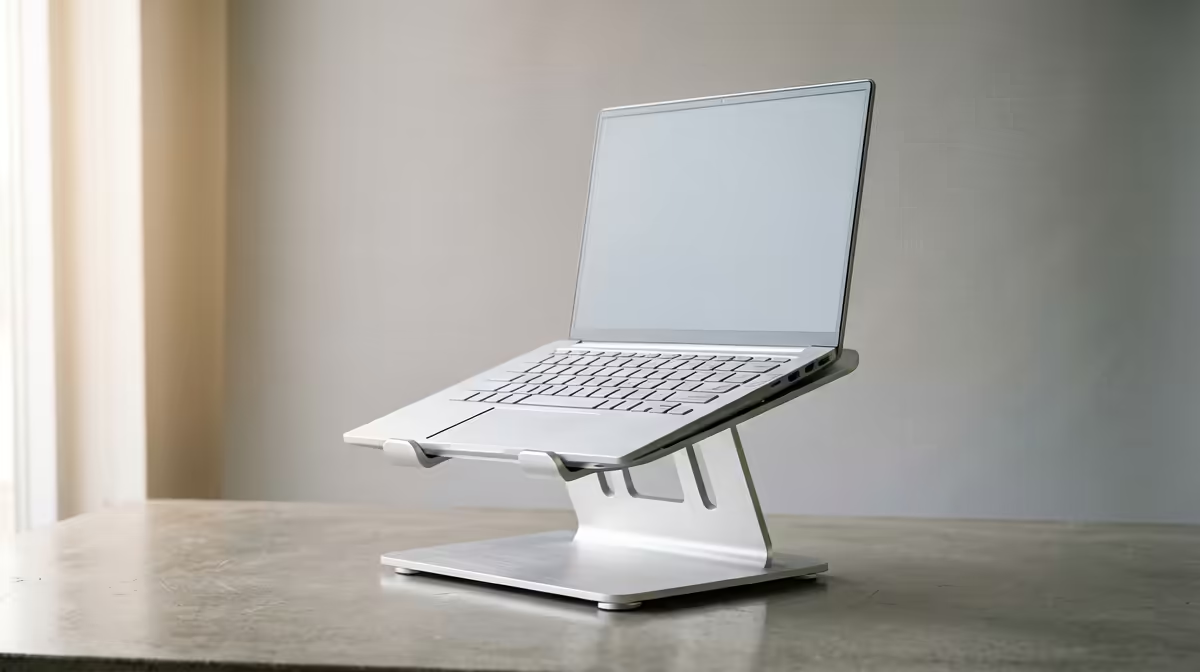
Spend a few hours hunched over a laptop and your neck files a complaint long before your eyes do. The screen sits low, so you tilt your head down, and that small angle held for hours is what turns into the dull ache by mid afternoon. A laptop riser fixes the root cause by lifting the display toward eye level, but it changes how you have to type, and choosing the right one means understanding that trade off before you spend. For hybrid workers splitting time between office and home, the right stand is a small purchase that solves a daily problem.
Quick Answer
A laptop riser lifts your screen to near eye level so you stop craning your neck, but it pushes the built in keyboard up to an awkward typing height, so you will need an external keyboard and mouse with it. A foldable aluminium riser is the most practical pick for SA hybrid setups: it travels in a laptop bag, costs far less than a second monitor, and supports laptops up to around 10kg.
What a riser actually does, and what it asks of you
The point of a riser is ergonomic. When the top of your screen sits at roughly eye level, your head stays balanced over your spine instead of dropping forward, and the neck and shoulder strain that builds through a long day eases off. That alone is reason enough for most people who work on a laptop for hours.
The catch is the keyboard. Lift the laptop and you lift its built in keyboard with it, to a height where typing for any length of time strains your wrists and shoulders. So a riser is really half of a setup: the stand handles your eyes, and a separate keyboard and mouse handle your hands at desk level. Plan for both from the start, or the neck relief you gain you simply trade for wrist fatigue.
Materials and what they mean for you
Most quality risers are aluminium alloy, and there is a real reason beyond looks. Aluminium is rigid, so the stand does not flex or wobble under a heavy laptop, and it conducts heat, so a vented aluminium base helps pull warmth away from the underside of the machine during long sessions. Cheaper plastic stands can sag or feel unstable once a 16 inch laptop is loaded on top.
Fixed risers versus adjustable stands
Fixed height risers hold one angle and elevation. They are sturdy, simple, and usually cheaper, and they suit a permanent desk where you set it once. Adjustable stands offer multiple angle and height positions, often a wide spread of tilt steps and elevation up to roughly 30cm, which lets you dial in eye level precisely and switch between typing and presenting angles. If your desk and chair are not perfectly sized to you, adjustability is worth paying for.
Foldable and portable picks
For anyone moving between an office desk and a home setup, a foldable aluminium riser is the standout. These collapse flat, often to around 27cm by 22cm and under 2cm thick, so they slip into the second compartment of a standard laptop bag. You get eye level posture in both locations without buying two stands. Look for non slip silicone pads and retaining hooks so the laptop does not slide on a smooth desk.
Height, weight and stability checklist
Three numbers decide whether a stand fits your life:
- Height range. You want the top of the screen near your seated eye level, which for most people sitting at a normal desk lands somewhere around the height of a raised stand. Adjustable models that reach toward 30cm give you room to get it right.
- Weight capacity. A solid stand handles up to about 10kg, which covers everything from a slim ultrabook to a heavy 16 or 17 inch gaming laptop. Check the rating if you run a large machine.
- Footprint and base. A wider, heavier base resists tipping. Non slip pads on the desk side and grippy hooks on the laptop side stop both the stand and the laptop from sliding.
Get those three right and the stand disappears into your workflow, which is exactly what you want from it.
Who needs which type
A student or remote worker on one fixed desk can do well with a simple sturdy riser plus a cheap keyboard and mouse. A hybrid worker who hot desks between locations should go foldable and portable every time. Someone who alternates between focused typing and standing presentations benefits most from a fully adjustable stand. And if you are building a long term home office, pairing the riser with a comfortable chair matters just as much for posture, since screen height only helps if the rest of your seating supports it. The gaming and ergonomic desk range at Evetech covers height-adjustable desk options that complement a laptop stand, and browsing the most popular desk accessories right now is a quick way to round out the workspace around your new screen position.
A riser is one of the cheapest upgrades that genuinely changes how a workday feels. It does not replace a monitor for screen real estate, but for posture it does the job a second screen cannot, and it fits in a bag.
Frequently Asked Questions
Do I really need an external keyboard with a laptop riser?
In nearly all cases, yes. Lifting the screen to eye level also lifts the built in keyboard to a height that strains your wrists, so a separate keyboard and mouse at desk level are what make the setup ergonomic rather than just tall.
Aluminium or plastic, which is better?
Aluminium is the stronger choice for most users. It stays rigid under heavy laptops, resists wobble, and helps dissipate heat through a vented base. Plastic stands cost less but can flex or feel unstable once a large machine sits on them.
How high should the stand lift my screen?
Aim for the top of the display to sit at roughly your seated eye level so your head stays balanced over your spine. Adjustable stands make this easy to fine tune, which is why they suit people whose desk and chair are not a perfect match.
Will a riser fit a large 17 inch gaming laptop?
Most quality stands are rated to around 10kg and accommodate screens up to 17 inches, which covers heavy gaming laptops. Always check the listed weight capacity and supported size before buying if your machine is on the larger end.
Is a riser worth it compared to a second monitor?
For posture, yes, and it costs far less and travels easily. A second monitor gives you more screen space but does nothing portable and does not fix neck angle on the laptop itself. Many people use both: a riser for the laptop and a monitor beside it.
Sorting out your posture for the long haul? Match a laptop riser with a proper desk from the ergonomic desk range at Evetech and build a workspace your neck will thank you for.