


Will A Pcie 5.0 Gpu Work With A Pcie 4.0 Motherboard? Compatibility Guide
Will A Pcie 5.0 Gpu Work With A Pcie 4.0. Hand-picked gift ideas at every budget tier. SA pricing & Evetech availability included.
Read moreEvery spec on RTX 5060 explained in plain English. What matters for gaming and creator work in 2026, what's marketing fluff, and how each number translates to real-world performance.

Building a tiny gaming rig is incredibly satisfying. Yet cramming high-end hardware into a shoebox-sized case brings unique headaches. South African gamers constantly balance airflow, ZAR budgets, and physical space. You might be asking... is a 2.5-slot SFF-ready GPU like the ASUS RTX 5060 compatible with compact PC builds? Let us unpack the dimensions and clearances you need before you buy graphics cards for your next project.
What exactly does 2.5-slot mean? Motherboards use standard spacing for their PCIe slots. A true dual-slot card takes up exactly two of these spaces. A 2.5-slot cooler spills over into that third slot. This extra bulk houses thicker heatsinks and larger fans 🔧.
South African summers can be brutal on PC thermals... so that extra heatsink mass is highly beneficial. While older generations often stuck to strict limits, modern cards need better cooling. If you look back at the history of NVIDIA GeForce GTX graphics cards, you will notice how coolers have swelled over the years. The ASUS RTX 5060 follows this trend to keep temperatures low while gaming.
Compatibility always comes down to your specific chassis. Popular Small Form Factor (SFF) cases handle 3-slot cards quite easily. However, ultra-compact sandwich-style cases might max out at strictly two slots. Always check the maximum GPU thickness in your case manual.
If you are hunting for the best graphics card deals, do not let a great price blind you to physical dimensions. A chassis like the Lian Li Dan A4 is built specifically for thicker cards. Measure twice and buy once to save yourself the hassle. A card that presses directly against the side panel will choke on its own hot air.
Always leave at least 5mm of breathing room between your GPU fans and the case side panel. If your 2.5-slot card sits flush against solid metal or glass, thermal throttling is guaranteed. Opt for vented mesh panels whenever possible to let your components breathe properly.
Fitting the card is only half the battle. You also need to power it and keep it cool. The RTX 5060 series is expected to be incredibly power-efficient. This means you can comfortably run it on a high-quality SFX power supply. Less power draw equals less heat dumped into your tiny chassis 🚀.
Remember that custom sleeved cables can help reduce internal clutter. Less cable mess means fresh air reaches your graphics card much faster. If you prefer avoiding the stress of building it yourself, you can always explore the best gaming PC deals for pre-built SFF options. But for the DIY enthusiast, a 2.5-slot SFF-ready GPU like the ASUS RTX 5060 is compatible with compact PC builds... provided you plan your airflow correctly.
Building small does not mean you have to compromise on frame rates or visual fidelity ✨. The 2.5-slot design strikes a brilliant balance. It offers near-silent operation without requiring a massive mid-tower case taking up your entire desk.
Before you finalise your parts list, browse the latest specials to stretch your budget further. With careful measuring and smart component pairing, your mini rig will easily rival any full-sized desktop.
Ready to Build Your Dream SFF Rig? Finding the perfect balance of size and performance is an art. Whether you need a compact GPU or a complete system, Evetech has you covered with the best prices in South Africa. Explore our massive range of PC components and start building your tiny titan today.
RTX 5060 is available at Evetech.co.za with local SA warranty, Rand pricing and nationwide delivery. Stock and pricing is updated in real time on the product page.
The article breaks down the real-world impact on gaming FPS, creator workflows and everyday responsiveness — not just raw spec numbers.
Only a handful of specs meaningfully change your experience. The guide ranks them by real impact so you spend on what counts.
We cover upgrade headroom, platform longevity and the specific features worth paying extra for if you plan to keep this build for several years.
The article includes a clear generational uplift summary so you can judge whether upgrading from your current hardware is worthwhile.
Will A Pcie 5.0 Gpu Work With A Pcie 4.0. Hand-picked gift ideas at every budget tier. SA pricing & Evetech availability included.
Read more
Streamelements Setup with GPU: Streamer Guide. Clear setup instructions with SA-specific considerations, troubleshooting tips & recommended components.
Read more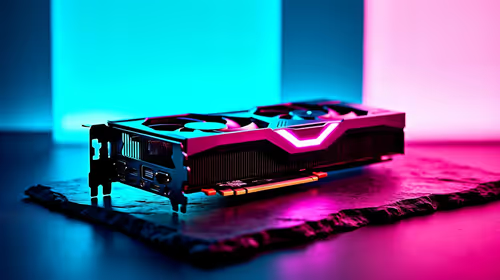
Intel Arc B580 Throttling Under Load: Temperature. Everything you need to know with SA pricing, step-by-step instructions & expert recommendations.
Read more
Complete ATX Case Size Guide: Interior Dimensions. Best deals curated with real SA discounts, price history & tips on getting genuine value.

What GPU Do You Need for AI & Machine Learning. Hardware requirements breakdown with recommended specs & SA pricing for each tier.

Top Settings for RTX 4060 at Ultrawide 1440p picks evaluated on performance, value & SA availability with current Rand pricing from Evetech.

Head-to-head comparison of FreeSync vs G-Sync Explained: Which Should Gamers for SA gamers. Performance benchmarks, Rand pricing & which delivers better value.

Every spec on PCIe 5.0 explained in plain English. What matters for gaming and creator work in 2026, what's marketing fluff, and how each number translates to real-world performance.

Every spec on bios explained in plain English. What matters for gaming and creator work in 2026, what's marketing fluff, and how each number translates to real-world performance.

Every spec on gaming setups explained in plain English. What matters for gaming and creator work in 2026, what's marketing fluff, and how each number translates to real-world performance.

Every spec on cooling systems explained in plain English. What matters for gaming and creator work in 2026, what's marketing fluff, and how each number translates to real-world performance.

Every spec on understanding how much vram is needed explained in plain English. What matters for gaming and creator work in 2026, what's marketing fluff, and how each number translates to real-world.

How to pick the right PCIe 5.0 for your build in 2026: the features worth paying for, ZAR value tiers, and the trade-offs between budget, mid-range and flagship picks.

Every spec on gpu explained in plain English. What matters for gaming and creator work in 2026, what's marketing fluff, and how each number translates to real-world performance.

Every spec on gpu explained in plain English. What matters for gaming and creator work in 2026, what's marketing fluff, and how each number translates to real-world performance for SA buyers.