


Complete Guide: Setting Up AIO Liquid 420mm
Setting Up AIO Liquid 420mm. Tested & verified settings for best FPS and visual quality on SA hardware budgets.
Read moreIs HDR400 real HDR? We break down VESA's entry-level standard for budget gaming monitors. Discover what DisplayHDR 400 actually delivers in brightness and color, and if it's a true upgrade or just a marketing gimmick. 🤔 Get the facts before you buy! 🖥️
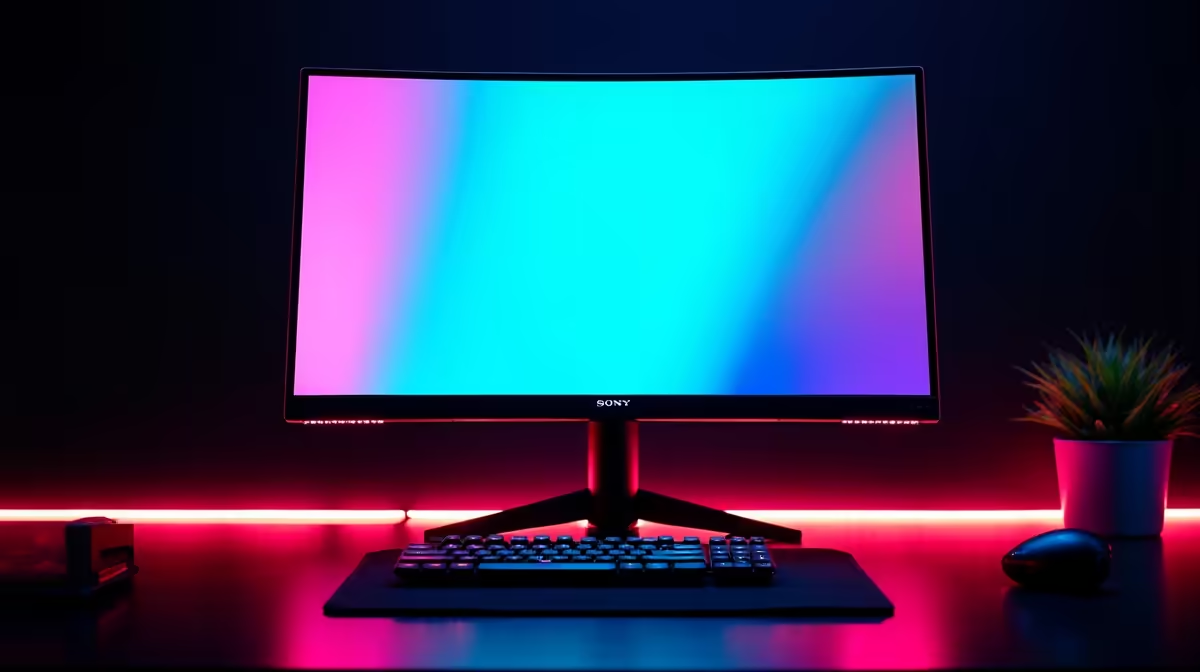
You’re scrolling through monitor deals, and a great price catches your eye. The specs look good… but then you see it: "DisplayHDR 400". Is this the vibrant, jaw-dropping experience you've seen in tech demos, or just a clever marketing sticker? It's a question many South African gamers ask. The story with budget HDR is a bit complicated, but don't worry. We're here to clear up the confusion and help you decide if an HDR400 monitor is right for you.
First, let's quickly define what High Dynamic Range (HDR) is supposed to deliver. In a nutshell, it's about expanding the range of both contrast and colour. Think of exploring the sun-scorched deserts of Mad Max. With proper HDR, the sun feels genuinely bright, explosions have a searing intensity, and the shadows in a dark cave are truly deep and detailed. It’s a technology designed to make visuals more immersive and closer to what the human eye sees in reality. This feature is now common across many modern PC monitors.
To stop brands from just slapping "HDR" on any box, the Video Electronics Standards Association (VESA) created the DisplayHDR certification. It's a tiered system, with the number representing the screen's minimum peak brightness in nits (a measure of light intensity).
The big difference isn't just brightness. Higher tiers also require features like local dimming (which allows parts of the screen to dim for deeper blacks) and a wider colour gamut. This is why premium 5K and 4K monitors with DisplayHDR 1000 can produce such stunning images. ✨
Is HDR400 real HDR? Technically, yes. It meets VESA's minimum standard. But for enthusiasts, it often falls short of the HDR promise. Here’s why:
Essentially, HDR400 offers an enhanced SDR experience. It's a step up, but it's not the revolutionary leap in quality you'd see on a DisplayHDR 600+ screen. When browsing the huge selection of all gaming monitors, it's crucial to look beyond just the HDR sticker.
looking at an HDR400 monitor, check for its 'static contrast ratio' and 'colour gamut' (like % sRGB or % DCI-P3). A higher static contrast (e.g., 3000:1 on a VA panel) and wider colour gamut (>95% sRGB) will still give you a better picture, even with the HDR400 certification. It's about the quality of the panel itself!
Despite its limitations, an HDR400 monitor can be a fantastic choice for the right person. Are you upgrading from an older, dimmer monitor from 5+ years ago? Then yes, you will absolutely notice a pleasant improvement in brightness and colour. It's a great entry point into the world of HDR without needing to spend R10,000 or more.
For many gamers, a responsive panel with a high refresh rate is more important, and if HDR400 is included at a good price, it's a welcome bonus. You can often find incredible value in our best PC monitor deals. A great panel, whether it's on a standard flat screen, one of the immersive curved monitors, or even one of the handy portable monitors for your mobile setup, is always a win.
A great setup also requires the right cables and stands, so don't forget to check out essential monitor accessories to complete your rig. 🤔 Now that you know what to look for, you're ready to make an informed choice.
Ready to See the Difference? Now that you know the truth about DisplayHDR 400, you can shop with confidence. Whether you're after an affordable upgrade or a top-tier HDR beast, we've got the screen for you. Explore our massive range of gaming monitors and find the perfect display for your battlestation.
No, DisplayHDR 400 is VESA's lowest certification. While it offers improvements over SDR, it lacks the peak brightness and wide color gamut of 'true' HDR standards like HDR600 or HDR1000.
For budget gaming, HDR400 can provide a noticeable visual boost over standard SDR displays, offering slightly better contrast and color. However, the impact is subtle compared to higher-tier HDR.
HDR10 is a signal format, while HDR400 is a display certification. An HDR400 monitor can process an HDR10 signal, but it won't have the hardware to display its full potential.
As the name suggests, the VESA DisplayHDR 400 standard requires a monitor to reach a peak brightness of at least 400 nits, which is higher than many standard SDR monitors.
It depends. If the cost increase is minimal, it's a nice-to-have feature for a slightly better picture. But don't choose a monitor based on the HDR400 spec alone.
Many experts consider VESA DisplayHDR 600, with its higher 600-nit peak brightness and local dimming requirements, to be the entry point for a meaningful 'real HDR' experience.
Setting Up AIO Liquid 420mm. Tested & verified settings for best FPS and visual quality on SA hardware budgets.
Read more
Intel XTU Download & Setup Guide: Intel CPU. Clear setup instructions with SA-specific considerations, troubleshooting tips & recommended components.
Read more
Cyberpunk 2077 Max Settings on RTX 4090. Tested & verified settings for best FPS and visual quality on SA hardware budgets.
Read more
The Complete Guide to GPU. Everything you need to know with SA pricing, step-by-step instructions & expert recommendations.
Read more
NVCleanstall Download & Setup Guide: NVIDIA. Clear setup instructions with SA-specific considerations, troubleshooting tips & recommended components.
Read more
to Driver Installation for Beginners. Everything you need to know with SA pricing, step-by-step instructions & expert recommendations.
Read more
AMD RX 9050 XT: Rumoured Specs, Price & Release. SA-focused analysis with local pricing data, real-world insights & actionable buying advice.

Can RTX 4080 Super Run AI Workloads for SA Developers Detailed answer with SA data, expert analysis & practical recommendations for local buyers.

Can RTX 4090 Run AI Workloads for SA Developers Detailed answer with SA data, expert analysis & practical recommendations for local buyers.

Top Settings for Intel Arc B580 at Ultrawide 1440p picks evaluated on performance, value & SA availability with current Rand pricing from Evetech.

RTX 4060 CS2 Low Settings at 1080p: FPS Results. Real-world benchmark data, FPS numbers & performance analysis. What SA gamers can actually expect.

Visual Artifacts: Possible GPU Issue Issue #1. Diagnosis steps, proven fixes & when to seek professional help. SA-specific support info included.

Can the RTX 4090 Handle 1440p 144Hz Gaming. Performance testing verdict with real data & practical recommendations for SA buyers.

Top ASUS GPU Under R15000 picks evaluated on performance, value & SA availability with current Rand pricing from Evetech.

GTA 6 Max Settings on RTX 5070. Tested & verified settings for best FPS and visual quality on SA hardware budgets.

Cyberpunk 2077 Max Settings on RTX 5080. Tested & verified settings for best FPS and visual quality on SA hardware budgets.

Starfield Max Settings on RTX 5070 Ti. Tested & verified settings for best FPS and visual quality on SA hardware budgets.

Top RTX 5090 Under R5000 picks evaluated on performance, value & SA availability with current Rand pricing from Evetech.