


AIO Liquid 240mm Setup and Configuration: Complete Tutorial
AIO Liquid 240mm Setup and Configuration. Clear setup instructions with SA-specific considerations, troubleshooting tips & recommended components.
Read more- Audit keyboard compatibility; - Explain OS caveats; - Offer cross-platform tips. Keyboard compatibility matters when buying a keyboard — learn what 'Works With Most OS' means, driver quirks, and quick fixes 🔍⌨️
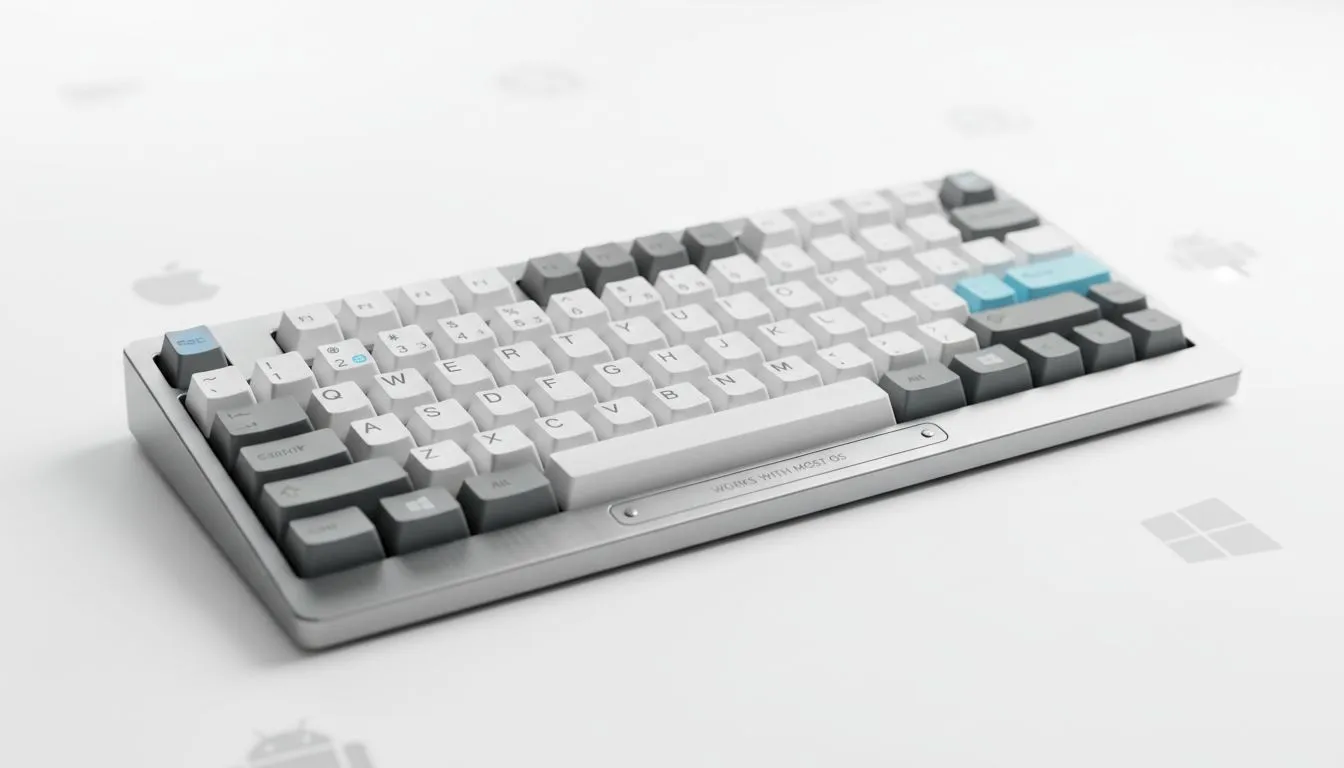
Ever plugged in a brand-new mechanical deck only to find the "Option" key is missing or the RGB won't stop blinking? Understanding keyboard compatibility explained: what works with most OS means knowing how your hardware communicates with Windows, macOS, or Linux. Whether you are coding on a MacBook or fragging on a custom PC... getting the right fit saves you from frustrating technical hurdles. ✨
Most modern peripherals use the standard HID (Human Interface Device) protocol. This ensures that when you buy the cheapest gaming keyboard in South Africa, it will at least type basic characters on almost any device. However... advanced features like macro recording or custom lighting profiles often require specific software suites. Many of these apps are built primarily for Windows... leaving Mac or Linux users to rely on third-party workarounds to customise their gear. 🔧
Choosing between connection types can impact how easily you switch between different operating systems. A wired gaming keyboard is the gold standard for reliability. It works during BIOS updates and on older hardware without needing any special drivers. This "plug-and-play" nature is the safest bet for universal compatibility across legacy systems and modern consoles alike.
On the flip side... a wireless gaming keyboard using Bluetooth can pair with tablets, smartphones, and smart TVs. This offers much more flexibility for a multi-device lifestyle. Just keep in mind that 2.4GHz USB dongles are usually more stable for gaming... while Bluetooth is better for switching between your work laptop and your personal iPad. ⚡
If you are using a Windows-centric keyboard on a Mac, you can swap the Modifier Keys in System Settings. This allows you to use the 'Windows' key as 'Command' and 'Alt' as 'Option'... making the transition between different operating systems feel much more natural without buying new hardware.
The biggest hurdle in keyboard compatibility is the physical layout. Windows users rely heavily on the "Windows" key... while Mac users need the "Command" key for almost every shortcut. Many of the best gaming keyboard deals now include extra keycaps or a physical toggle switch to swap these functions internally. This hardware-level switching is always superior to software remapping because it works regardless of which OS you boot into.
If you are building a full workstation from scratch... grabbing a keyboard and mouse combo often ensures that both devices share a single wireless dongle. This simplifies your port management and ensures that your peripherals are tuned to work together perfectly. Always check if the manufacturer lists "macOS support" on the box if you rely on specific media keys for volume and brightness control... as these are the most common keys to lose functionality when switching platforms. 🚀
Ready to Find Your Perfect Match? Whether you need a deck for Windows, Mac, or Linux, we have the right fit for your setup. Explore our massive range of keyboard deals and find the perfect machine to conquer your world.
'Works With Most OS' usually means basic typing works across Windows, macOS, and Linux, but advanced features may need drivers or apps.
Yes for basic keys; Windows keyboards often require remapping or driver support for media keys on Mac or Linux.
Bluetooth keyboard compatibility depends on HID profiles; most support typing on multiple OSes but advanced functions vary.
Most wired USB keyboards work plug-and-play, but programmable keys and macros may need platform-specific drivers.
Check manufacturer specs for OS support, look for mentions of HID or Bluetooth profiles, and read reviews for cross-platform testing.
Yes. Firmware updates can add HID improvements or fix bugs, improving keyboard compatibility across OSes.
Macro programming, function key mappings, and companion apps are commonly OS-limited; basic typing rarely is.
AIO Liquid 240mm Setup and Configuration. Clear setup instructions with SA-specific considerations, troubleshooting tips & recommended components.
Read more
Setting Up DDR5 64GB Kit. Tested & verified settings for best FPS and visual quality on SA hardware budgets.
Read more
Overwatch 2 Setup Guide Gamers. Clear setup instructions with SA-specific considerations, troubleshooting tips & recommended components.
Read more
R and RStudio on Mac: Data Science Setup Guide. Clear setup instructions with SA-specific considerations, troubleshooting tips & recommended components.
Read more
NVIDIA Broadcast Setup with GPU: Streamer Guide. Clear setup instructions with SA-specific considerations, troubleshooting tips & recommended components.
Read more
Core Ultra 7 265K Temperature Guide: Normal Range. Complete product range with SA pricing, key specs & recommendations for different budgets.
Read more
AMD RX 9050 XT: Rumoured Specs, Price & Release. SA-focused analysis with local pricing data, real-world insights & actionable buying advice.

Can RTX 4080 Super Run AI Workloads for SA Developers Detailed answer with SA data, expert analysis & practical recommendations for local buyers.

Can RTX 4090 Run AI Workloads for SA Developers Detailed answer with SA data, expert analysis & practical recommendations for local buyers.

Top Settings for Intel Arc B580 at Ultrawide 1440p picks evaluated on performance, value & SA availability with current Rand pricing from Evetech.

RTX 4060 CS2 Low Settings at 1080p: FPS Results. Real-world benchmark data, FPS numbers & performance analysis. What SA gamers can actually expect.

Visual Artifacts: Possible GPU Issue Issue #1. Diagnosis steps, proven fixes & when to seek professional help. SA-specific support info included.

Can the RTX 4090 Handle 1440p 144Hz Gaming. Performance testing verdict with real data & practical recommendations for SA buyers.

Top ASUS GPU Under R15000 picks evaluated on performance, value & SA availability with current Rand pricing from Evetech.

GTA 6 Max Settings on RTX 5070. Tested & verified settings for best FPS and visual quality on SA hardware budgets.

Cyberpunk 2077 Max Settings on RTX 5080. Tested & verified settings for best FPS and visual quality on SA hardware budgets.

Starfield Max Settings on RTX 5070 Ti. Tested & verified settings for best FPS and visual quality on SA hardware budgets.

Top RTX 5090 Under R5000 picks evaluated on performance, value & SA availability with current Rand pricing from Evetech.