Ever pressed a key and felt... nothing? Or perhaps you woke up the whole house during a late-night gaming session in Joburg? Choosing the right mechanical switch isn't just about specs; it's about the feel and the sound. Whether you are fragging out or typing up a report, having keyboard switches explained: linear vs tactile vs clicky is crucial for building your ultimate setup. Let's break down the noise.
The Anatomy of a Keystroke 🔧
Before we dive into the colours, we need to understand the mechanism. Under every keycap sits a switch. This little device determines how far you press before the computer registers the input (actuation point) and how much force your finger needs to exert.
In the South African market, you will generally find three main categories. Picking the right one can improve your K/D ratio just as much as upgrading to high-speed solid state drives reduces your load times.
Linear Switches: The Silent Assassins
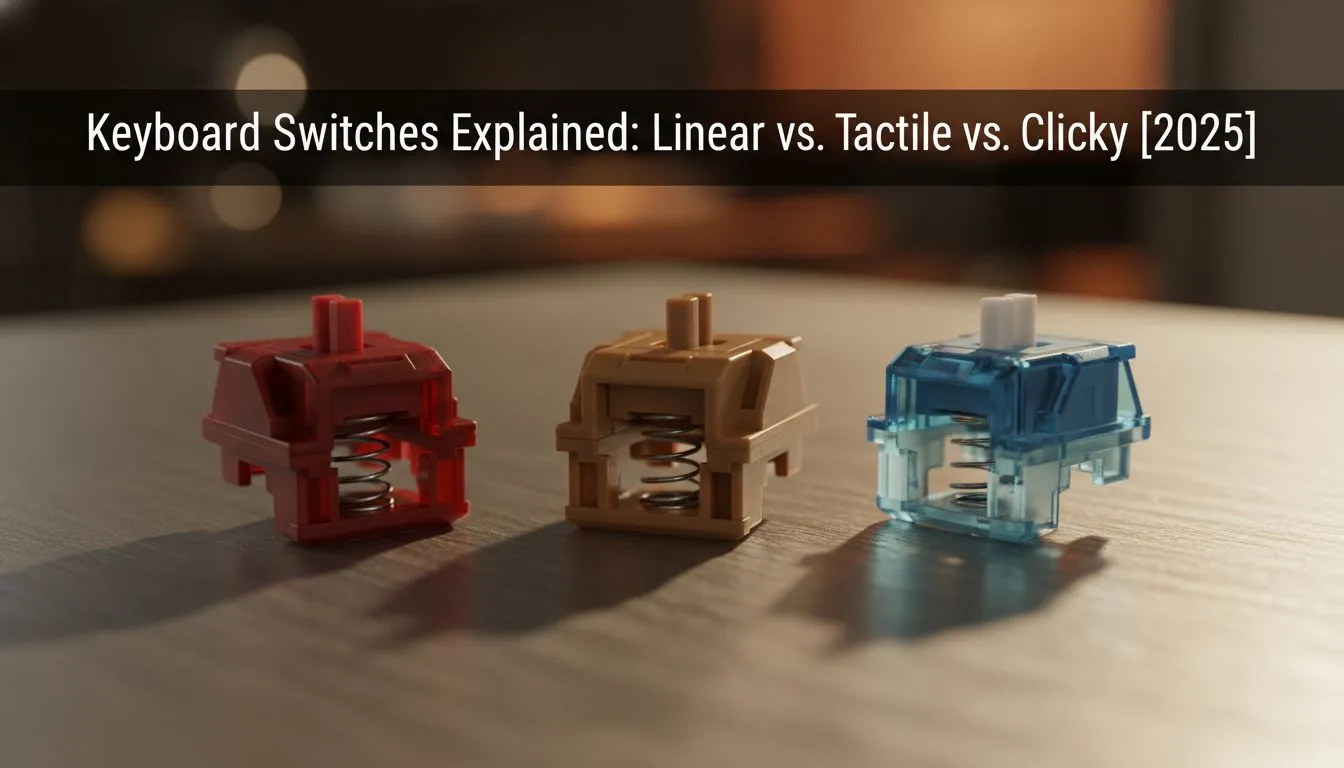
Linear switches (often Red or Black) are smooth. There is no bump, no click... just a straight path down. Gamers love these because they are consistent and fast.
If you play rapid-paced FPS games like Call of Duty or Apex Legends, seconds matter. You want your movement to be instant. Pairing linear switches with a lightweight gaming mouse creates a synergy of speed that is hard to beat. Because there is no tactile barrier, double-tapping keys is effortless.
However, because they are so sensitive, typists might find themselves making accidental keystrokes. It takes a bit of practice to stop "bottoming out" the keys with force.
Tactile Switches: The Middle Ground ✨
Tactile switches (usually Brown or Clear) offer the best of both worlds. When you press down, you feel a subtle "bump" at the actuation point. This physical feedback tells your brain the keypress registered without you needing to bottom out the key.
This is fantastic for MOBA players or anyone who types a lot. It offers precision. It’s similar to the visual clarity you get from high-refresh PC monitors; you know exactly what is happening the moment it happens.
If you find yourself playing games that require less keyboard intensity, like Rocket League or FIFA, you might swap to gaming controllers anyway. But for general use, tactile switches remain the most versatile choice for a shared home office.
Sound Dampening Hack ⚡
If you love the feel of mechanical switches but hate the noise, buy a pack of rubber O-rings. Place them on the stem of each keycap. This reduces the travel distance slightly and dampens the sound of the plastic keycap hitting the switch housing... perfect for late-night sessions.
Clicky Switches: Loud and Proud
Clicky switches (Blue or Green) are exactly what they sound like. They feature a distinct tactile bump accompanied by a sharp "click" sound. It is reminiscent of old-school typewriters.
Typists often swear by these because the auditory feedback is incredibly satisfying. However, be warned: they are loud. If you are in an open-plan office or gaming in the living room, you might annoy everyone around you. You might need to invest in good headphone headsets just to isolate your own game audio from the clatter.
Furthermore, if you are a content creator, be careful. Clicky switches can bleed into your audio feed. You will need high-quality microphones with excellent noise rejection, or you'll drive your twitch chat crazy.
Which One Should You Buy? 🚀
The "best" switch is subjective. It depends on whether you prioritise silence, speed, or feedback.
- Linear: For pure gaming speed and quiet operation.
- Tactile: For a balance of typing comfort and gaming precision.
- Clicky: For solitary typing and maximum auditory feedback.
Your keyboard is the centre of your desk. It sits right alongside your streaming essentials as a tool of the trade. Don't settle for a mushy membrane board when you can have precision under your fingertips.
Fortunately, you don't need to spend a fortune to get started. You can buy the cheapest gaming keyboard in South Africa right here at Evetech and still get high-quality mechanical switches that outlast standard office gear.