Is your laptop hotter than a braai grid in December? We've all been there. You’re deep in a final-circle shootout in Warzone, and suddenly your frames drop. The culprit? Thermal throttling. Your laptop is getting too hot and slowing itself down to survive. But don't stress. With a few smart laptop cooling hacks, you can prevent overheating and keep your performance smooth, ensuring your machine runs cool under pressure. 🌡️
Understanding Why Your Laptop Overheats
Before we dive into the fixes, let's quickly understand the problem. Laptops pack powerful components into a tight space. Gaming, video editing, or even just having too many Chrome tabs open generates a lot of heat. Your laptop's fans are designed to push this hot air out, but over time, dust can clog the vents, or the default setup might just not be enough. This is where effective laptop cooling hacks become essential to prevent permanent damage and performance loss.
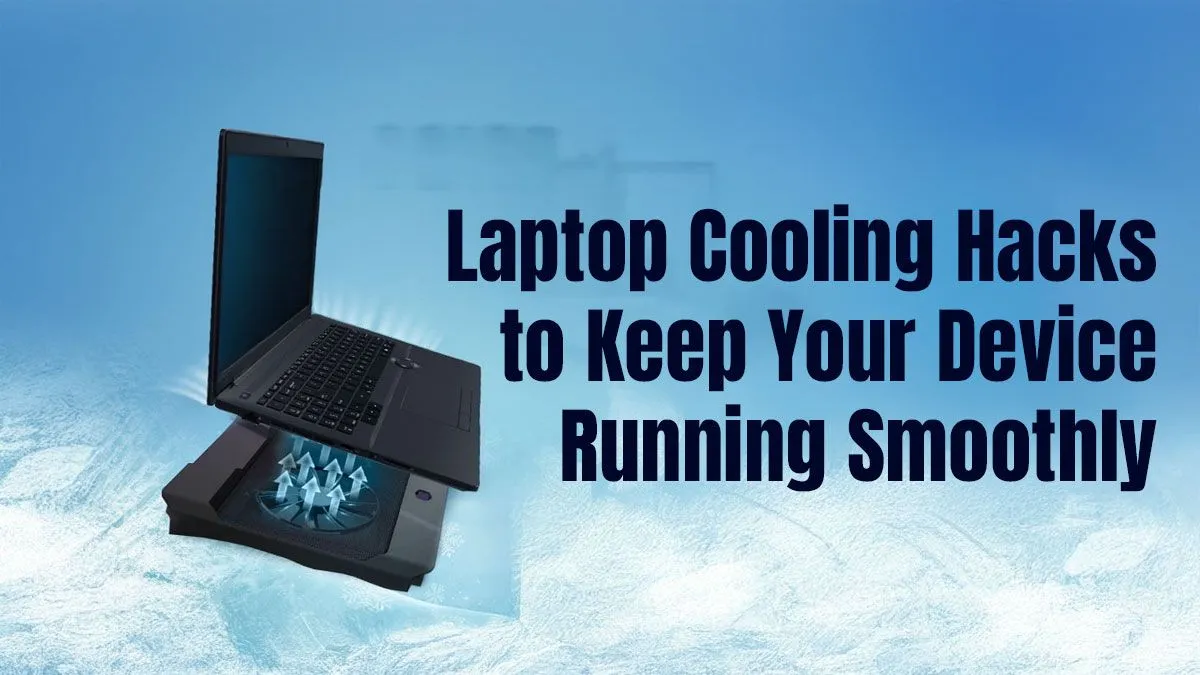
A simple elevation can work wonders for airflow. Propping up the back of your laptop with a book is a zero-cost starting point. This small gap allows the intake fans underneath to breathe freely. Of course, for the best gaming laptop deals, which often pack serious power, a dedicated cooling stand is a worthwhile investment for maintaining peak performance during long sessions.
Practical Laptop Cooling Hacks to Try Now
Ready to cool things down? These tips are easy to implement and can make a massive difference in your laptop's temperatures and overall lifespan.
1. The Deep Clean: Banish Dust Bunnies 💨
Dust is the number one enemy of a cool laptop. It acts like a blanket, trapping heat inside the chassis. The most effective way to deal with this is a can of compressed air.
- Power Down: Completely shut down and unplug your laptop.
- Target the Vents: Spray short bursts of air into the intake and exhaust vents to dislodge dust.
- Fan Focus: If you're comfortable opening your laptop (check your warranty first!), you can give the fans a more direct clean.
Safety First! 🔧
When using compressed air, never tilt the can upside down, as this can spray liquid propellant. Also, hold the fan blades gently with a non-conductive tool (like a plastic spudger) to prevent them from over-spinning, which could damage the fan motor.
2. Software Tweaks and Optimisation
Sometimes, the best way to prevent overheating is by managing what's running on your machine. Close unnecessary background applications using the Task Manager (Ctrl+Shift+Esc) before starting a game. Lowering in-game settings for shadows or anti-aliasing can also significantly reduce the load on your GPU, leading to lower temperatures. Whether you're running one of the latest AMD laptops on special or a trusty older model, software optimisation is a free performance boost.
3. Consider a Cooling Pad
A laptop cooling pad is an external accessory with built-in fans that sits underneath your device, actively pushing cool air into its intake vents. It's a simple and highly effective solution, especially for high-performance machines. Many modern Intel laptops on special are incredibly powerful, and pairing them with a quality cooling pad ensures you get every ounce of performance you paid for without thermal throttling. ✨
Ultimately, keeping your machine cool is about proactive maintenance. By regularly cleaning your device and optimising its environment, you'll enjoy better, more consistent performance for years to come.
Time for a Cooler Upgrade?
If these laptop cooling hacks aren't enough, it might be time for a new machine with a superior thermal design. Check out our incredible range of laptop specials for sale in South Africa for performance that never sweats.