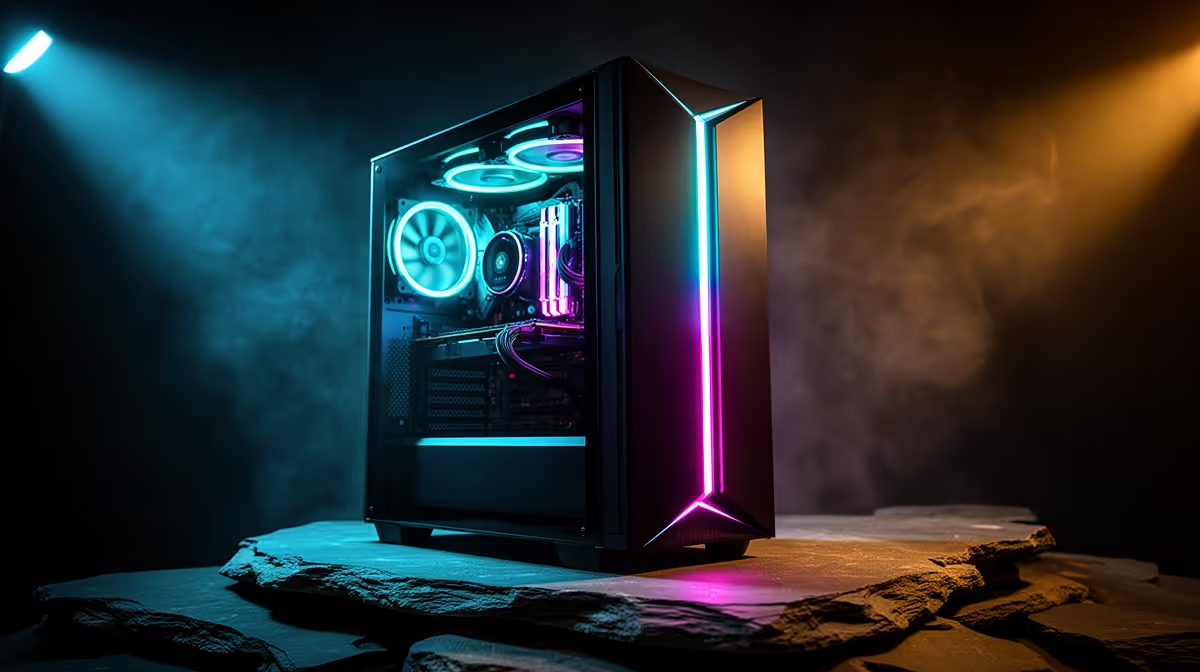
Two paths lead to running AI at home, and they pull in opposite directions on cost, control and capability. Local AI versus a cloud AI subscription comes down to a single hardware purchase you own forever against a monthly fee that buys access to bigger, smarter models. Which one is worth it depends on what you actually do with AI and how much your data privacy is worth to you.
Quick Answer
If you use AI heavily, value full data control, and can spend once on a capable PC, running models locally pays for itself over time and keeps everything on your machine. If you want the largest, most capable models with zero hardware fuss and only use AI occasionally, a cloud subscription is the cheaper and easier choice.
What Local AI Actually Means
Local AI runs the model on your own computer. The text generation, image creation or code suggestions happen on your CPU and graphics card, with nothing leaving the machine. You download an open-weight model once and run it as often as you like with no per-use charge.
The appeal is threefold: privacy, because your prompts and documents never touch a third-party server; control, because the model keeps working whether or not the internet does and cannot be discontinued out from under you; and long-run cost, because after the hardware is paid for the ongoing cost is only the electricity to run it.
The Hardware It Demands
Running capable models locally leans hard on the graphics card, specifically its video memory. The amount of VRAM sets which models you can load. Smaller models run on modest cards, while the larger, more capable open-weight models need a card with substantial VRAM and plenty of system RAM. This is the real cost of local AI: a one-time outlay on a machine strong enough to hold the models you want. The AI PC range at Evetech covers machines built specifically around local-inference workloads and shows what that level of GPU and VRAM looks like at different price points.
What A Cloud Subscription Gives You
A cloud AI subscription rents access to models running on the provider's servers. You pay a monthly fee and get the provider's flagship model, which is almost always larger and more capable than anything you can run at home, along with no hardware requirement beyond a basic device and an internet connection.
The trade-offs are the mirror image of local AI. Your prompts travel to and are processed on someone else's servers, so privacy depends on the provider's policy rather than your own walls. The service can change its pricing, alter the model's behaviour, or shut down, and you have no control over any of it. And the cost never stops, since you pay every month for as long as you use it.
Running The Numbers For SA Users
The honest comparison is about break-even. A cloud subscription has a low entry cost but never stops charging. Local AI has a high upfront cost in the form of a capable PC, then almost nothing after that. The more years you intend to use AI, and the more intensively you use it each day, the sooner the owned hardware wins on total cost.
There is a hidden value to the local PC too: it is a full computer, not a single-purpose AI box. The same machine games, edits video, runs your work and hosts the AI models, so the spend is shared across everything you do rather than charged purely to AI. A cloud subscription buys only the AI access and nothing else.
The Quality Gap in 2026
The honest truth is that cloud providers run frontier models that are larger and more capable than anything most home hardware can load. That gap is real at the very top. Where it matters less is in the middle: modern open-weight models at the 7B to 13B parameter tier handle writing, summarising, coding assistance, and general Q&A at a level that satisfies most everyday users. The gap is narrowing with each generation of open releases, and for many common tasks a well-quantised local model is already close enough that the privacy and cost advantages of running it locally tip the balance.
Where cloud still dominates is on tasks that genuinely need the largest context windows, the most up-to-date knowledge, or the hardest reasoning challenges. If your work depends on those capabilities daily, a cloud subscription earns its fee. If most of your usage is drafting, summarising, and answering questions about your own documents, a local 13B model is often more than enough.
Who Should Pick Which
Choose local AI if you run AI tasks daily, handle sensitive or confidential material you do not want leaving your machine, want a model that cannot be taken away or throttled, and already want a powerful PC for other work. Choose a cloud subscription if you use AI lightly, need the absolute best model quality for occasional important tasks, do not want to manage hardware, or are not ready for the upfront spend. Many people land on a sensible middle path: a capable local machine for everyday and private work, and an occasional cloud subscription when only the largest model will do. If a ready-built option appeals, the best-selling PCs include configurations that double as strong local AI machines.
Frequently Asked Questions
Is local AI as smart as a cloud subscription?
Usually not at the very top end. Cloud providers run enormous flagship models that exceed what most home hardware can hold. That said, current open-weight local models are highly capable for everyday writing, coding and image tasks, and the gap keeps narrowing as smaller models improve.
What hardware do I need to run AI locally?
A graphics card with generous VRAM is the key part, since VRAM determines which models fit. Pair it with plenty of system RAM and a fast SSD. The larger the model you want, the more VRAM you need, which is why AI-focused PCs centre the build around the GPU.
Does local AI work without internet?
Yes. After a model file has been downloaded, all inference happens on your own hardware with no server calls and no internet dependency. That offline capability and the privacy that comes with it are two of the main reasons people choose local over cloud.
Will running AI locally raise my electricity bill much?
Only modestly for typical use. The PC draws more power under heavy AI load, but intermittent home use adds little to a bill. Compared with a recurring monthly subscription, the running cost of a local machine stays low.
Can I do both?
Yes, and many do. Keep a capable local machine for daily and private work, and add a cloud subscription only when you need the largest model for a specific task. This balances cost, privacy and access to top-tier model quality.
Thinking of bringing AI in-house and keeping your data on your own machine? Explore the AI PC range at Evetech and pick a system with the VRAM to run the models you care about.