


Black Myth: Wukong 2 Ultrawide Support: 21:9 and 32:9 Setup Guide
Black Myth: Wukong 2 Ultrawide Support: 21:9 and. Clear setup instructions with SA-specific considerations, troubleshooting tips & recommended components.
Read moreLooking for a Mechanical Gaming Keyboard RGB with Media Controls? This buyer’s guide helps you compare switches, tournament profiles, latency, and software so you pick the best keyboard for gaming 🎮✨
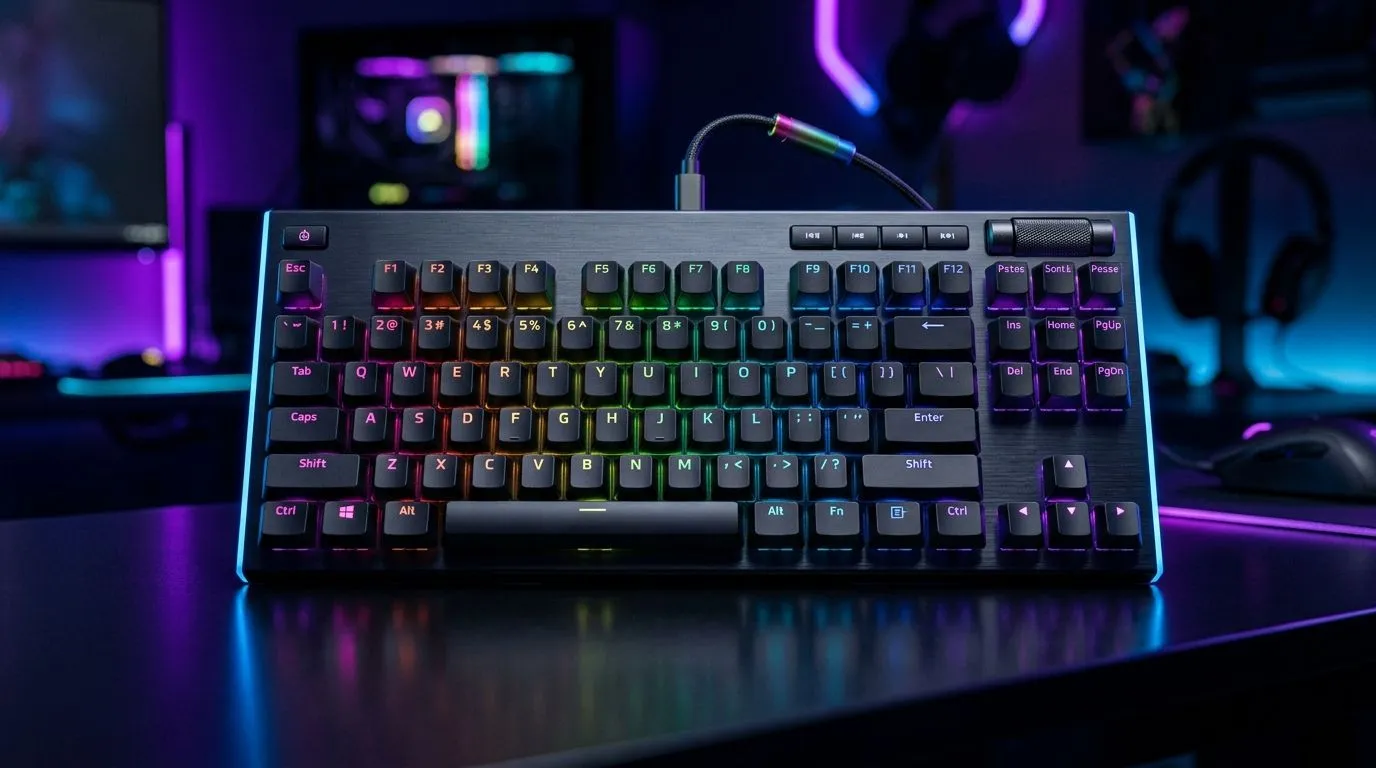
If you’re building a setup that feels fast, looks clean, and does more than just type… RGB plus media controls can be the sweet spot. For South African gamers juggling Discord, Spotify, and Discord pings between ranked matches, dedicated media keys cut time. But choosing the right mechanical gaming keyboard RGB with media controls buyer guide setup isn’t only about pretty lighting. It’s about switch feel, key comfort, and buying once, not twice.
When people say “mechanical” they usually mean switch type first, then the rest. Here’s how to judge a keyboard before you tap “add to cart”.
Most buyers land on one of these:
If you’re unsure, consider how you’ll use the keyboard. Long play sessions favour consistent travel. Offices and shared flats often need quieter switches.
Dedicated media keys let you pause, skip, and control volume without leaving your game. That’s handy when you’re streaming music, reviewing clips, or adjusting sound while in the lobby.
Look for:
RGB is fun… but you want control that won’t bug out. Prioritise keyboards that offer:
Windows, use Evetech’s recommended PC peripherals approach: match your keyboard layout to your mouse hand so your media controls sit where your fingers already rest. In practice, you’ll press volume and pause with minimal movement, which keeps you focused during matches and minimises accidental key presses.
Wireless is tempting. No cable drag, cleaner desks, and easier LAN carry. But for competitive players, stability matters.
If your gaming is mostly at home, wired can feel “set and forget”. If you travel to friends often, wireless can be worth it.
Check Evetech’s selection options here:
In South Africa, pricing changes fast. The best strategy is simple: set a budget, then buy features that remove friction.
A quick checklist:
If you’re shopping for value, start with Evetech’s deal pages:
And if you’re upgrading the whole desk in one go, consider a combo:
Picture this… you’re mid-match. Someone drops a “gg” in voice chat, and your music is a bit too loud. With dedicated media controls, you can lower volume in seconds. Without them, you’re tabbing out, clicking sliders, then scrambling to return. That small difference adds up across the session.
So when you compare mechanical gaming keyboard RGB with media controls buyer guide options, treat media keys as a gameplay feature, not a luxury. 🔥
Ready to Find Your Perfect Match? The Mac vs Windows debate is complex, but for maximum power, choice, and value in South Africa, Windows is hard to beat. Explore our massive range of laptop specials and find the perfect machine to conquer your world.
Prioritize switch feel, dedicated media keys, customizable RGB, solid key rollover, and software support for quick profile switching during games.
Yes. Tournament profiles can disable risky macros and reduce distractions by loading a competition-ready layout with one button.
Good designs map media controls separately from game keys. Focus on low-latency response and reliable key scanning.
Most gamers start with linear or tactile switches depending on preference. Consider actuation distance, sound level, and overall feel.
Hot-swap boards let you test switch types without soldering. It is ideal if you want to fine-tune your gaming feel later.
Use the included keyboard software to save presets per profile, then confirm the board can switch profiles reliably without lag.
Look for consistent actuation, fast scanning, anti-ghosting/rollover, minimal driver friction, and tournament-safe profile options.
A solid mid-range board usually balances switch quality, build, and software features. Compare media keys, profiles, and warranty before buying.
Black Myth: Wukong 2 Ultrawide Support: 21:9 and. Clear setup instructions with SA-specific considerations, troubleshooting tips & recommended components.
Read more
Setting Up HDMI 2.1 Cable. Tested & verified settings for best FPS and visual quality on SA hardware budgets.
Read more
Every spec on PCIe 5.0 explained in plain English. What matters for gaming and creator work in 2026, what's marketing fluff, and how each number translates to real-world performance.

A head-to-head look at WiFi 7: real-world performance, ZAR pricing and which option delivers better value for SA builders. The clear answer — no fluff.

Everything you need to set up and tune PCIe 5.0 properly: the prep work, the settings that actually matter, and the mistakes to skip. Written for SA builders in 2026.

Everything you need to set up and tune X870E Motherboard properly: the prep work, the settings that actually matter, and the mistakes to skip. Written for SA builders in 2026.

Wondering what a 512GB SSD capacity really holds? This guide breaks down how many games, photos, and documents fit on 512GB, with real-world ranges 📦💾

Every spec on vrm explained in plain English. What matters for gaming and creator work in 2026, what's marketing fluff, and how each number translates to real-world performance.

Every spec on motherboard explained in plain English. What matters for gaming and creator work in 2026, what's marketing fluff, and how each number translates to real-world performance.

Premium vs Midrange Motherboards in South Africa: real-world performance, SA pricing, power draw and which one delivers better value for your build for SA buyers. The clear answer — without the fluff.
Wondering what a 512GB SSD capacity really holds? This guide breaks down how many games, photos, and documents fit on 512GB, with real-world ranges 📦💾
Every spec on PCIe 5.0 explained in plain English. What matters for gaming and creator work in 2026, what's marketing fluff, and how each number translates to real-world performance.
A head-to-head look at WiFi 7: real-world performance, ZAR pricing and which option delivers better value for SA builders. The clear answer — no fluff.

Every spec on USB4 explained in plain English. What matters for gaming and creator work in 2026, what's marketing fluff, and how each number translates to real-world performance.