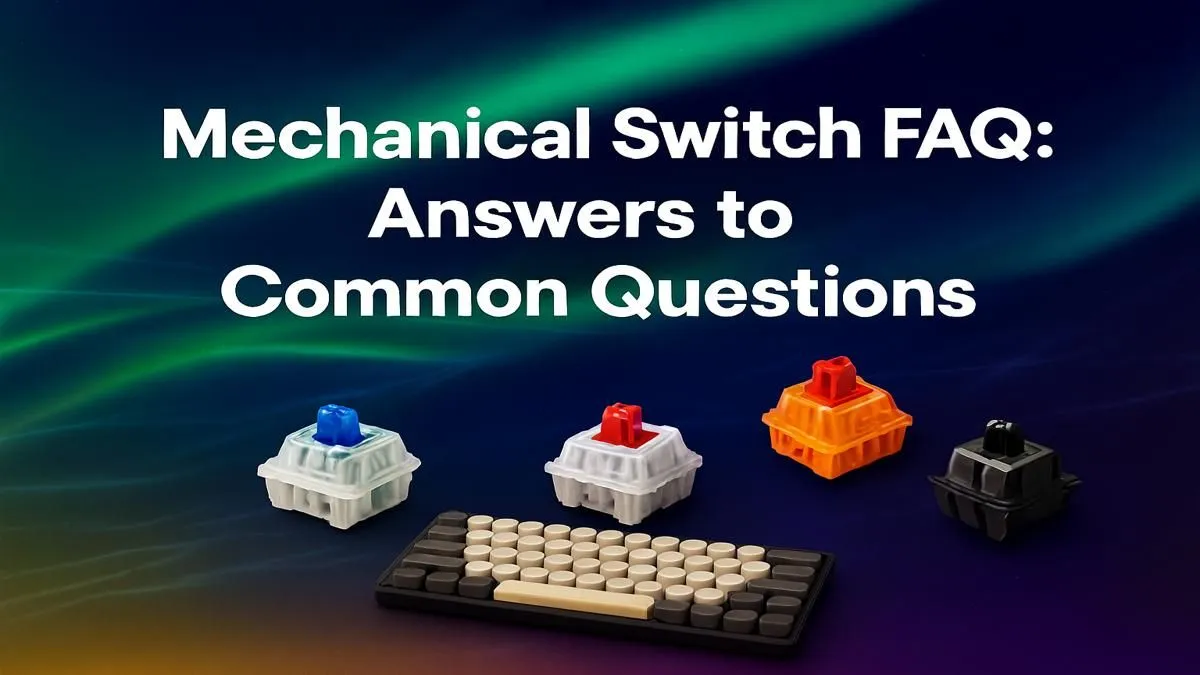
So, you’re ready to level up from that mushy, unsatisfying membrane keyboard? Welcome to the club. But stepping into the world of mechanical keyboards can feel overwhelming. Linear, Tactile, Clicky... what does it all mean? This guide is here to cut through the noise. We're explaining mechanical keyboard switches in plain English, helping you find the perfect feel for your gaming marathons and late-night assignments, right here in South Africa. Let's dive in.
What Exactly is a Mechanical Keyboard Switch?
Think of a switch as the engine under each keycap. Unlike a typical office keyboard that uses a single rubber dome sheet for all keys, a mechanical keyboard has an individual, spring-loaded switch under every single key.
This design is what gives them their signature feel, durability, and responsiveness. When you press a key, the switch's stem travels down, causing two metal contacts to connect and register the keystroke. Simple, right? But the magic... and the confusion... lies in how that stem travels. This is where the different types of mechanical keyboard switches come into play.
The Big Three: Linear, Tactile, and Clicky Explained
Almost every mechanical switch falls into one of three main categories. Understanding these is the most crucial step in your journey.
Linear Switches (The Speed Demons 🏎️)
Linear switches offer a smooth, consistent keystroke from the moment you press down until the key bottoms out. There's no bump or click along the way.
- Who are they for? Competitive gamers. The uninterrupted travel allows for rapid, repeated key presses without any tactile interference, which can be crucial in fast-paced FPS or MOBA games. If you need the fastest possible response time, linear is your go-to.
- Common Examples: Cherry MX Red, Gateron Red, Kailh Red.
Because they are so popular with gamers, you'll find linear switches in many of the best gaming keyboard deals in South Africa, offering top-tier performance without breaking the bank.
Tactile Switches (The All-Rounders)
Tactile switches provide a noticeable "bump" in the middle of the keypress. This bump lets you know, by feel, that you've activated the key. You don't need to press the key all the way down, which can lead to faster and more accurate typing.
- Who are they for? Everyone! They are the perfect middle ground, offering great feedback for typists while still being smooth enough for most gaming genres. If you use your PC for both work and play, a tactile switch is a fantastic choice.
- Common Examples: Cherry MX Brown, Gateron Brown, Glorious Panda.
They provide a satisfying experience without being overly loud, making them a solid feature in some of the cheapest gaming keyboards in South Africa that deliver amazing value.
Clicky Switches (The Satisfying Sound ✨)
Clicky switches are the loud and proud cousins of the keyboard world. They work just like tactile switches, but add a distinct and audible "click" sound right at the actuation point, along with the tactile bump.
- Who are they for? Typists and anyone who loves loud, unambiguous feedback. The sound is incredibly satisfying and confirms every single keystroke. Just be warned... your colleagues or family members might not love it as much as you do.
- Common Examples: Cherry MX Blue, Gateron Blue, Kailh Box White.
For those building a complete desk setup from scratch, pairing a clicky keyboard with a great mouse can make for a powerful and satisfying workstation. Check out our keyboard and mouse combos for some excellent starting points.
Switch Tester Pro Tip ⚡
Can't decide? A switch tester is a small board with various switches you can try before buying a full keyboard. It's a small investment that can save you from buyer's remorse, letting you feel the difference between a Gateron Brown and a Cherry MX Red firsthand.
Taking Control: Customising Your Keystrokes 🔧
One of the best things about the mechanical keyboard hobby is customisation. Many modern keyboards are "hot-swappable," meaning you can pull the switches out and pop in new ones without any soldering. This opens up a world of possibilities.
Maybe you start with Red switches for gaming but find you want something more tactile for typing. No problem. You can easily buy new keyboard switches and swap them in an afternoon.
This customisation extends beyond just the feel. You can completely change the look of your board with a new set of artisan or PBT keycaps, matching your setup's colour scheme perfectly. And for those long sessions, don't forget ergonomics. Adding a comfortable keyboard wrist rest can make a massive difference in preventing strain and keeping you comfortable.
Ready to Find Your Perfect Feel?
From whisper-quiet linears to satisfyingly loud clickies, the perfect switch is waiting to upgrade your entire PC experience. Stop guessing and start playing better. Explore our massive range of mechanical keyboards and find the perfect board to conquer your world.