


Using GitHub Copilot: Complete Beginner's Guide for SA Developers
Using GitHub Copilot: Complete Beginner's Guide for SA Developers. Everything you need to know with SA-specific pricing and recommendations.
Read moreMesh Front Panel Setup and Configuration: Complete Tutorial. Comprehensive coverage with SA insights, Rand pricing, and practical recommendations.
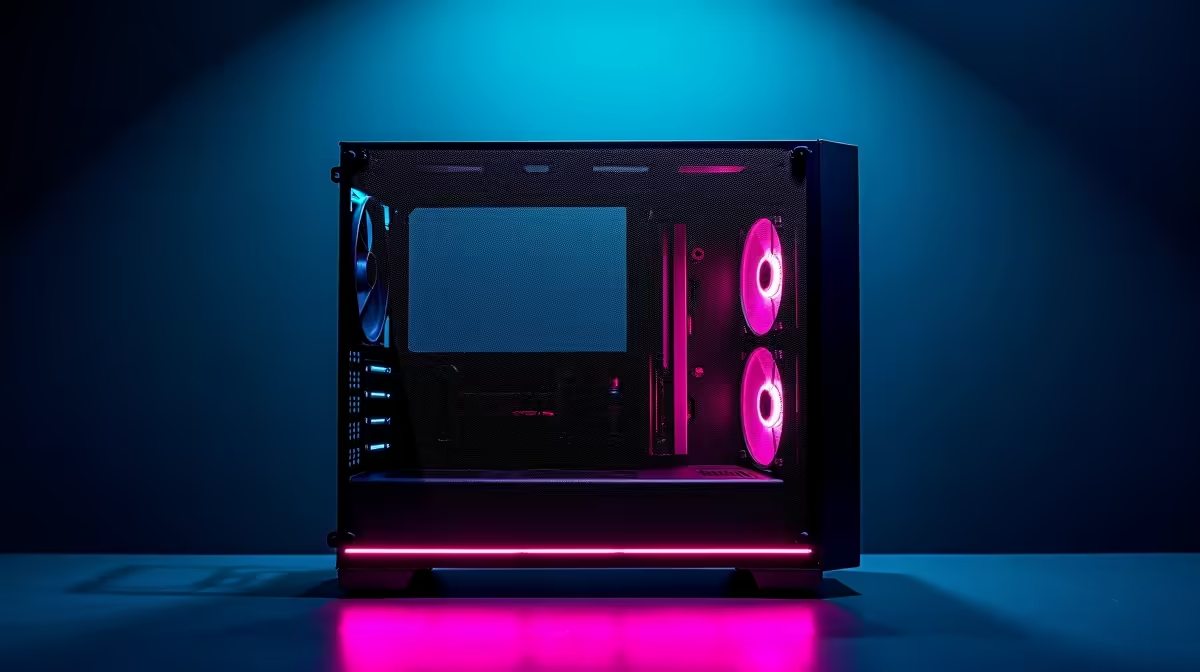
A mesh front panel improves PC airflow by allowing more air to pass through the case front compared to solid panels. Setup involves removing the panel, checking for dust filters, and positioning your intake fans correctly to maximise airflow into the case.
If you have built or upgraded a PC in South Africa recently, chances are your case came with a mesh front panel - or you bought one specifically for better thermals. Mesh panels are one of the easiest wins for cooling performance, but getting the most out of them requires a bit more than just snapping the panel on. Here is how to set it up and configure it properly.
Mesh front panels come in a few different designs. Some are fixed and integrated into the case frame, while others are removable for cleaning. Before you start, identify whether your panel detaches by pulling from the top or bottom edge - most modern cases like those from Phanteks, Fractal, and Lian Li use a simple clip or magnetic system. Check whether there is a dust filter behind or in front of the mesh layer. This filter matters in dusty South African environments, especially in homes near highways or in dry inland regions like Gauteng. If the filter is on the inside of the panel, air pulls through it first, which is the correct orientation for positive pressure intake.
A mesh front panel only delivers its full benefit when your intake fans are set up correctly. Mount fans on the front panel with the fan label side facing into the case - this means airflow moves from outside the case inward. For a standard mid-tower, two 120mm or 140mm fans in the front slots will work well. If your case supports three fans, filling all three positions maximises the static pressure pushing air across your GPU and CPU cooler. Set your fan curve in BIOS or through software like Argus Monitor so front fans spin at higher RPM under load but stay quiet at idle - important for home office use where noise matters. Ensure the rear exhaust fan is running at similar or slightly lower RPM to maintain positive pressure, which reduces dust buildup through case gaps.
South Africa's dust levels make front panel maintenance more important than in many other regions. A mesh panel without a filter will collect visible dust on the fan blades within weeks in dustier areas. If your panel has a removable dust filter, wash it with water every four to six weeks and let it dry fully before reinstalling. For mesh panels without a dedicated filter, a quick blast with a can of compressed air every month keeps airflow consistent. Avoid using a vacuum directly on the mesh as it can generate static. When reassembling, make sure the panel clips back into its retention points fully - a loose front panel can rattle at higher fan speeds and partially block airflow at the edges.
Q: Does a mesh front panel make a noticeable difference to CPU and GPU temperatures? A: Yes, particularly in cases that previously had solid or heavily restricted front panels. Users switching from a solid panel to a mesh design typically see CPU temperatures drop by 3 to 8 degrees Celsius under sustained load, with GPU temperatures improving by a similar margin depending on case layout.
Q: Should I run my front fans as intake or exhaust with a mesh panel? A: Always run front fans as intake when using a mesh front panel. Air enters through the large open mesh area at the front, passes over your components, and exhausts out the rear and top. Running them as exhaust defeats the purpose of the mesh and reduces cooling efficiency significantly.
Q: Can I add a mesh panel to a case that came with a solid front panel? A: Some case manufacturers sell replacement mesh front panels as accessories, but compatibility is model-specific. Check the manufacturer's website or contact your local PC hardware retailer to confirm whether a mesh panel alternative exists for your specific case model before purchasing.
Ready to Find Your Perfect Match? Browse the latest PC deals at Evetech and build your ideal well-cooled gaming rig today.
Mesh Front Panel Setup and Configuration available at Evetech.co.za with local warranty.
Mesh Front Panel Setup and Configuration - check Evetech for latest stock.
Depends on use case. Mesh Front Panel Setup and Con good value at current Rand pricing.
Using GitHub Copilot: Complete Beginner's Guide for SA Developers. Everything you need to know with SA-specific pricing and recommendations.
Read more
Back-to-School Headset Buying Guide for SA 2026. Everything you need to know with SA-specific pricing and recommendations.
Read more
Black Screen: Troubleshooting Guide #1. Everything you need to know with SA-specific pricing and recommendations.
Read more
The Complete 2026 Guide to Storage in South Africa. Everything you need to know with SA-specific pricing and recommendations.
Read more
1000W PSU Not Working After Load Shedding: Recovery Guide. Everything you need to know with SA-specific pricing and recommendations.
Read more
Cyberpunk 2077 Streaming Guide for SA Gamers. Everything you need to know with SA-specific pricing and recommendations.
Read more
AMD RX 9050 XT: Rumoured Specs, Price & Release. SA-focused analysis with local pricing data, real-world insights & actionable buying advice.

Can RTX 4080 Super Run AI Workloads for SA Developers Detailed answer with SA data, expert analysis & practical recommendations for local buyers.

Can RTX 4090 Run AI Workloads for SA Developers Detailed answer with SA data, expert analysis & practical recommendations for local buyers.

Top Settings for Intel Arc B580 at Ultrawide 1440p picks evaluated on performance, value & SA availability with current Rand pricing from Evetech.

RTX 4060 CS2 Low Settings at 1080p: FPS Results. Real-world benchmark data, FPS numbers & performance analysis. What SA gamers can actually expect.

Visual Artifacts: Possible GPU Issue Issue #1. Diagnosis steps, proven fixes & when to seek professional help. SA-specific support info included.

Can the RTX 4090 Handle 1440p 144Hz Gaming. Performance testing verdict with real data & practical recommendations for SA buyers.

Top ASUS GPU Under R15000 picks evaluated on performance, value & SA availability with current Rand pricing from Evetech.

GTA 6 Max Settings on RTX 5070. Tested & verified settings for best FPS and visual quality on SA hardware budgets.

Cyberpunk 2077 Max Settings on RTX 5080. Tested & verified settings for best FPS and visual quality on SA hardware budgets.

Starfield Max Settings on RTX 5070 Ti. Tested & verified settings for best FPS and visual quality on SA hardware budgets.

Top RTX 5090 Under R5000 picks evaluated on performance, value & SA availability with current Rand pricing from Evetech.